i2000SR interface module Service Manual
Page 20 of 212 625798100.APS.5.doc
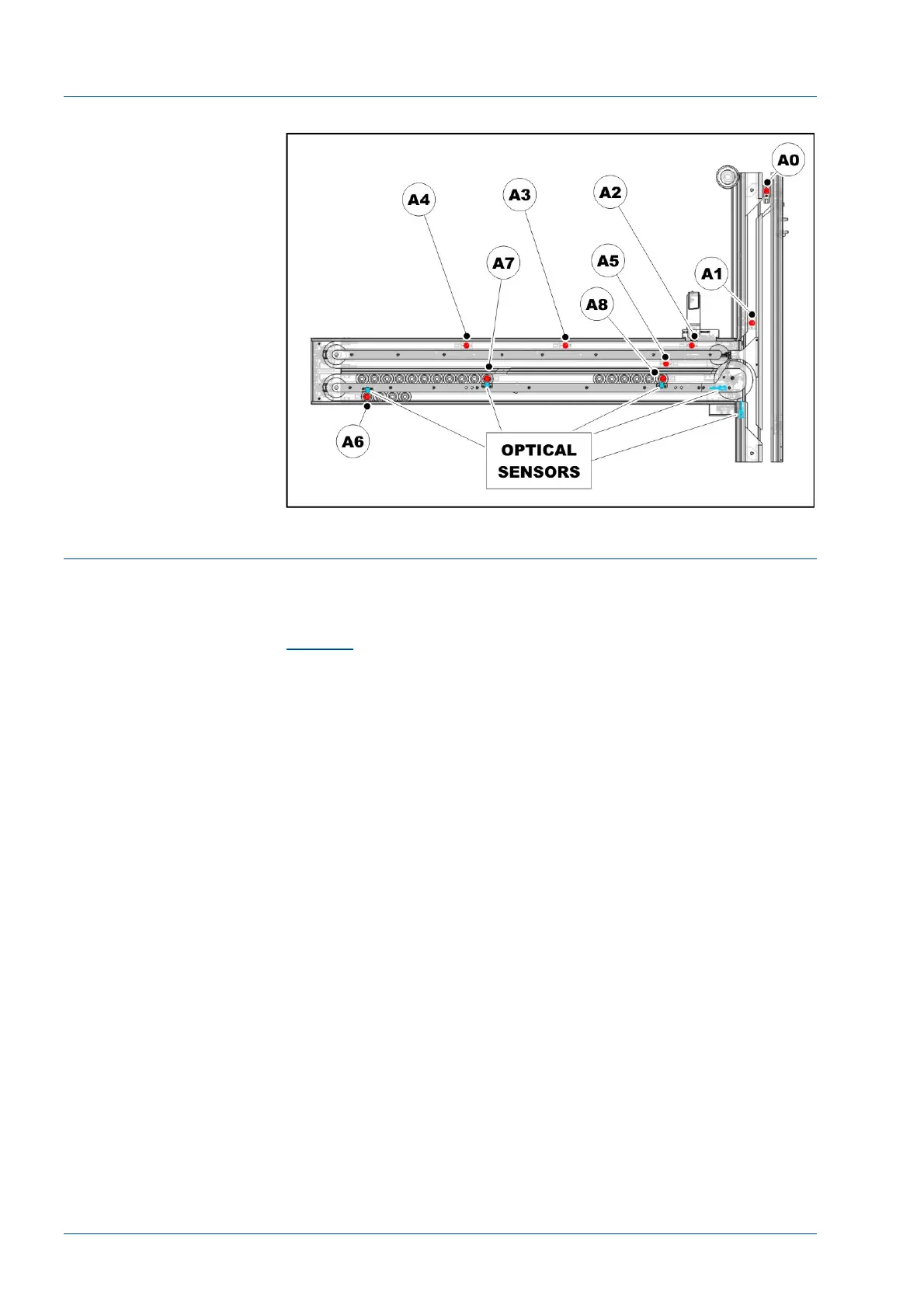
Figure 6 – Optical sensors and antennas
i2000SR Instrument Indicator Light (IM pole lamps) functioning
The i2000SR Instrument Indicator Light is a pole attached to the
track with three colored lamps that are used as an interface
device to communicate to the operator the status i200SR IM. (See
Figure 1
)
RED LAMP ON: Error or Initializing
The red lamp illuminates to indicate that either the IM and/or
analyzer are either not fully initialized or an error condition
requiring operator attention has occurred.
RED LAMP Blinking: SCC CLI communication error
A blinking red lamp indicates that the i2000SR System Control
Center (SCC) is not initialized, or CLI communication was not
established.
The red lamp will remain blinking until the SCC is in the Snapshot
screen, and the IM has been reset and communication has been
established via the CLI port.
YELLOW LAMP ON: Exercise mode
The yellow lamp is illuminated to indicate the system in exercise
mode. Exercise mode is used to carrier movement operations and
is described in the Modes of Operation.
YELLOW LAMP Blinking:
While in Standalone mode, a blinking yellow lamp is used to
inform the operator of a sample presentation error. To prevent
erroneous results, the IM via the CLI port will issue the i2000SR
analyzer a Stop command.



 To Next Page