i2000SR interface module Service Manual
Page 56 of 212 625798100.APS.5.doc
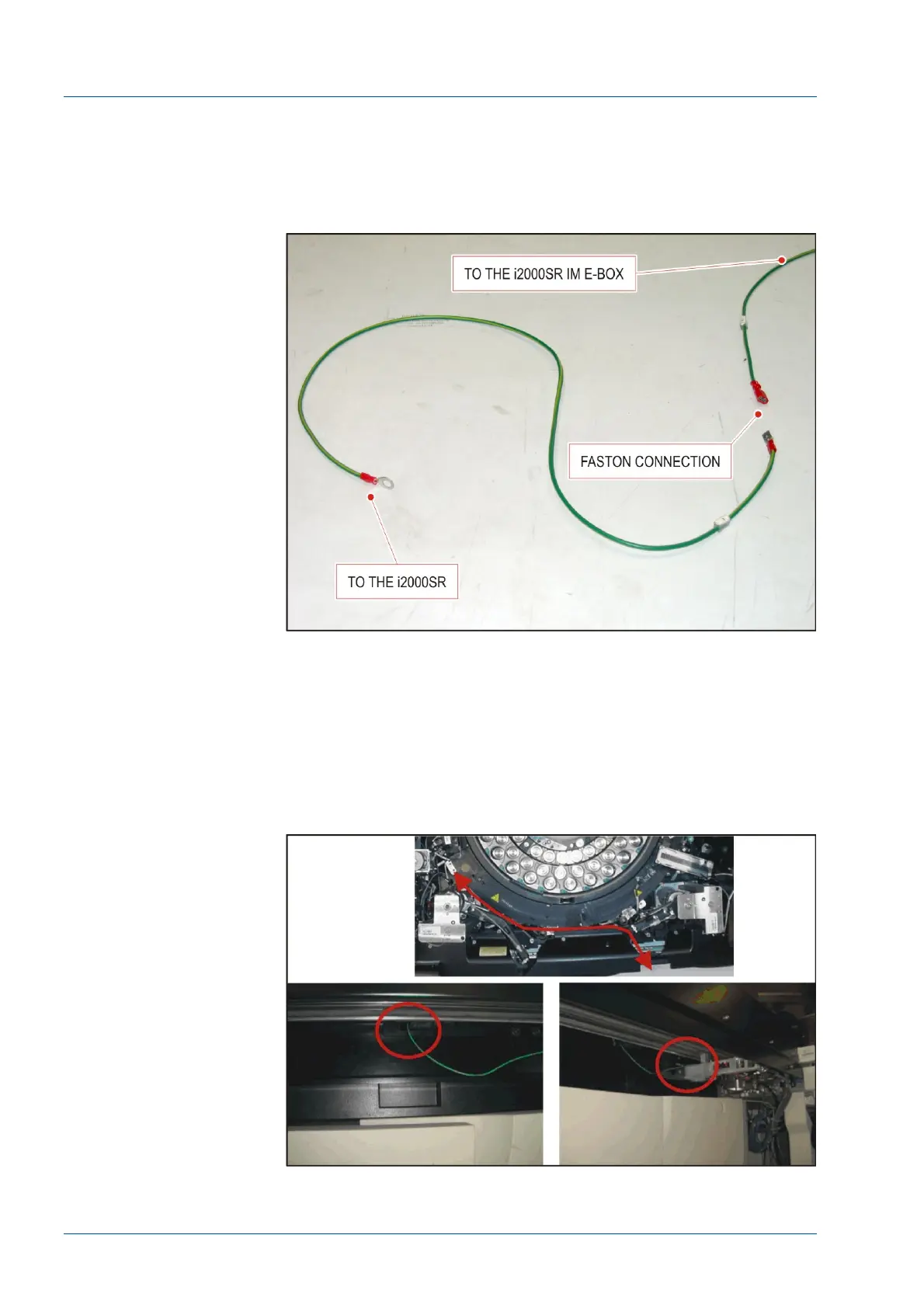
i2000SR Ground Wire Installation
• Locate the 0.8 m length of 18 AWG ground wire. The wire
will have a terminal for a screw on one end and a faston
connection on the other.
Figure 33 – The 0.8 m 18 AWG wire
• At the underside of the i2000SR IM locate the opening in
the i2000 SR front panel used to route the STAT LLS cables and
insert the screw terminal end of the wire.
• From the inside of the i2000SR, continue routing the wire
to the left and along the front of the process path toward the
process path ground connection located near the base of the
Sample Pipettor.
Figure 34 – i2000SR Ground Wire Installation



 To Next Page