i2000SR interface module Service Manual
Page 68 of 212 625798100.APS.5.doc
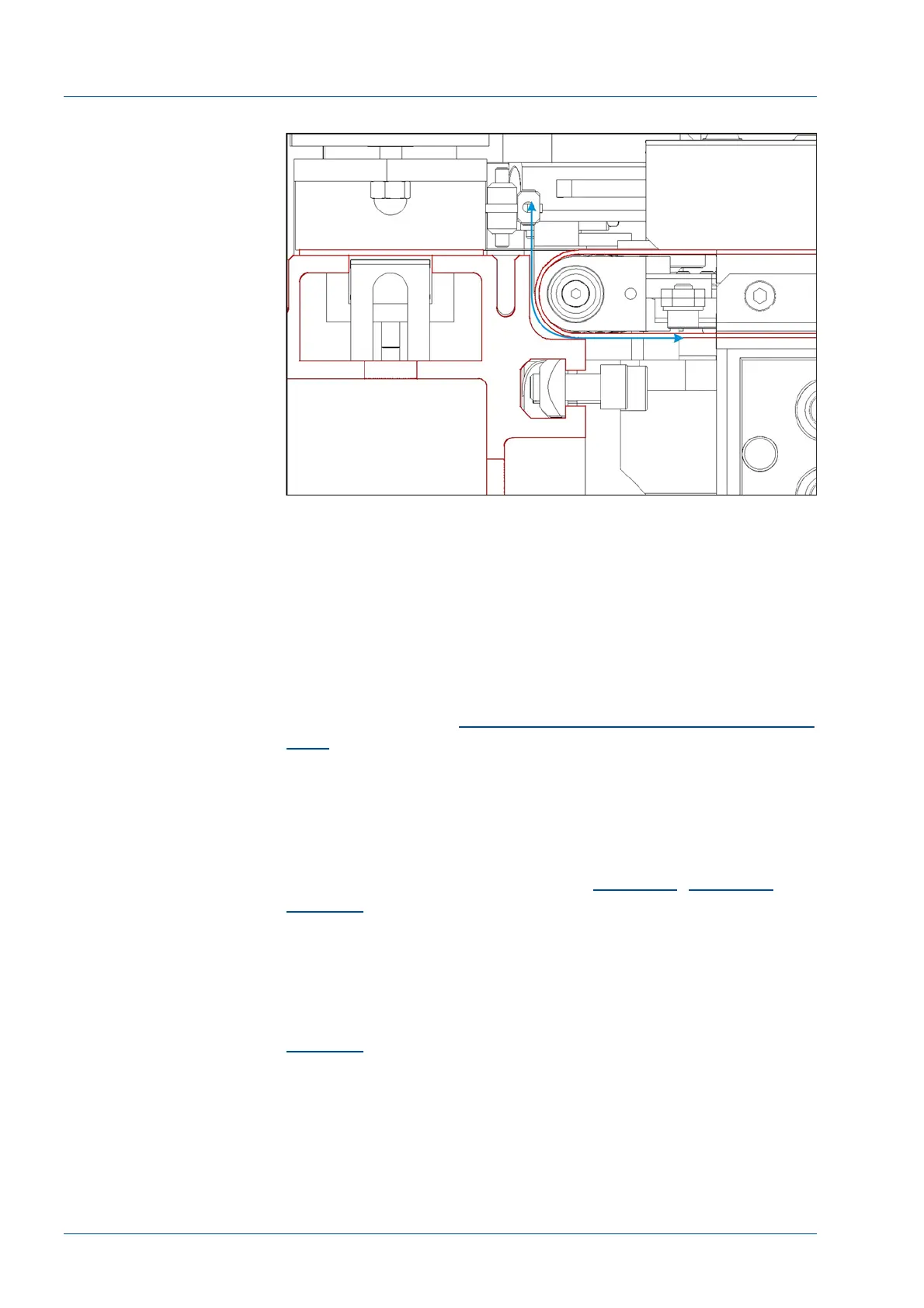
Figure 56 – Belt clearance
Alignment of routine and STAT sampling probes,
gates and antennae
GOAL:
During aspiration, the sample and STAT probes must only
touch the fluid at the bottom of the tube. During z-axis
travel the probe must stay centered in the tube. Adjust the
probe(s), gate(s), antenna, analyzer feet, and support
bracket as required to center the probe at both the upper
and lower positions.
• Perform the
2
Alignment of routine and STAT sampling
gates
procedure.
Install the Gap Filler
The Gap Filler is a component designed to eliminate the space
between the i2000SR cover and the APS Main Track cover.
It must be assembled to the APS Main Track cover following the
assembling sequence illustrated in
Figure 57
Figure 58
and
Figure 59
.
The Gap Filler and its flange must match with the i2000SR cover.
The flange is assembled to the Main Track cover by means of two
screws inserted in two horizontal slots. Those slots permit
horizontal adjustment. In the same manner the gap filler has two
vertical slots to permit the part to be vertically adjusted (See
Figure 60
).
The combination of horizontal and vertical adjustment assures the
gap filler will match the i2000SR cover.



 To Next Page