i2000SR interface module Service Manual
Page 58 of 212 625798100.APS.5.doc
i2000SR IM LUI Panel Installation Procedure
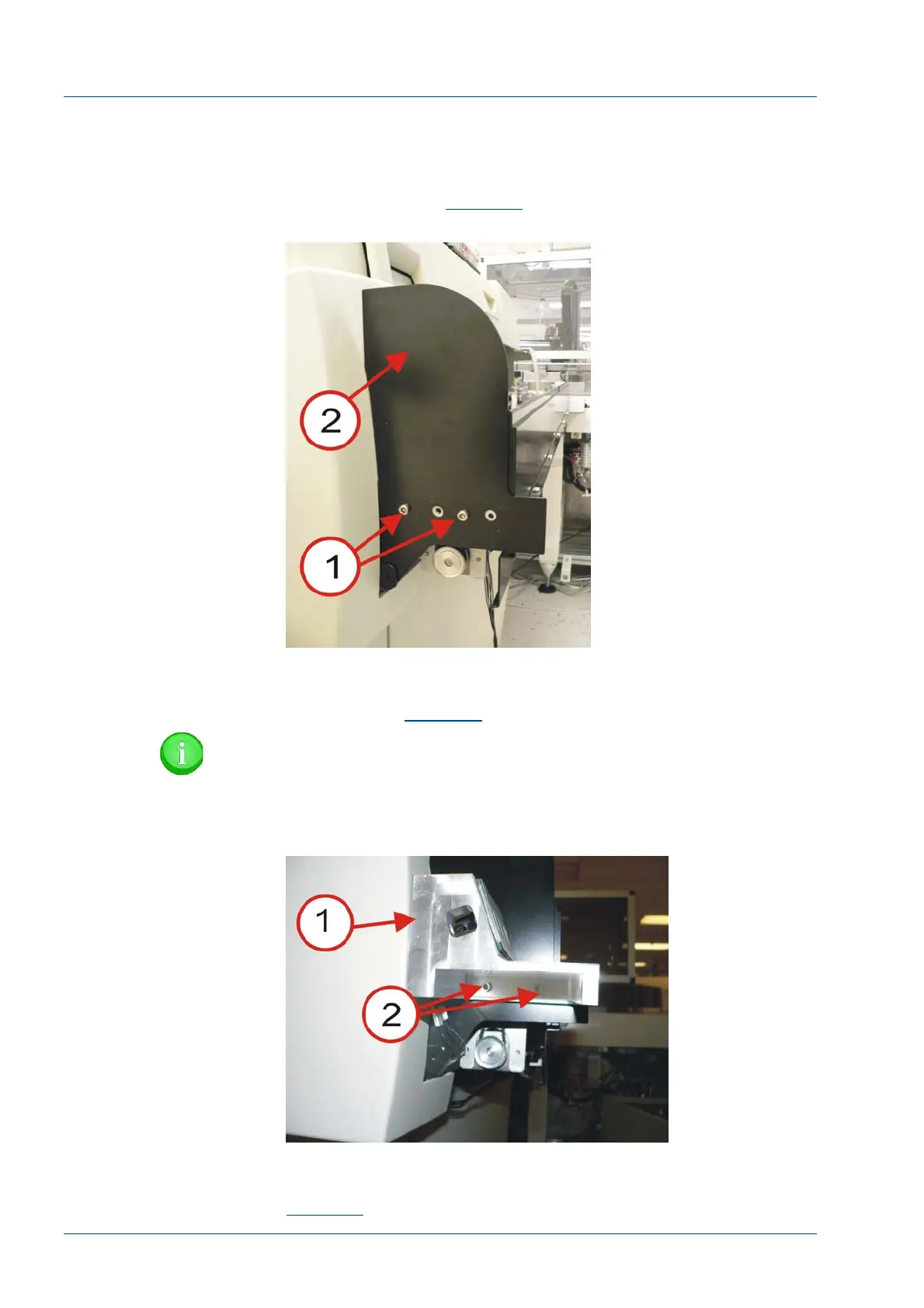
• At the left end of the i2000SR IM, use two screws [1] (P/N
100474-001) M5X0.8, 20MM to mount the 202992 SPUR CAP
PLATE [2]. Refer to
Figure 36
.
Figure 36 – Spur Cap Plate
• Use two screws [2] (P/N 100474-001) M5X0.8, 20MM, to
mount the 3 Button LUI Bracket (P/N 203998) [1] to the Spur Cap
Plate. Refer to
Figure 37
NOTE:
Do not fully tighten the screws until 3 BUTTON LUI
HOUSING (P/N 202997) is installed.
Figure 37 – 3 Button LUI Bracket
• Use two 112-40 screws (P/N 14494-004) [1] to secure the 3
Button LUI Keypad (P/N 203914) [2] to the LUI bracket. Refer to
Figure 38
.



 To Next Page