Service Manual i2000SR interface module
625798100.APS.5.doc Page 59 of 212
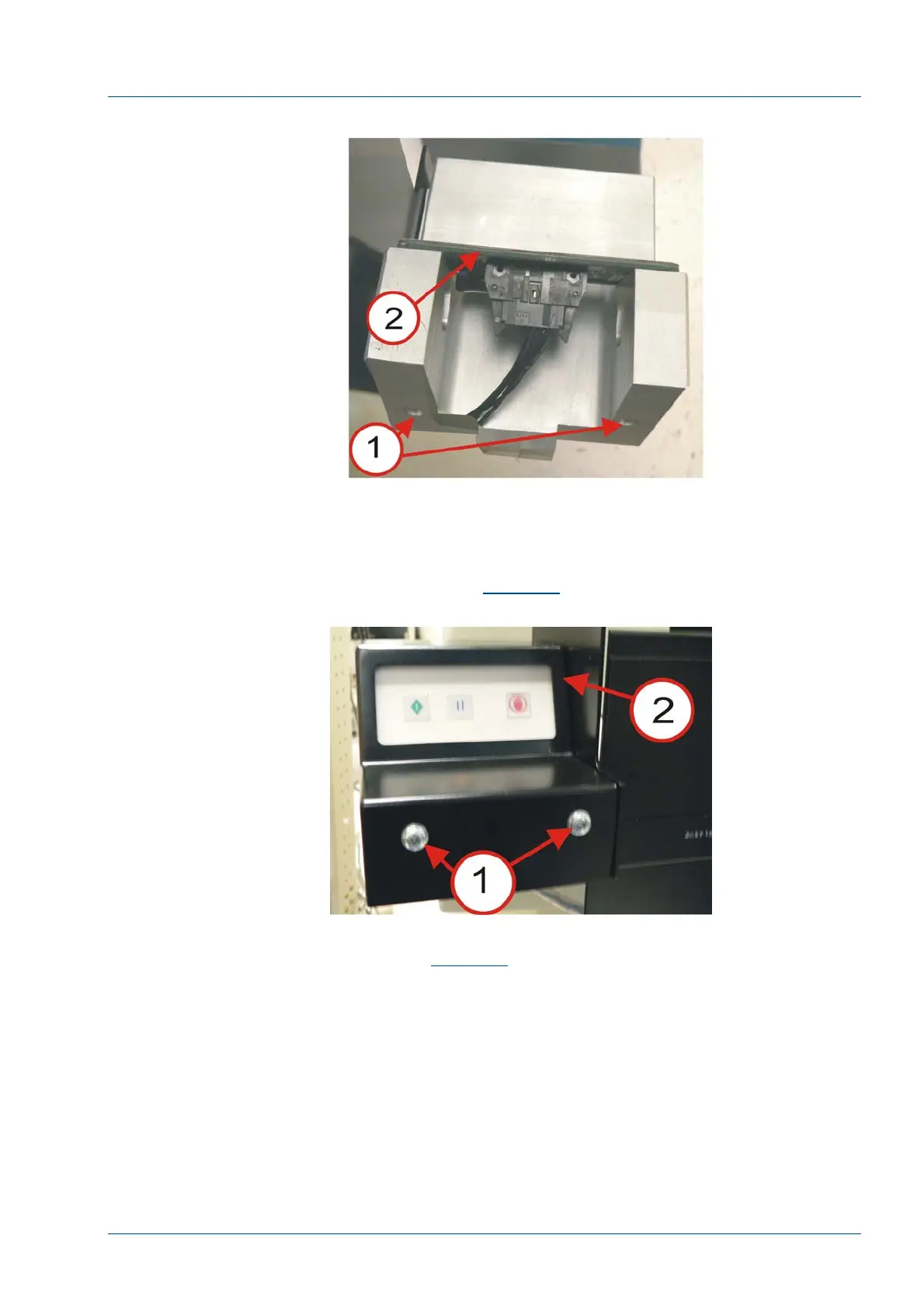
Figure 38 – 3 Button LUI Keypad
• Connect the LUI Panel Cable to the keypad.
• Slip the 3 Button LUI Housing (P/N 202997) [2] over the
LUI bracket. Use two 190-32 screws (P/N 14494-306) [1] to secure
the cover. Refer to
Figure 40
.
Figure 39 – 3 Button LUI Housing
• Secure the bracket and cover by tightening the two screws
[3]. Refer to
Figure 40
.
• Ensure the LUI Keypad cable [4] is free of the motor
pulley.



 To Next Page