Service Manual i2000SR interface module
625798100.APS.5.doc Page 135 of 212
STEPS REFERENCES
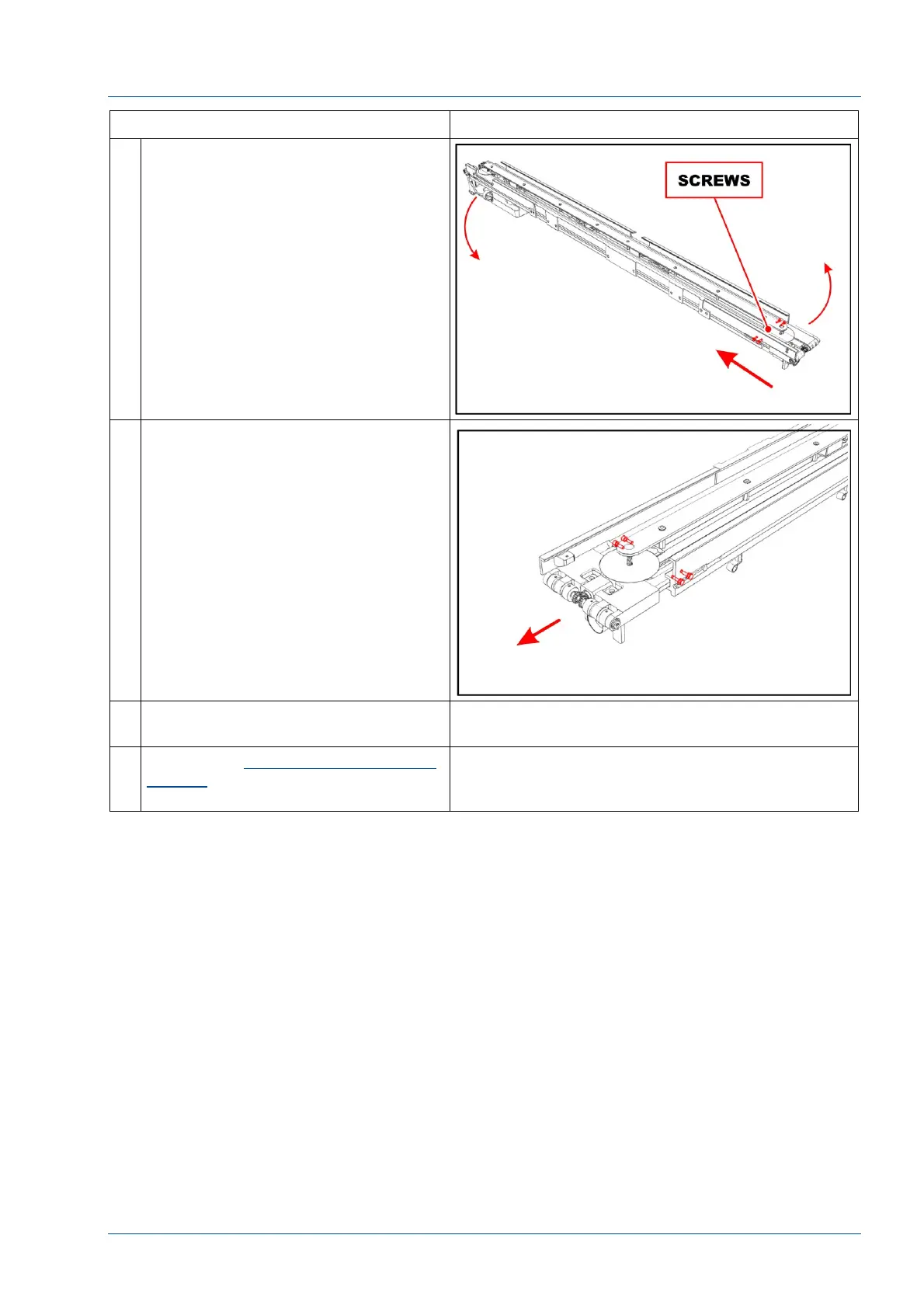
13 Loosen the four screws to move the
belt 1 & 2 drive group in the direction
of the arrow.
Remove belts from lanes 1 & 2.
14 Remove the four screws shown in the
figure to replace belt 1 & 2 drive
group.
15 Use the i2000SR IM replacement
procedure to assemble.
16 Refer to the Replacement of i2000SR
IM belts procedure to set belts
tension.



 To Next Page