Service Manual i2000SR interface module
625798100.APS.5.doc Page 157 of 212
STEPS REFERENCES
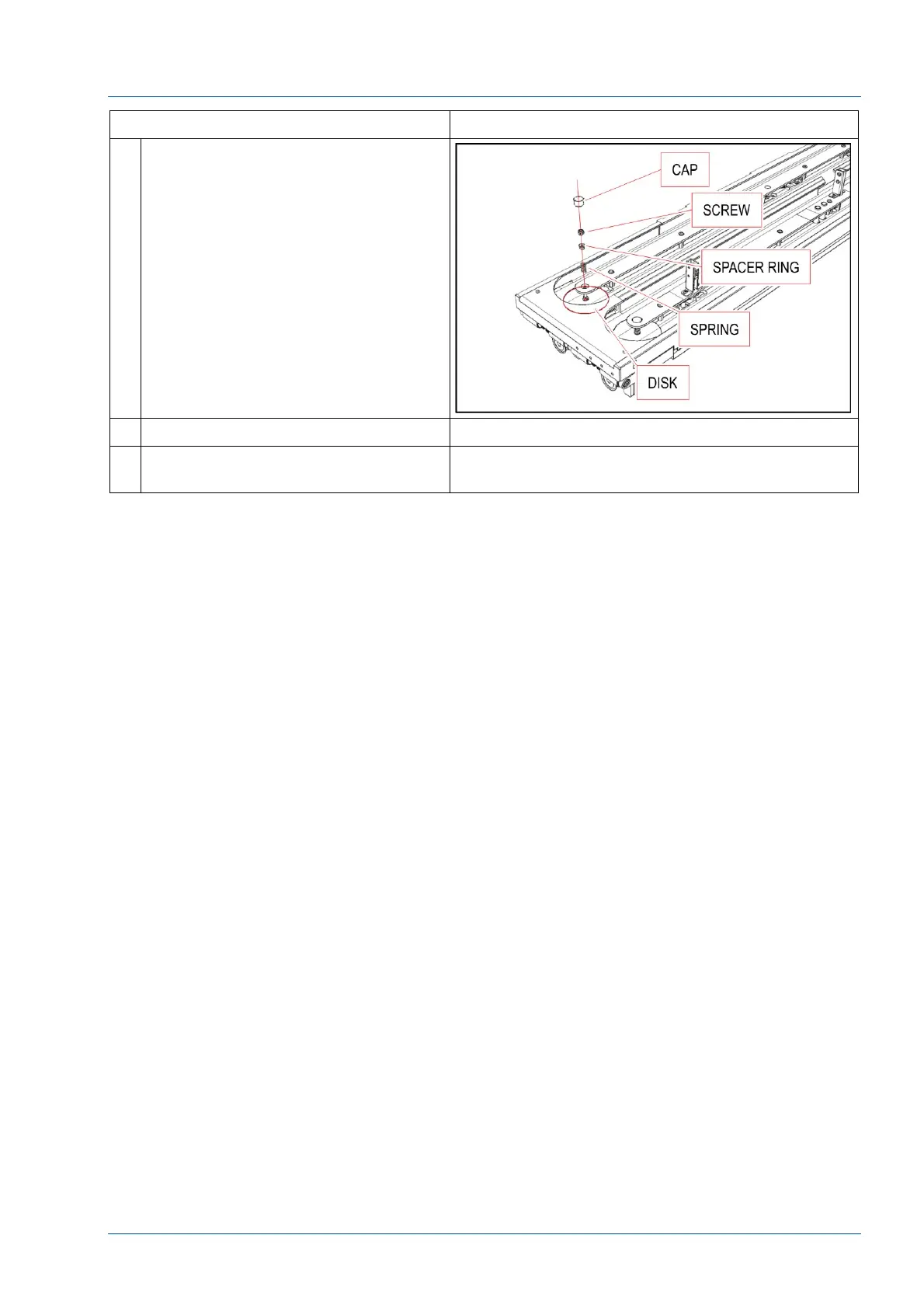
8 Remove the cap with a bladed tool.
Unscrew the auto-locking screw.
Remove spacer, spring and then the
disk.
9 Install a new disk.
10 Perform the steps above in reverse
order to reassemble the i2000SR IM.



 To Next Page