Safety
Emergency stop
2.7 Emergency stop
Note!
It is recommended to train the operator regularly in the use of the emergency stop function
so the operator feels confident in using it.
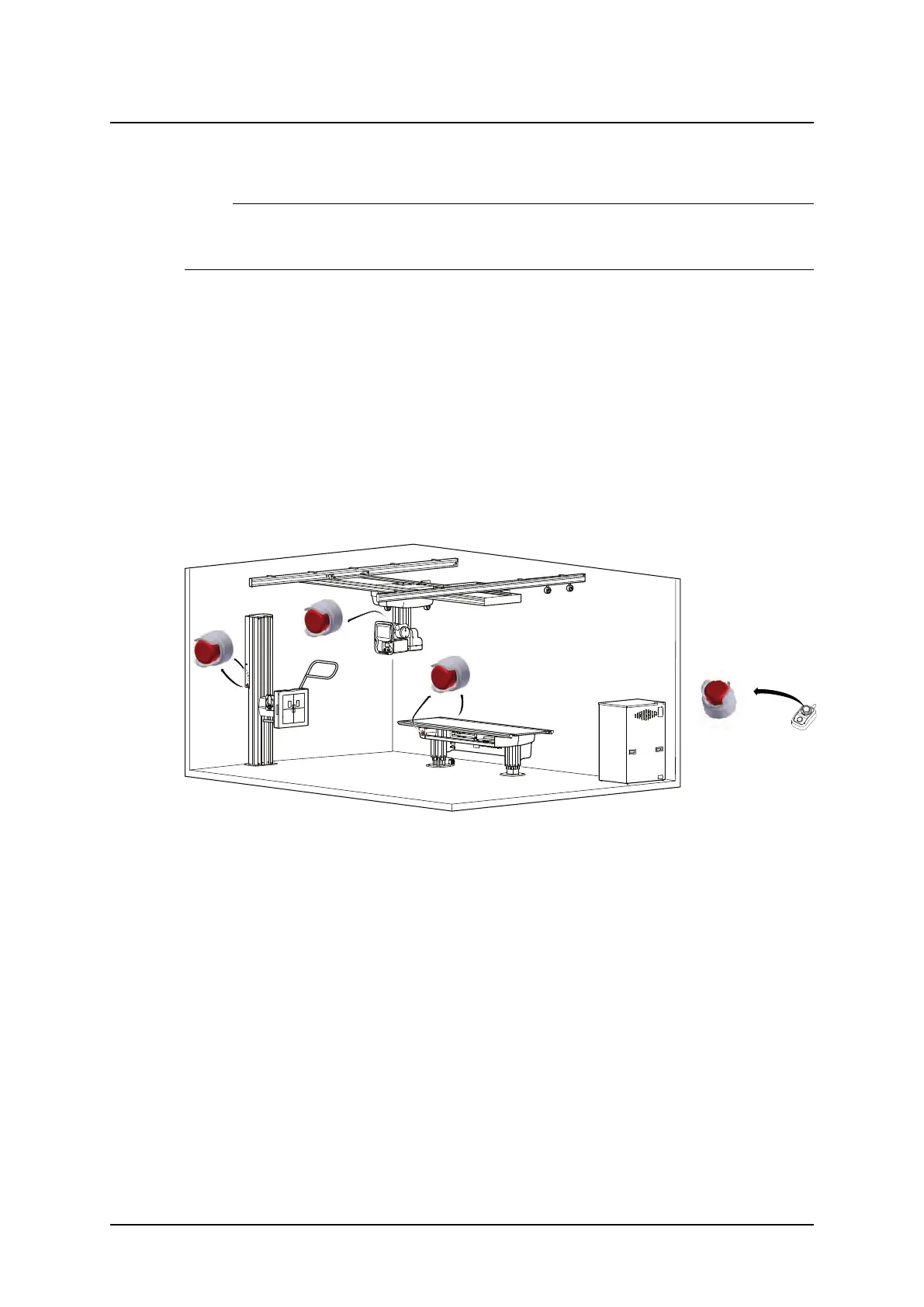
The System has six internal emergency stops; one connected to the OTC and one on the
servo button, one on each side of the table (at the head end) and two on the wall stand.
Pressing one of the emergency stop buttons immediately cuts the power to all motorized
movements. The emergency stop is also connected to the generator. The emergency stop
prevents a new exposure and terminates an ongoing exposure.
A system message is displayed in OTC display when the button is activated.
To reset the emergency stop position, turn the emergency stop button clockwise. The button
is released and the system is ready for use again.
When the emergency stop is activated, it is possible to change the position of the tube/colli-
mator manually, by lifting the overhead tube crane upwards and pushing or pulling sideways
if needed.
There are additional external emergency stops as option.
Fig. 2-2 Emergency stop buttons
ARCOMA AB 1000-095-051-EN Rev. 1.1
Operation Manual
SWEDEN Page 18 2020-06-16



 To Next Page