Operating the System
Turn on the system
4.2 Turn on the system
The system is ready for examination within two minutes after the system has been turned on.
• Before starting the system, check that the emergency stop is not activated.
When the system starts up, light indications and displays are lit.
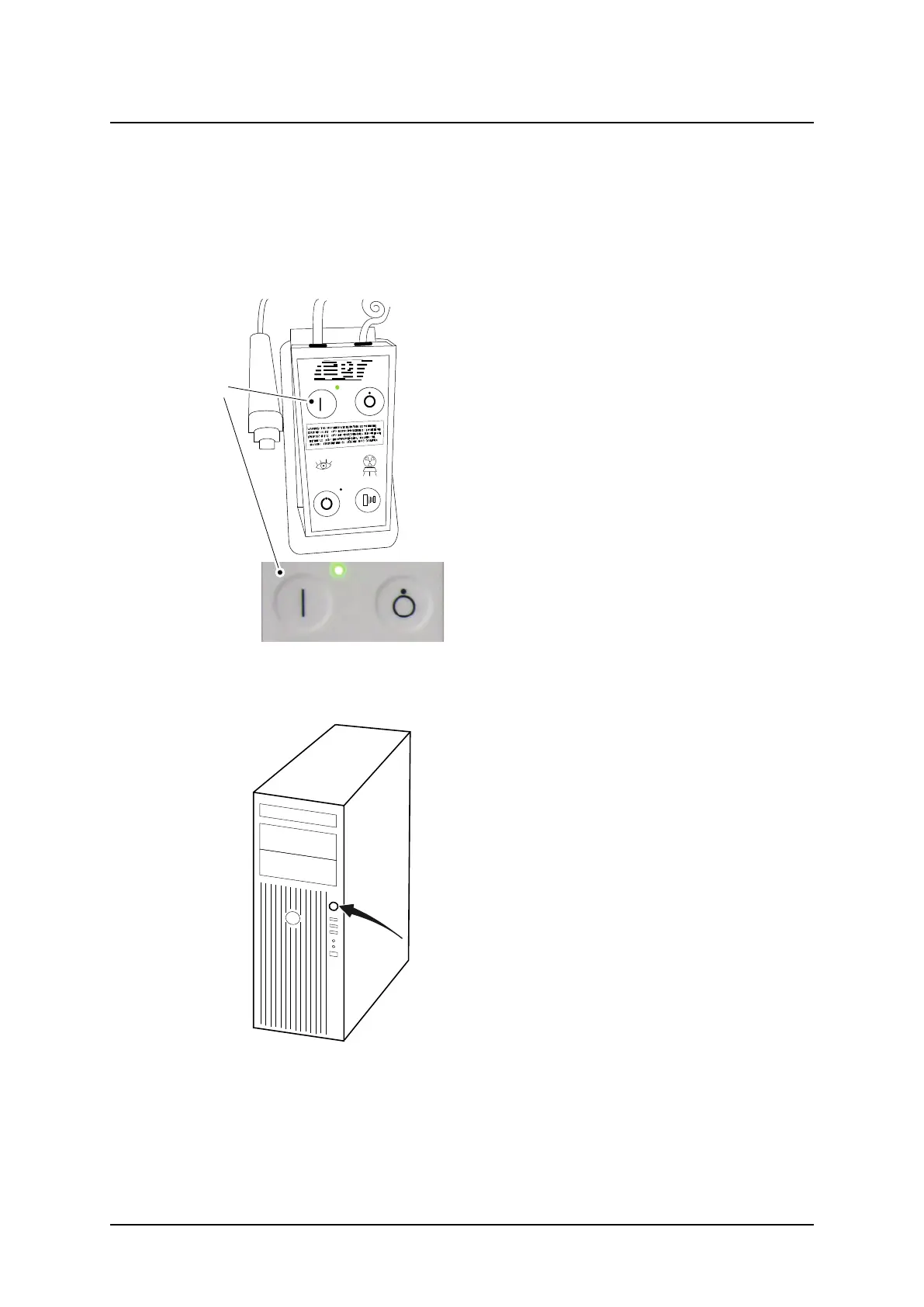
• Perform the following procedure when starting up the X-ray system:
Fig. 4-2 Power on button – mini console
1. Press the power [ON] button (A) on the mini
console.
Fig. 4-3 Power button – image control unit
2. Press the power button on the computer.
3. Start the display.
ARCOMA AB 1000-095-051-EN Rev. 1.1
Operation Manual
SWEDEN Page 92 2020-06-16



 To Next Page