User Interface
Automatic Collimator Control
3.2.9 Selection of Technique Mode
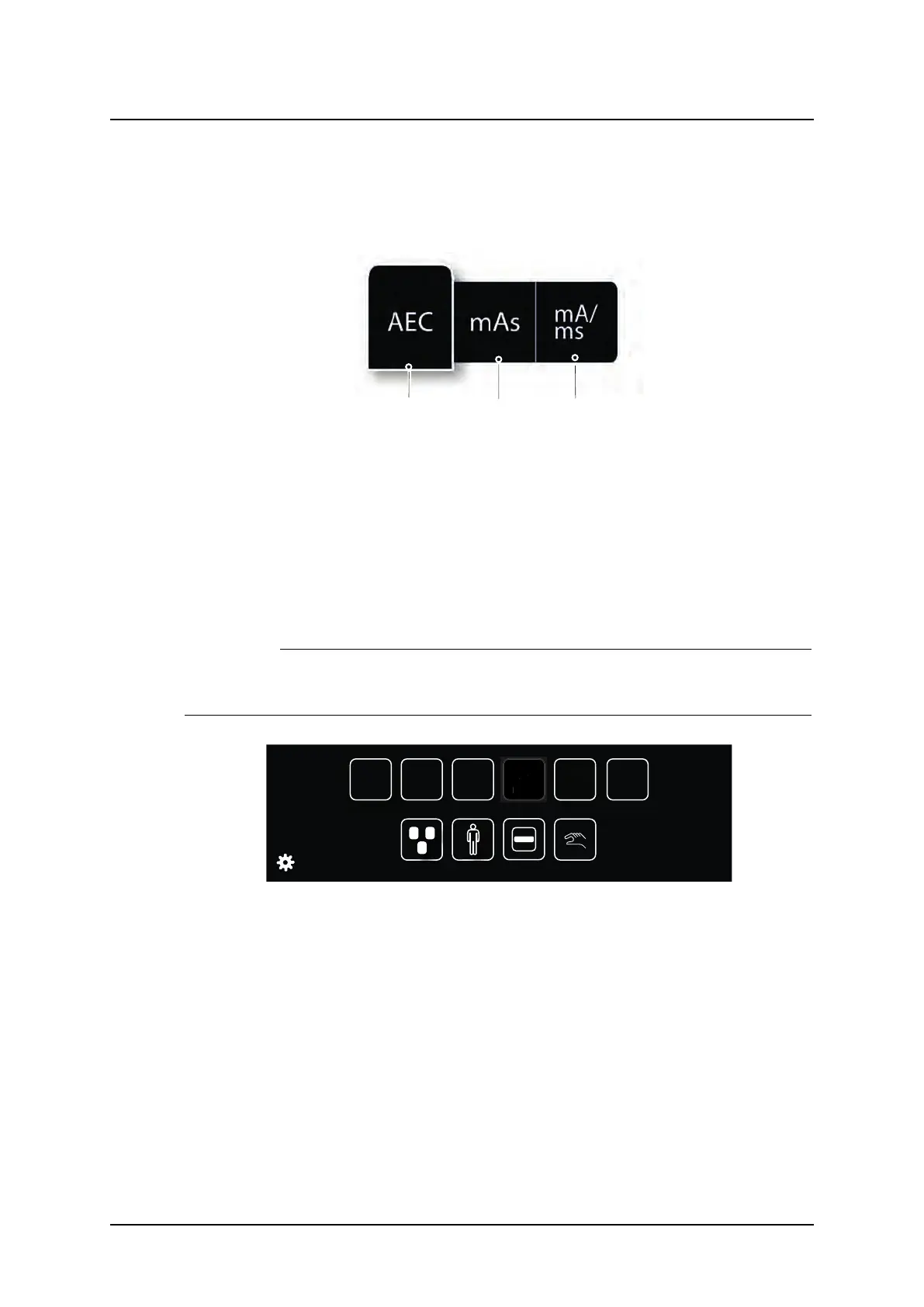
There are three different technique modes available that are selected by pushing the Techni-
que mode selection button. The selected mode is highlighted and the pop-up window closes
automatically.
Fig. 3-24 Technique mode selection
1. AEC mode
2. mAs mode
3. mA/ms mode
Depending on what mode is active, different parameters will be available. Parameters not
available for selection will be grayed out, see the mAs selection button in Fig. 3-25 mAs se-
lection button grayed out, below.
In AEC mode the value that will be used as back-up value (ms, mAs or fixed), is indicated
with the text AEC Backup.
CAUTION!
For avoiding unnecessary radiation, make sure that the AEC back-up values are prop-
erly defined.
AEC
ms
6,0
mA
200
kV
150
AEC Backup
Density
1
+
Fig. 3-25 mAs selection button grayed out
For more detailed information about the different technique modes, please see Operator’s
Manual for Canon single console CXDI NE.
Operation Manual
1000-095-051-EN Rev. 1.1 ARCOMA AB
2020-06-16 Page 61 SWEDEN



 To Next Page