User Interface
Table Control elements
3.7.3 Foot Control, Table X/Y/Z (option)
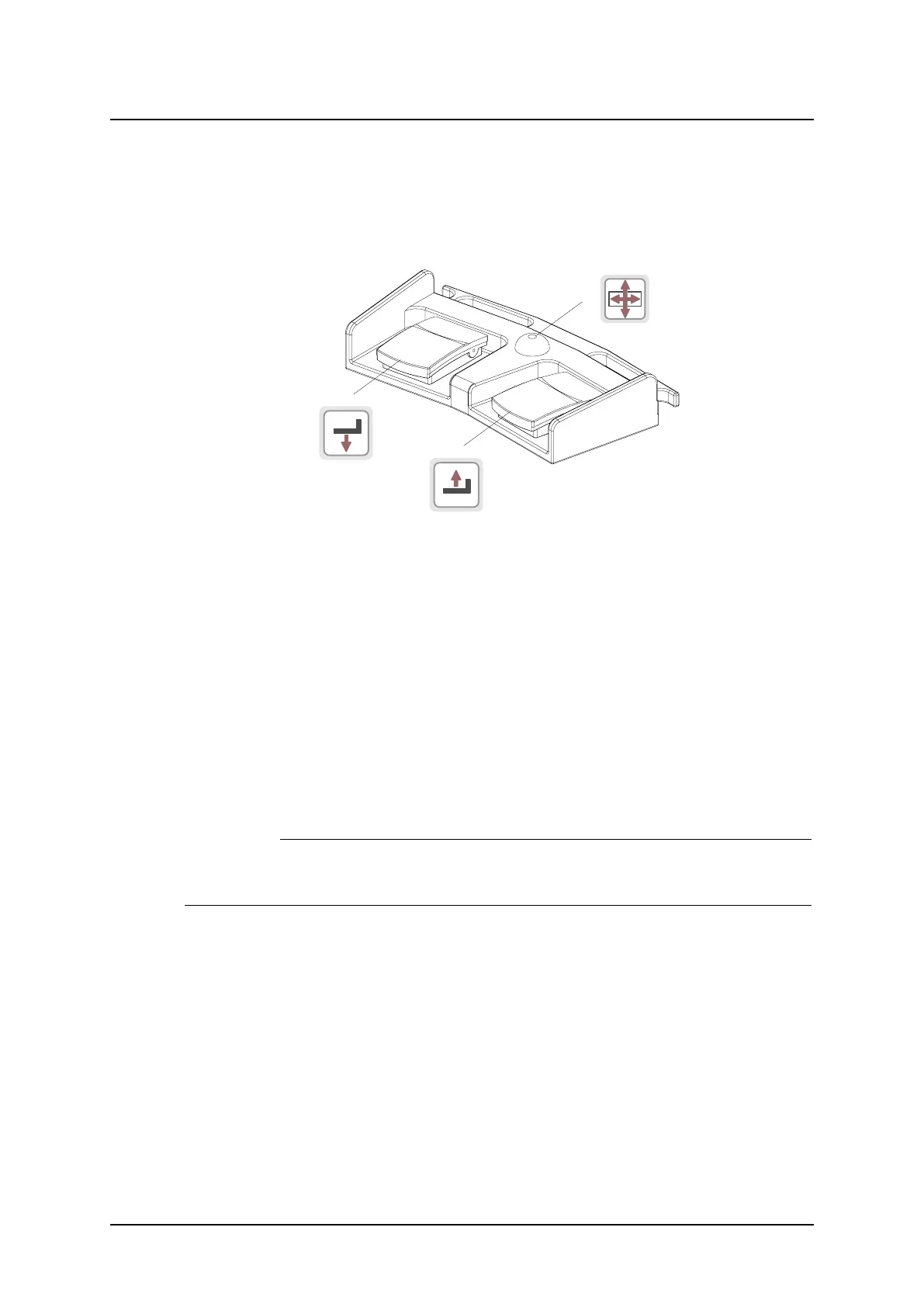
The foot control can be used for adjusting the table top height and for releasing the floating
table top.
Consider the working area when the table top is manoeuvred.
Fig. 3-39 Foot control
A. Z movement down
B. Unlock table top brakes (X/Y)
C. Z movement up
3.7.3.1 How to Manoeuver
A. Press button to move the table top downwards.
B. Press the button to release the brakes on the table top, Y and X. On activation, the table
top can be moved manually.
When the release button is activated, the collimator light will be lit.
C. Press button to move the table top upwards.
3.7.4 Foot control, wireless (option)
CAUTION!
It is important to assure that the correct control is activated, as there is one foot con-
trol for the table and one for the wallstand,
The foot control can be used for adjusting the table top height and for releasing the floating
table top.
Consider the working area when the table top is manoeuvered.
ARCOMA AB 1000-095-051-EN Rev. 1.1
Operation Manual
SWEDEN Page 80 2020-06-16



 To Next Page