Safety
Safety Functions
2.11.4 Collision Detection
2.11.4.1 Motorized Movements
Every motorized movement has a collision detection.
All movements are stopped when the collision detection activates and the display shows an
error message. When a collision in Z-direction is detected, the OTC has to be moved in the
opposite direction before it can be moved in the original direction again.
2.11.4.2 Z Column
A guard plate installed on top of the column, registers vertical pressure on the column, for in-
stance a vertical impact.
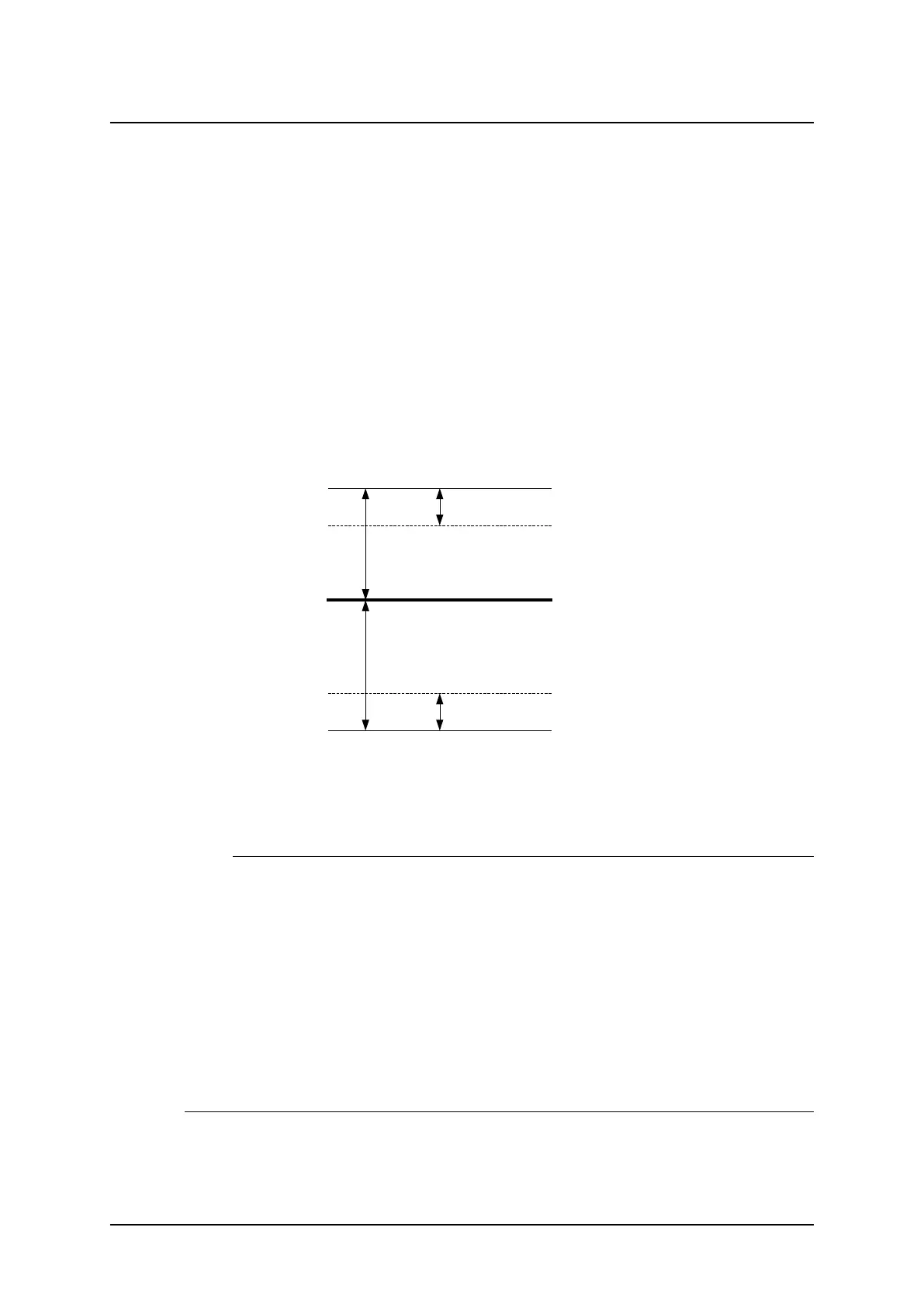
When the pressure exceeds the trig level vertically, all movements are stopped and a warn-
ing message is displayed. To be able to release the pressure, a movement in the opposite di-
rection is allowed. When the pressure on the column has returned to normal, see Fig. 2-13
Collision detection the warning message is removed and motorized movements are allowed
again.
Fig. 2-13 Collision detection
A Zero force level
B Hysteresis
C Upper trig level
D Lower trig level
Note!
In some situations it is possible to force a false detection of a collision. This can occur if the
column is affected by a pressure at the time the movement starts. This could be for example
the case if the collimator rests on the Table, when the operator moves the column upward, a
collision is detected.
The reason for the collision detection is that, when the movement starts, the zero force level
is calculated based on the actual pressure affecting the column at that moment. As soon as
the movement starts and the collimator is no longer resting on the Table, the guard plate
catch a change in pressure and a collision is detected.
To solve the problem the operator must affect pressure on the column, for example manually
pull the column up or down. The System will take this as a sign that the operator has re-
moved the obstacle and that no collision exists any more. If the problem is yet not solved, the
System must be restarted.
ARCOMA AB 1000-095-051-EN Rev. 1.1
Operation Manual
SWEDEN Page 30 2020-06-16



 To Next Page