User Interface
Automatic Collimator Control
3.2.11 Collimator Centering
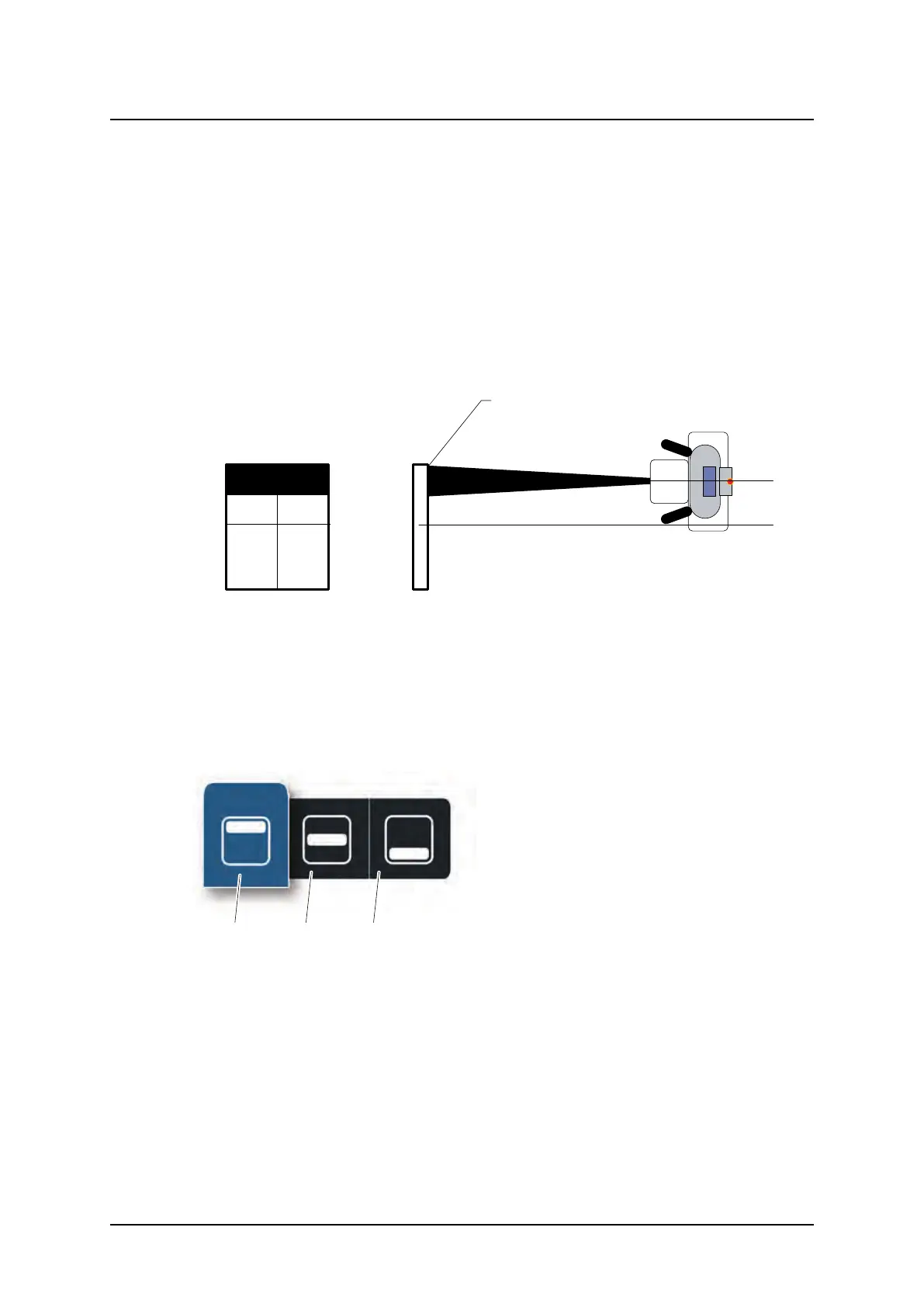
The collimator light field size can be top or bottom centered against the maximum image
area.
This means that the upper border of the collimator light field is aligned with the top of the
maximum image area, or that the lower of the collimator light field is aligned with the bottom
of the maximum image area. The stand will automatically move to keep the alignment of the
top or bottom of the maximum image area when the collimator light field is increased or
decreased.
The functionality of top and bottom centring is only available in Wall mode or Wall Flexible
mode
With top centring active is the light field
always as high as it can be regarding size
and position for the image .
Fig. 3-28 Top and bottom centering of the collimator light field
The collimator centering is adjusted by pressing the Collimator centering button.
A pop-up window according to Fig. 3-29 Collimator centering selection, will appear with the
alternatives Top centering, and Bottom centering. Select the desired collimator centering.
The pop-up window will automatically close shortly after the selection, and the light field will
adjust accordingly.
Fig. 3-29 Collimator centering selection
1. Top
2. Center
3. Bottom
ARCOMA AB 1000-095-051-EN Rev. 1.1
Operation Manual
SWEDEN Page 64 2020-06-16



 To Next Page