Operating the System
X-ray Table Examination Procedures
4.9.4 Stitching Table Mode (Option)
Note!
Stitching Table Mode is not available according to the described procedure with CR systems.
Select a Stitching Table mode examination.
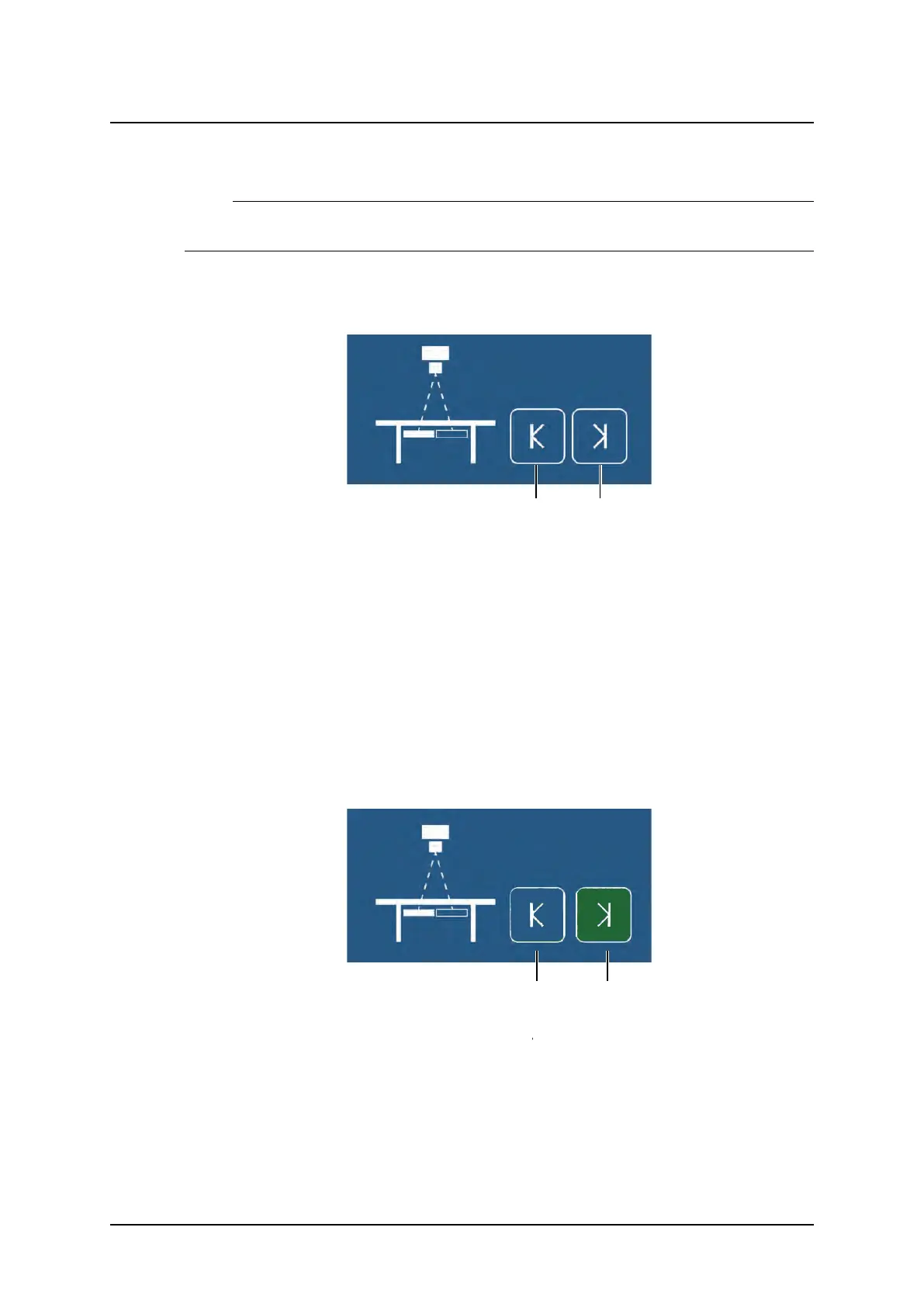
The system display will display the following, see Fig. 4-28 a) Left position and b) Right
position.
Fig. 4-28 a) Left position and b) Right position.
Activate the mode by pressing the servo button.
• The servo mode indication light will flash until the left and right positions are specified.
• The OTC will automatically move to its programmed position.
• The system will beep when position is reached.
Invite the patient and position the patient on the table.
Move the focus point to the middle of the planned composite image. This could be done ei-
ther by moving the tabletop or by moving the column in X (or Y) direction.
Rotate the x-ray tube in order for the right edge of the collimator light field to indicate the right
limit for the composite image.
Press the button (F1) to set the right limit, see Fig. 4-29 .
• The button turns green to indicate that the limit is set.
Fig. 4-29
ARCOMA AB 1000-095-051-EN Rev. 1.1
Operation Manual
SWEDEN Page 114 2020-06-16



 To Next Page