9-5
9
NOTE: When the bottom segment flashes,
approximately 3.8 L (1.0 U.S. gal.) of gasoline
remains in the tank.
3. Mode Button - Shifts the digital gauge through
three modes: speed/tachometer, distance, and
time.
NOTE: The Mode Button must be pressed and
released to shift modes. Approximately two sec-
onds after the Mode Button is released, the digital
gauge will return to full display.
4. Set/Reset Button - In conjunction with the Mode
Button, sets and resets various displays on the
digital gauge. Also used to switch from speed-
ometer function to tachometer function on the
speedometer/tachometer gauge.
5. Odometer/Trip Meter (#1 and #2) - Odometer
registers the total distance the vehicle has trav-
eled. Trip meters can register two distances (for
instance, #1 could register trip distance and #2
could register distance between stops). The trip
meters can be reset while the odometer only reg-
isters accumulated miles/kilometers.
NOTE: To select the odometer (ODO), trip #1
(T1), or trip #2 (T2), press the Mode Button (3) to
select the distance mode; then press the Set/Reset
Button (4) to select the desired display. Hold the
Set/Reset button down to reset trip meters.
6. Gear Position Indicator - Indicates which gear-
shift position is selected.
7. Speed/Tach Indicator - Indicates approximate
vehicle speed in mph or k/ph when speedometer
function is selected or rpm when tachometer
function is selected.
8. Speed Function Display - Displays which speed
function (MPH, TACH, K/PH) is being indi-
cated by the Speed/Tach indicator.
NOTE: The speed and tach functions may be
switched by pressing the Set/Reset Button.
9. Differential Lock Indicator - Displays LOCK
when the differential lock has been engaged.
10. Drive Select Indicator - Displays 4WD when
selected by the 2WD/4WD selector switch or
when the differential lock is engaged.
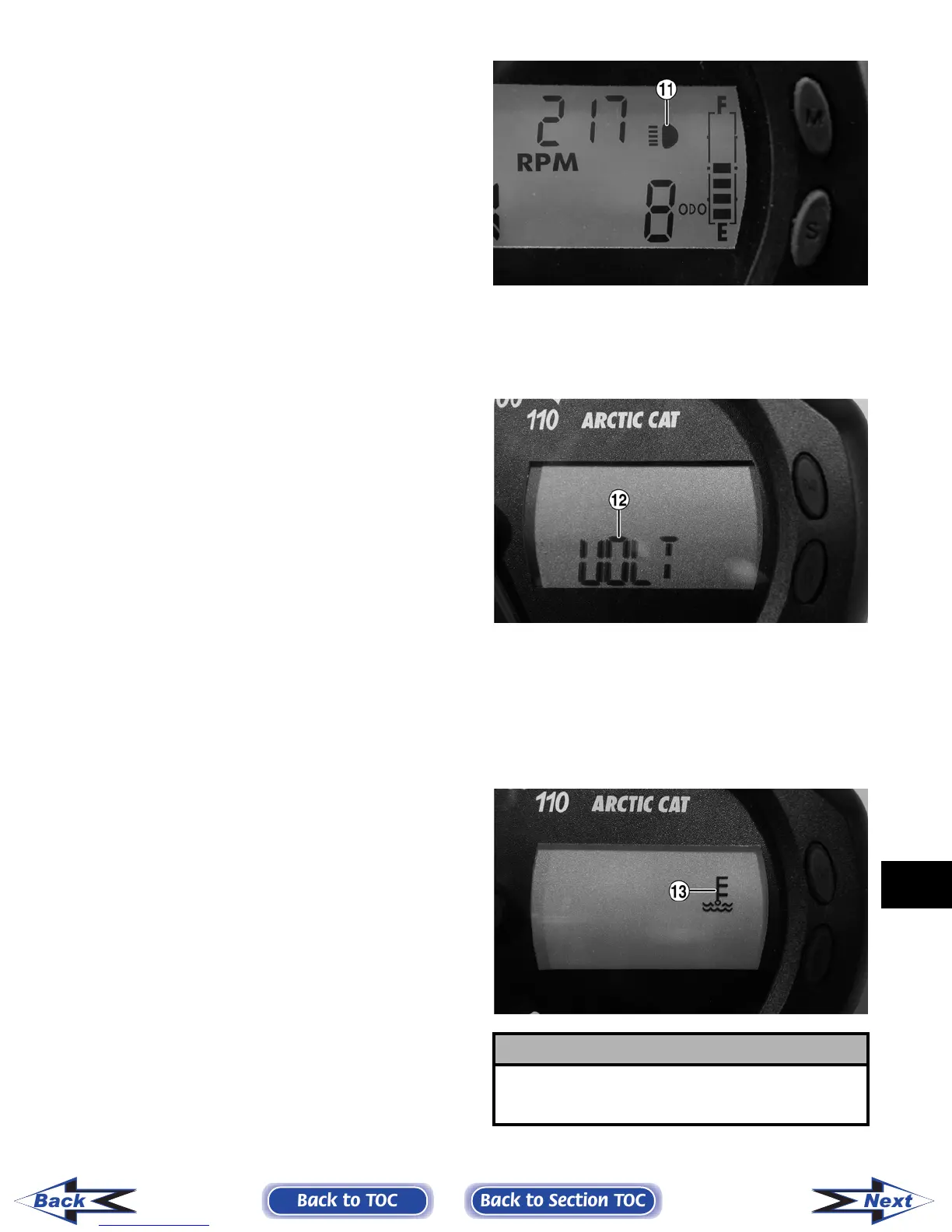
11. High Beam Indicator - The High Beam icon will
appear only when the lights are on high beam.
CF101A
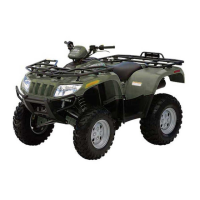
12. Battery Condition Indicator - The word VOLT
will flash on the LCD whenever a low voltage
(< 9 DC volts) or high voltage (>16 DC volts) is
detected.
CF098A
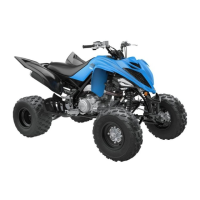
13. Temperature Indicator - The high temperature
icon will flash and the speed/tach needle will
sweep full scale if the engine overheats. After 30
seconds, the speed/tach needle will return to
normal, but the temperature icon will continue
to flash. The icon should not be visible during
normal operation.
CF099A
! CAUTION
Continued operation of the vehicle with high engine
temperature may result in engine damage or prema-
ture wear.
Back to TOC
Back to Section TOC
Next
Back
FOR ARCTIC CAT ATV DISCOUNT PARTS CALL 606-678-9623 OR 606-561-4983
www.mymowerparts.com



 To Next Page