EasyManua.ls Logo

Astraada SRV-64 - Page 108

Astraada SRV-64
325 pages
Print Icon
To Next Page IconTo Next Page
To Previous Page IconTo Previous Page
Loading...
AS64 series AC servo drive Function codes
-102-
Note:
Set this parameter according to the motor working condition. If this parameter is set to a large
value, the motor speed may fluctuate sharply.
P0.62
Data size
32bit
Data format
DEC
Modbus address
1124, 1125
CANopen address
0x203E, 0x00
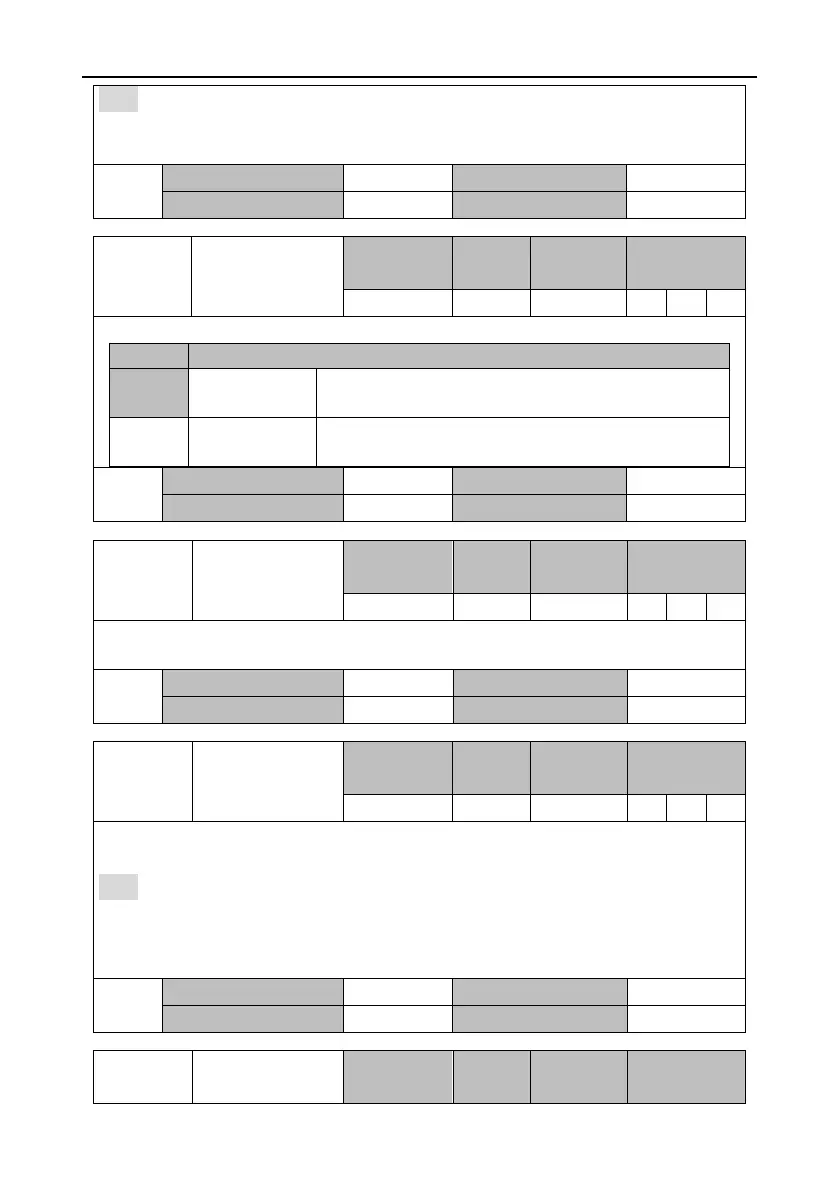
P0.63
Reverse of AI 2
Setting range
Default
Unit
Applicable
mode
0–1
0
-
P
S
T
This parameter specifies the voltage polarity of analog input 2.
Setting
Actual detection result
[0]
Positive polarity
[+Voltage] [Positive value], [-Voltage] [Negative
value]
1
Negative
polarity
[+Voltage] [Negative value], [-Voltage] [Positive
value]
P0.63
Data size
16bit
Data format
DEC
Modbus address
1126, 1127
CANopen address
0x203F, 0x00
P0.65
Dead zone of AI 2
Setting range
Default
Unit
Applicable
mode
0.000–3.000
0.000
V
P
S
T
If the absolute voltage value of analog input 2 falls in the range of this parameter, the
corresponding command value is 0.
P0.65
Data size
16bit
Data format
DEC
Modbus address
1130, 1131
CANopen address
0x2041, 0x00
P0.66
Internal torque
command
Setting range
Default
Unit
Applicable
mode
-500.0–500.0
0.0
%
T
This parameter specifies the internal torque reference. If the servo motor rated torque is
considered as 100%, the setting of this parameter is a percentage of the servo motor rated torque.
Note:
If the absolute value of this parameter is greater than maximum torque limit 1 (P0.10), the
output torque is the setting of P0.10 and the direction is the same as this parameter.
In torque mode, this parameter is valid only when P0.60 is 0.

P0.66
Data size
16bit
Data format
DEC
Modbus address
1132, 1133
CANopen address
0x2042, 0x00
P0.67
Speed limit mode
Setting range
Default
Unit
Applicable
mode

Table of Contents