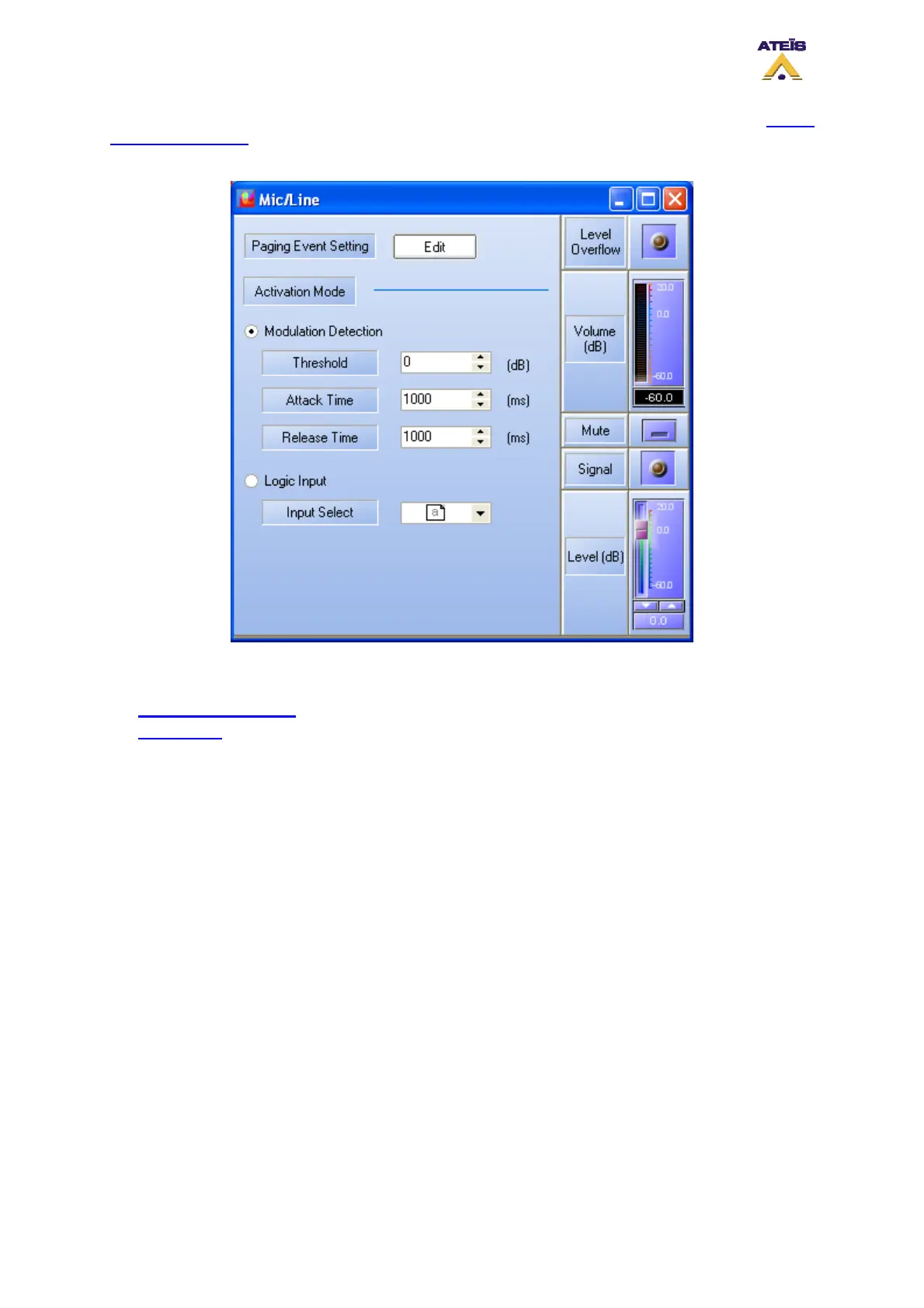
In order to use the Mic/Line input, first drag and drop Microphone or Line In from the Design
Component Section to the Master window. Double-click the Microphone or Line In icon to enter the
Mic/Line window, see below.
The Mic/Line has two activation mode:
• Modulation Detection
• Logic Input
By clicking the Edit Button you will enter the Mic/Line Paging Event window. Her you will be able to set
up parameters of this event, see below.
Ateïs International
Ch. du Dévent, 1024 Ecublens, Switzerland.
Phone : +41 21 881 25 10
100



 To Next Page