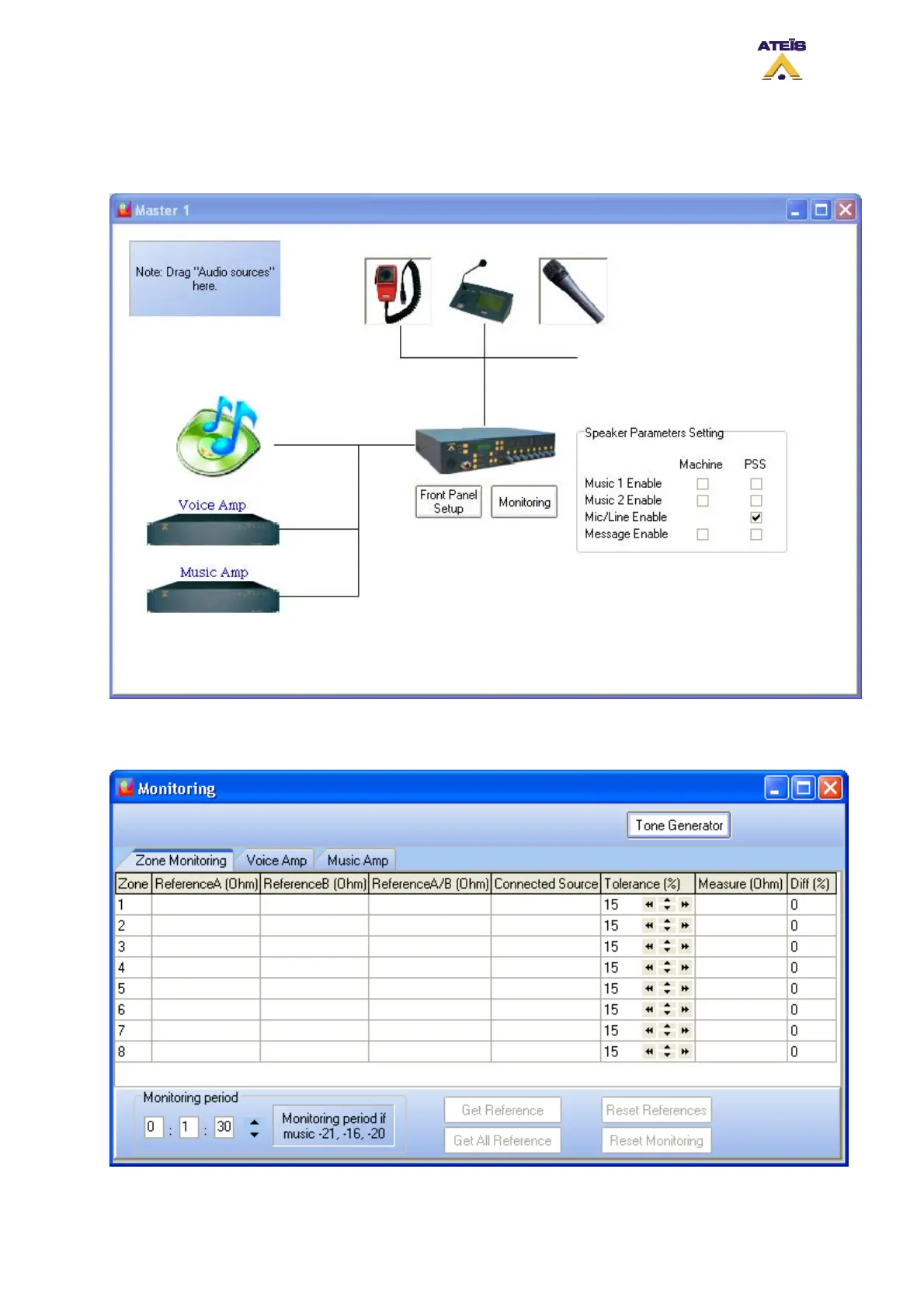
8.25 Use Monitoring
In order to activate zones monitoring and/or amplifiers monitoring, double click on the monitoring
button under DIVA icon in the master window, see below.
The default tab in the monitoring window is the Zone Monitoring, see below. To enter the voice or
music amplifier monitoring page, simply click on the corresponding tab in the tab bar.
Ateïs International
Ch. du Dévent, 1024 Ecublens, Switzerland.
Phone : +41 21 881 25 10
110



 To Next Page