8.28.2 On Outputs
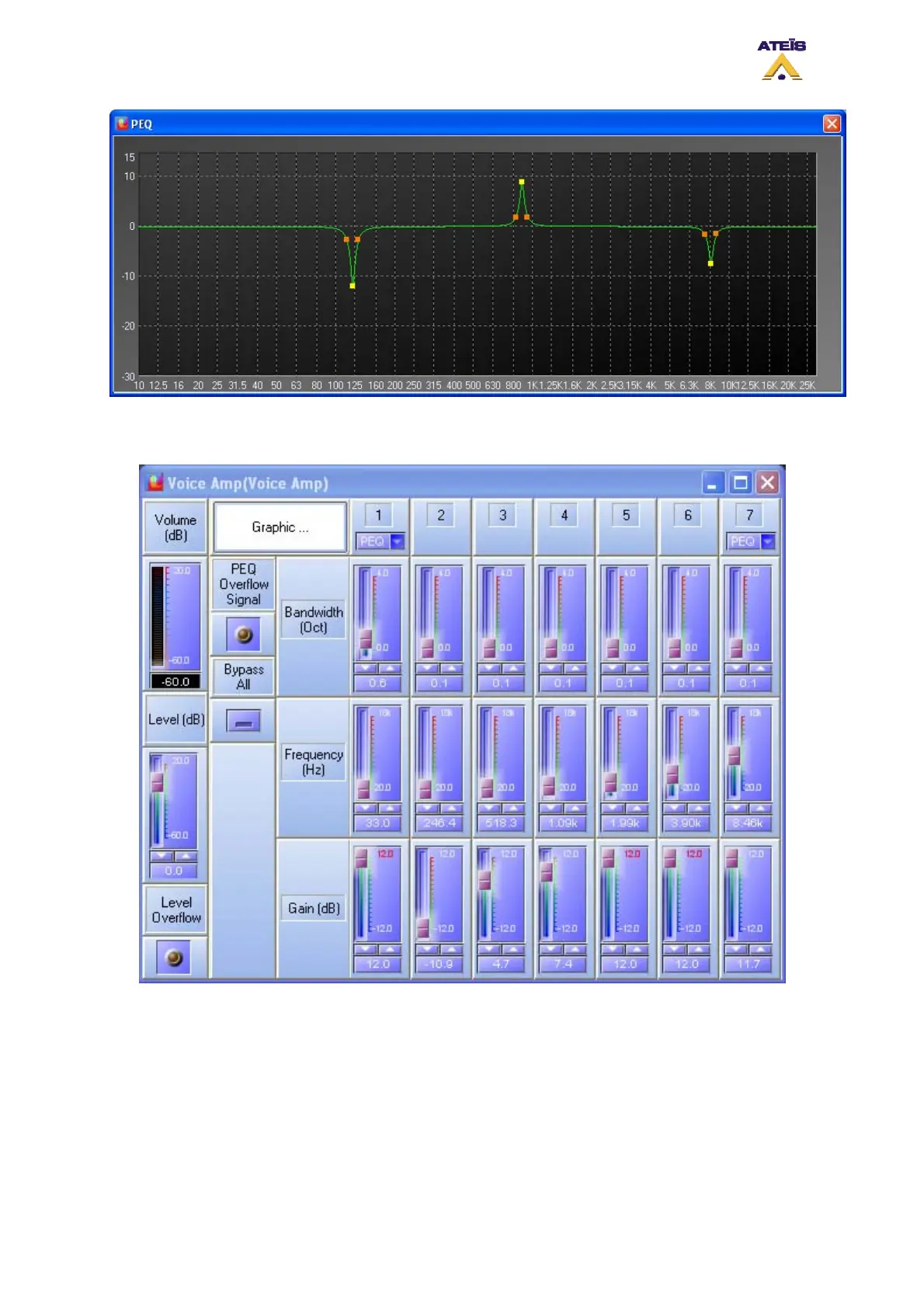
• Adjust the PEQ parameters to suit your needs.
o Bandwidth (Oct): here you can adjust the Q factor of the PEQ either by using the slide
bar, arrow key or by entering directly the value in the dedicated cell.
o Frequency (Hz): here sou can adjust the central frequency of the PEQ either by using the
slide bar, arrow key or by entering directly the value in the dedicated cell.
o Gain (dB): here you can adjust the PEQ gain either by using the slide bar, arrow key or
by entering directly the value in the dedicated cell.
o PEQ Overflow Signal: indicates if there is an overflow after the addition of the PEQ to the
base signal.
Ateïs International
Ch. du Dévent, 1024 Ecublens, Switzerland.
Phone : +41 21 881 25 10
124



 To Next Page