7 DIVA Software Presentation
The chapter will introduce to you the DIVA software. This is a visual presentation in order to let you
know where you can find the needed tools.
After installing the DIVA software, you can access it:
• Either by double-clicking on the Desktop icon:
• Or by start -> program files -> Ateis -> ATEIS DIVA v1.x.x.
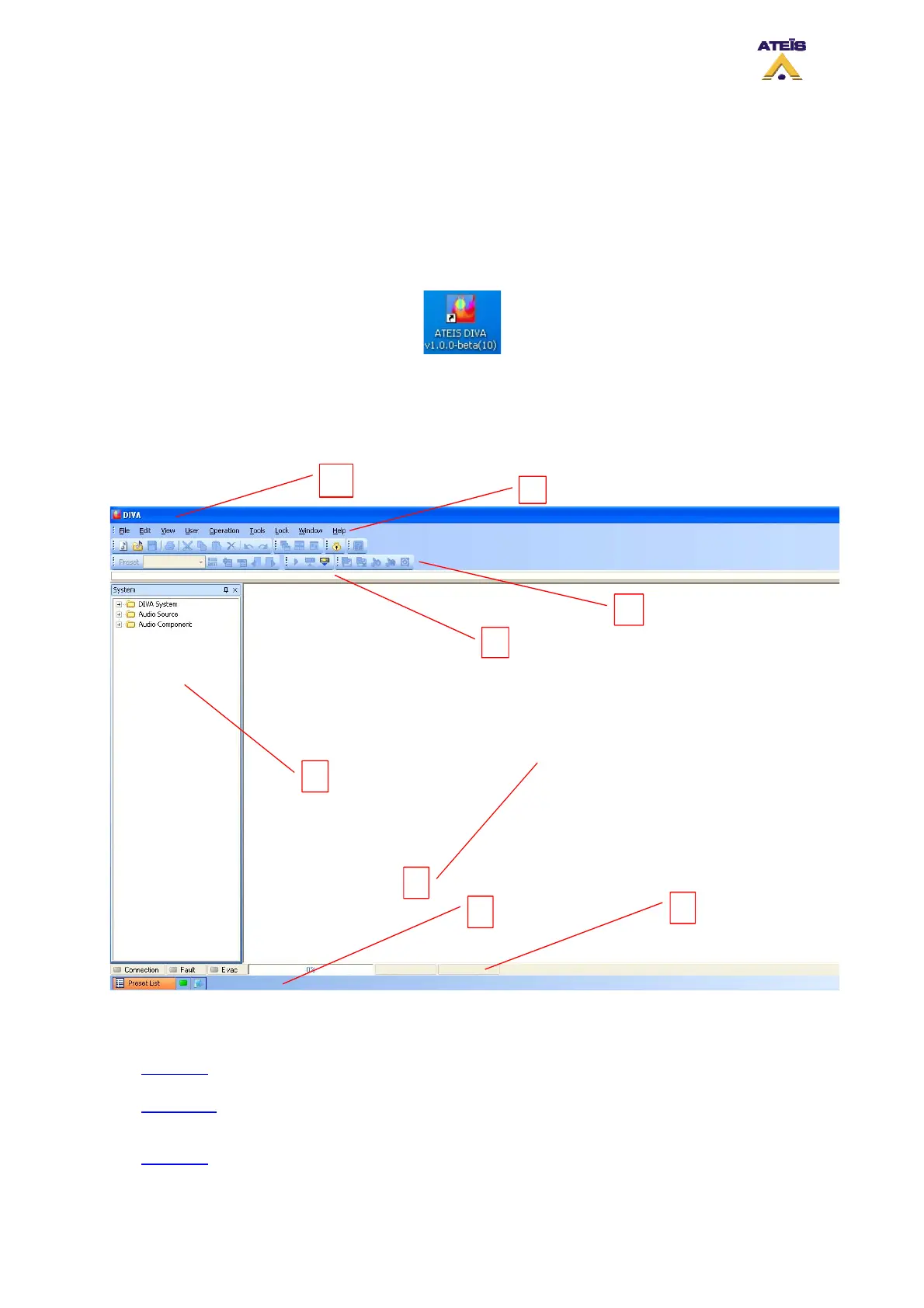
The DIVA software starts with no file loaded and a blank worksheet looking as follow:
1
2
3
8
4
5
6
7
Startup View Elements:
(1) Title Bar
Displays the path name of the active file.
(2) Menu Bar
Holds the main menu commands arranged into functionality
groups.
(3) Toolbars
Toolbar items act like a shortcut to their corresponding menu
command.
Ateïs International
Ch. du Dévent, 1024 Ecublens, Switzerland.
Phone : +41 21 881 25 10
29



 To Next Page