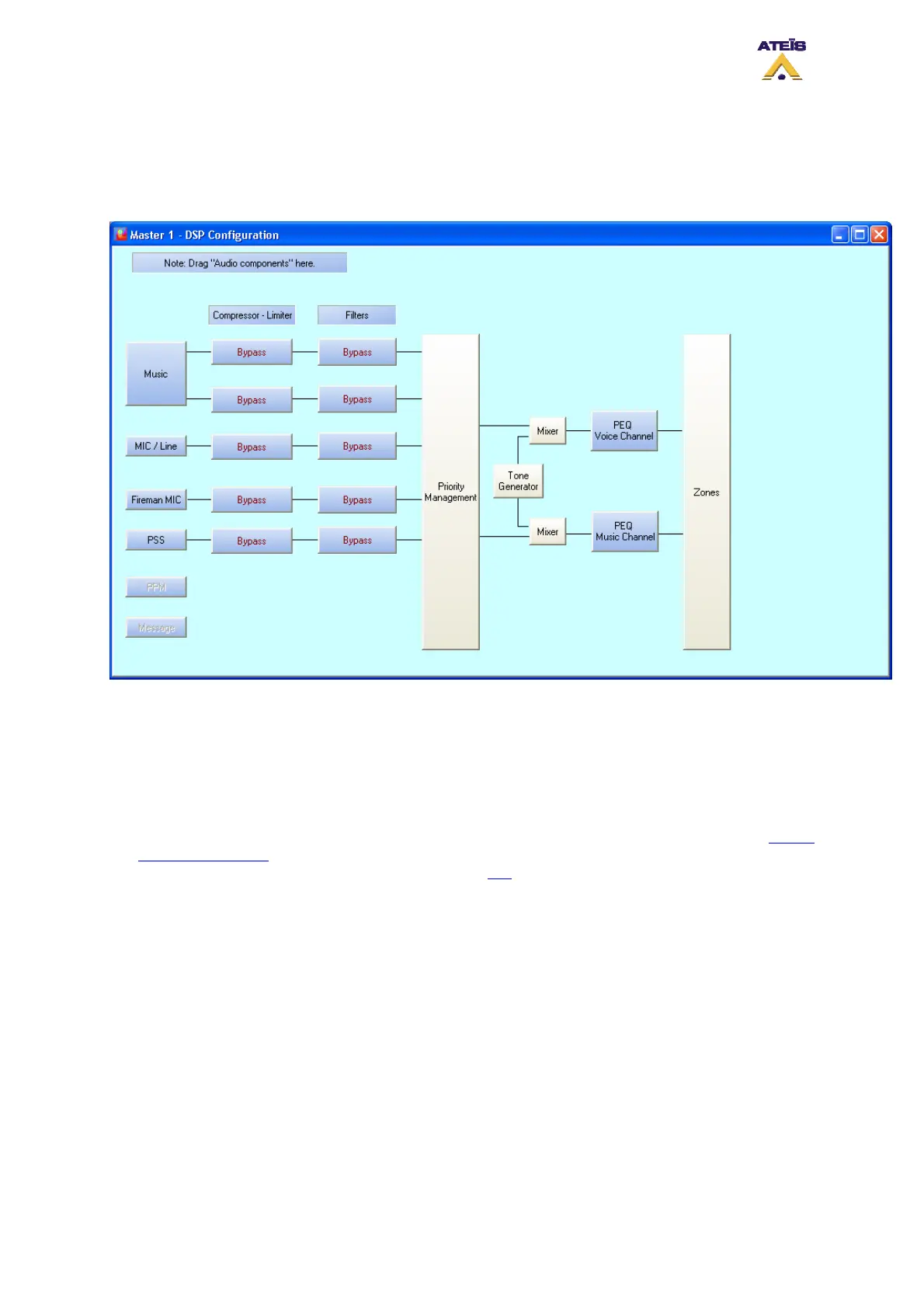
window.
• In the Master window, double-click on the DIVA icon. The DSP configuration window will pop up.
Note: if no audio sources have been set into the configuration, the corresponding Filter and
Compressor-Limiter location will be grayed.
On the left of the DSP Configuration window you can find all audio inputs and on the right amplifier
outputs.
8.27.1 On Inputs
•
To add high or low pass filter on audio input, drag and drop Hi/Lo Pass filter from the design
component section on the Filters location, see picture below. Note: you also can add high and low
pass filtering by using the PEQ filter on input, read this
.
Ateïs International
Ch. du Dévent, 1024 Ecublens, Switzerland.
Phone : +41 21 881 25 10
117



 To Next Page