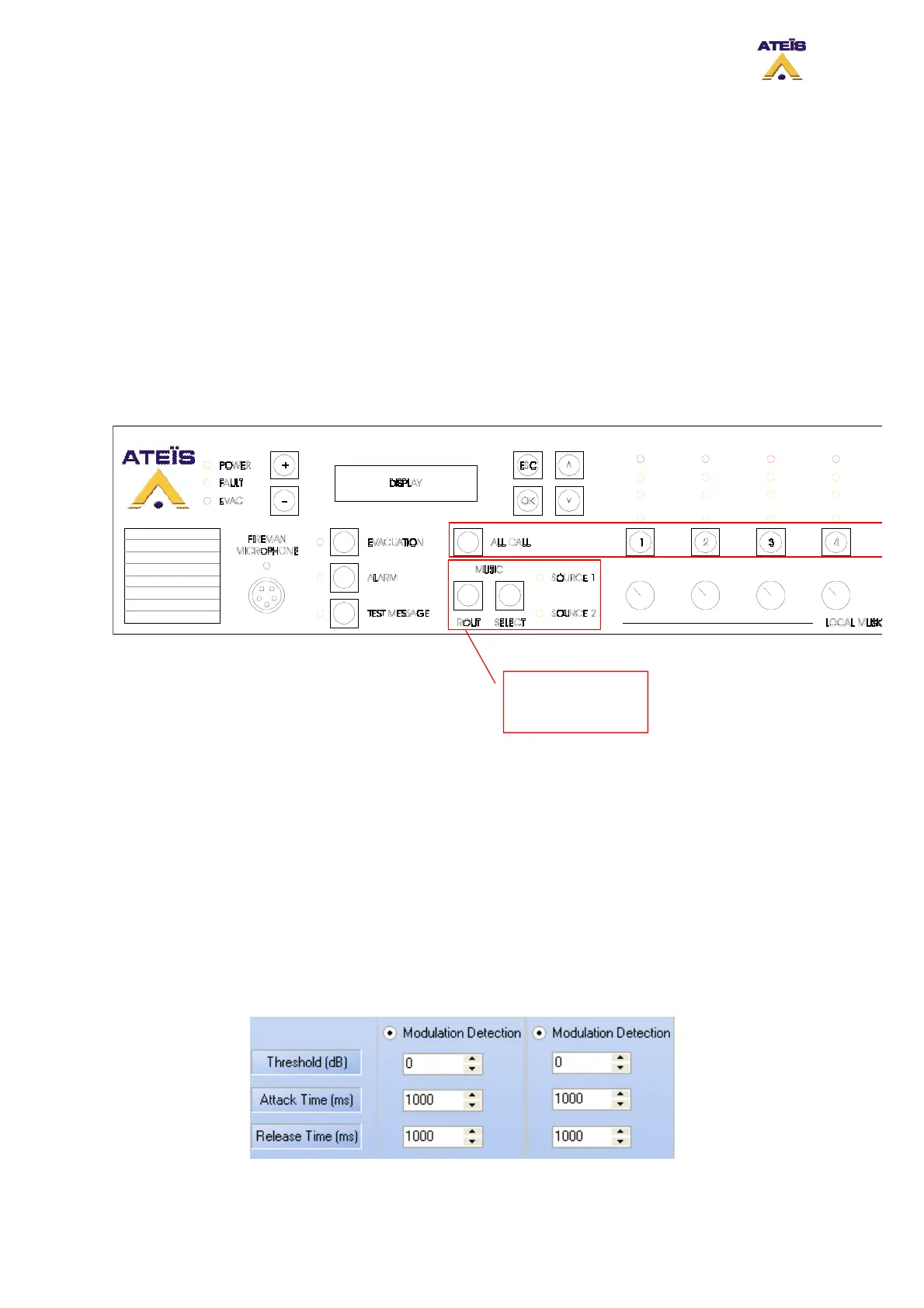
• Zone Selector: allows to select each zone one by one or a group of zones
• All Call: instantaneously select all zone
• Attenuator: sets an attenuation for a zone
To assigned a music source to a zone, please follow the next steps:
• Select zone(s) where you want to route music
• With the select button, choose which music source will be routed to the selected zone(s)
• Press the Route button in order to validate the selections
Note: You can independently route music source 1 and music source 2.
To disable music in zone(s):
o Select zone(s)
o With the select button choose none (no Source LED are lit)
o Press the Route button to validate selections
Music Source
Selection Buttons
and Indicato
s
For each zone, you can set an attenuation. The attenuation are from 0dB to -20dB. Note: if two music
sources are used, keep in mind that attenuator will only have effect on only one of them (music 1).
This is due to the fact that the amplifier used for the music source 2 is the one dedicated for voice call.
8.21.2 With Modulation Detection
The modulation detection mode allows to automatically route music sources in case of signal
presence. You can set up both source one and two in modulation detection as well as only one
source.
The normal use of this options is to set up one source in permanent mode and the other one in
modulation detection (example tuner in permanent and CD player in mod.det.). Keep in mind that in
that mode, the music front panel buttons are disable.
Ateïs International
Ch. du Dévent, 1024 Ecublens, Switzerland.
Phone : +41 21 881 25 10
88



 To Next Page