8.18.2 Event Sequence
You can define multiple events by accessing the event window (menu “View -> Event”). In this
window, all the existing event are listed. You can add/delete events.
Before adding a new event, choose in the “Event Type” drop-down menu the desire event’s type. Click
on the new event then “Edit” to be able to set up parameters for this new event.
You can declare event with the same action, like playing a message (even playing the same
message). You just have to give them different names.
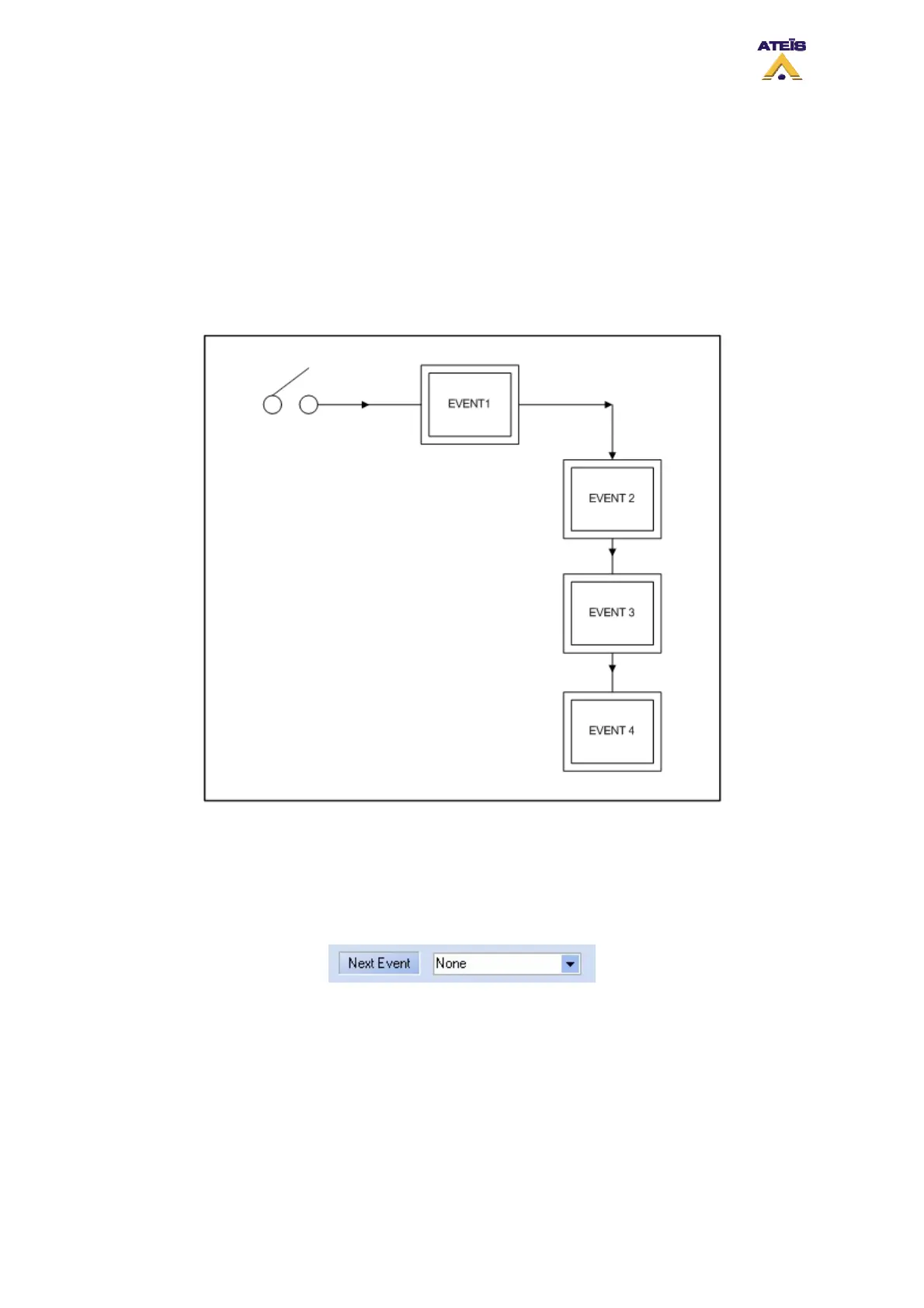
The event can be cascaded. An explanation diagram is visible on the next figure.
An action like closing a contact could induce to start an event. But the first event, as soon as it will be
finished or stopped could launch an other event. The second event could activate the start of a third
event, and so on.
In each event edit page, there is a next event drop down menu, see below. In this menu you will be
able to choose between all the existing events.
Events could also be looped. The diagram on figure below explains it visually.
Ateïs International
Ch. du Dévent, 1024 Ecublens, Switzerland.
Phone : +41 21 881 25 10
62



 To Next Page