To learn more about how the monitoring is perform, please read Explanation About Monitoring
Process.
8.25.1 Zone Monitoring
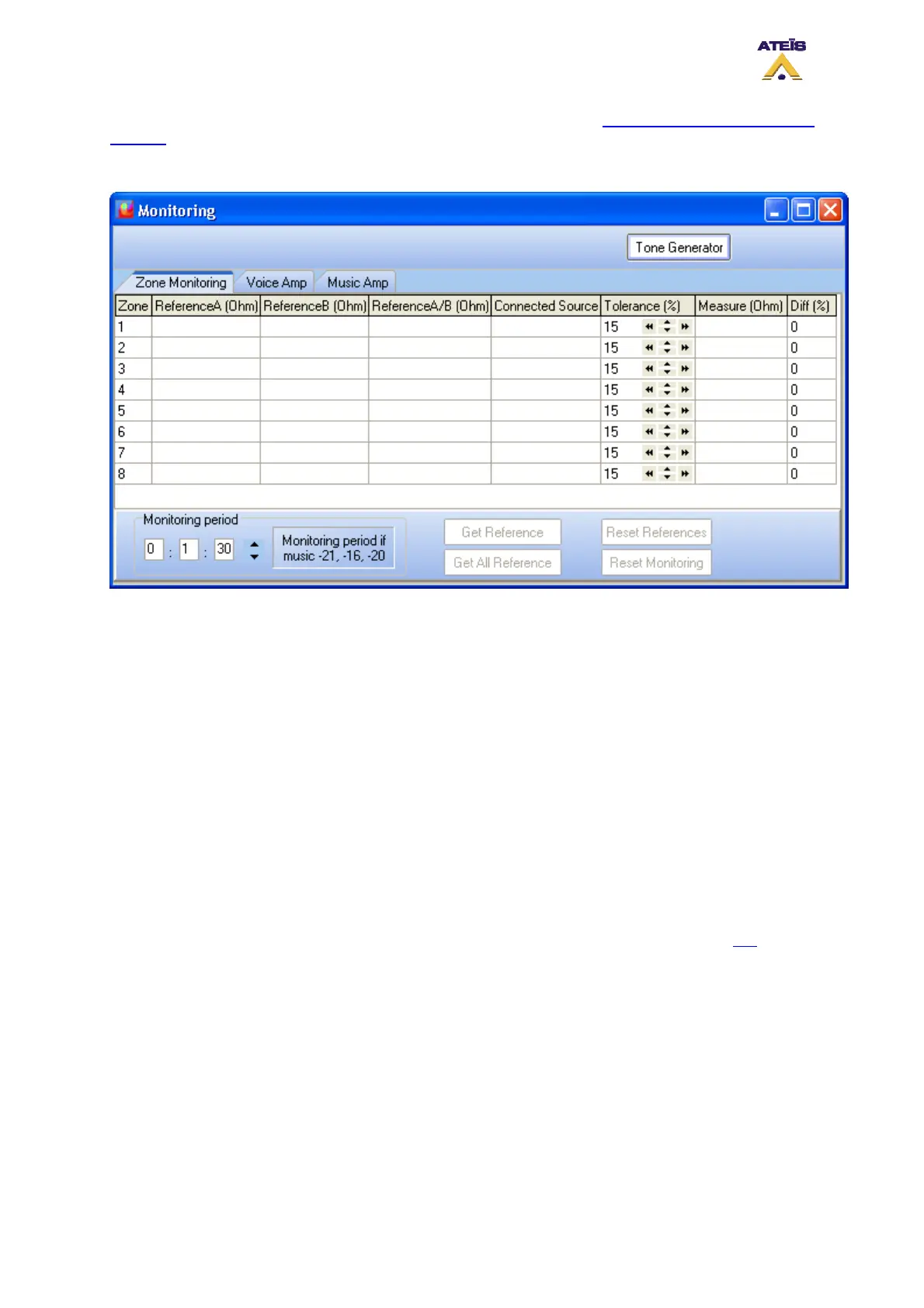
Zone Monitoring display:
• Zone: displays the zone number
• ReferenceA (Ohm): displays the value taken as reference for line A of one zone
• ReferenceB (Ohm): displays the value taken as reference for line B of one zone
• RefereneA/B (Ohm): displays the value taken as reference for A and B in parallel
• Connected Source: display the source connected to one zone (Voice Amplifier, Music Amplifier,
VO3)
• Tolerance (%): here you can specify the tolerance wherein measurement has to stay before
generating a fault state
• Measure (Ohm): displays the real time measurement of A and B in parallel
• Diff (%): displays the difference in percent between Reference A/B and Measure
Zone Monitoring Controls:
• Monitoring period: When using attenuator values like -12, -16 and -20 dB, you have to specify a
monitoring period in order to avoid issues. To learn more about that point, please read this
.
• Get Reference: this button start the get reference process for one zone at a time
• Get all Reference: this button start the get reference process for all zone
• Reset Reference: this button allows to reset all reference stored
• Reset Monitoring: this button allows to reset the monitoring in case of maintenance
• Tone Generator: this button allows to set the tone generator settings. You can learn more about
tone generator by reading this.
Procedure to make references for one zone, please follow the next steps:
• Select a zone by clicking on the corresponding line
• Press the "Get Reference" button
• Choose a tolerance value
Ateïs International
Ch. du Dévent, 1024 Ecublens, Switzerland.
Phone : +41 21 881 25 10
111



 To Next Page