The picture above shows the main page of the user manager. In this page you will be able to add new
user account, delete account and modify account settings. The list below explains how the button
works:
• Add: allows to add new user account
• Edit: allows to edit existing account parameters
• Select All: can instantaneously select all the existing account
• Select none: instantaneously unselect the previously selected account
• Delete: allows to delete accounts
• Close: closes the User Management window
8.6.1 Add User Account
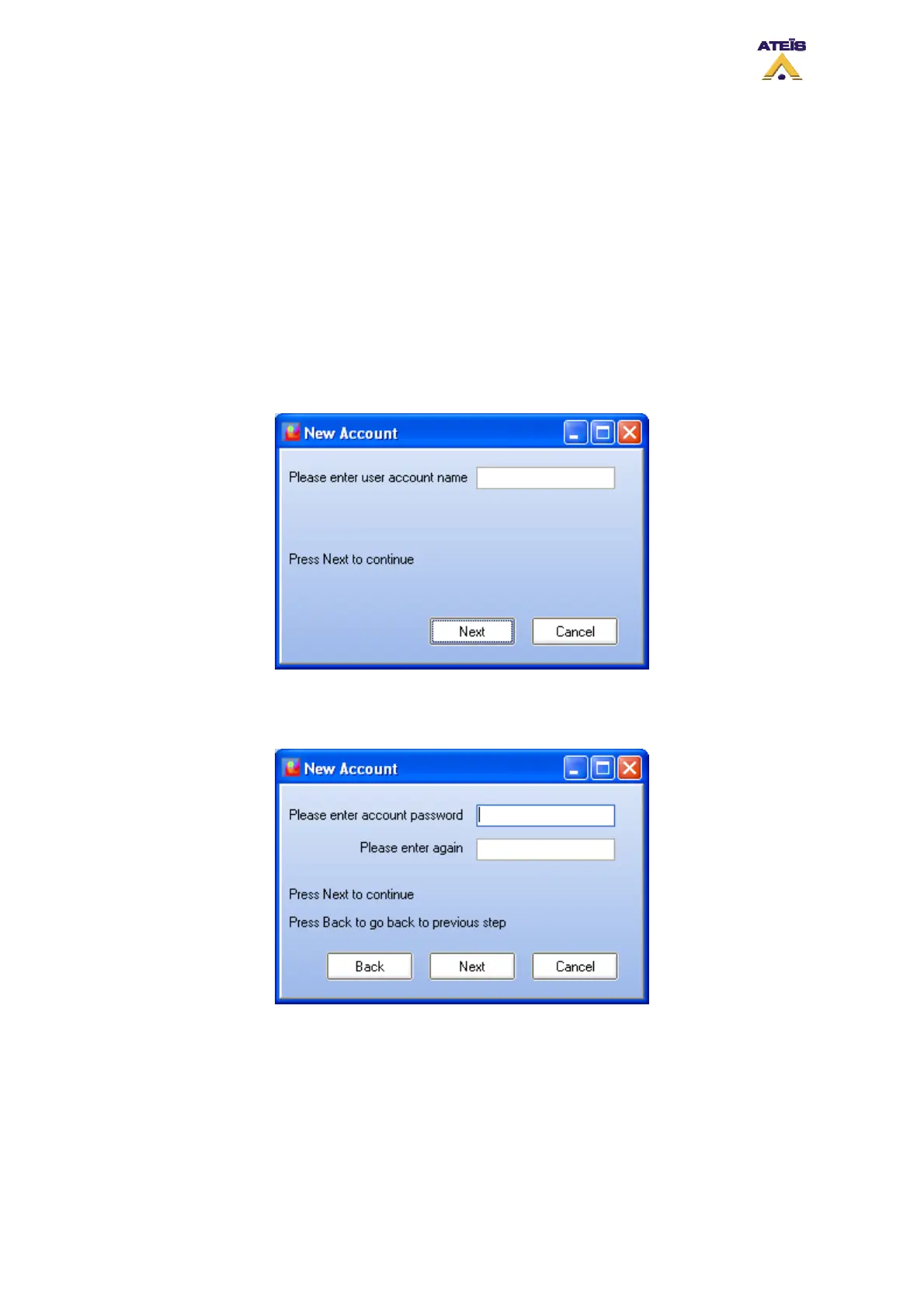
To add a new user account, simply click on the add button. A New Account pop-up window like the
one below will appear.
• Enter the user name for the new account
• Click next
• Enter a password for the account created
• Confirm password
• Click Next to continue the process of creating an account
• Click Back to go back to the previous step
Ateïs International
Ch. du Dévent, 1024 Ecublens, Switzerland.
Phone : +41 21 881 25 10
48



 To Next Page