• Load Preset
• Logic Output
• Command String
• Stop Event
• Stop Zone
• Play Message
• Fireman Mic Paging
• MIC/LINE Paging
• Music ON
• Music OFF
• Music ON By Zones
• Music OFF By Zones
• Toggle Music ON/OFF
• Toggle Music ON/OFF By Zones
• Security Mode
• Stop All Event
8.18.1 Common Options
Security Option:
The Security option is common to all event type. If the security option is selected, this event will be
able to be started when DIVA has entered the security mode.
This mode have been created to enter a power safe mode in case of power supply failure, in order to
save energy when supply by emergency battery. This mode is automatically launched when using
External Fault Inputs.
Zone Selection:
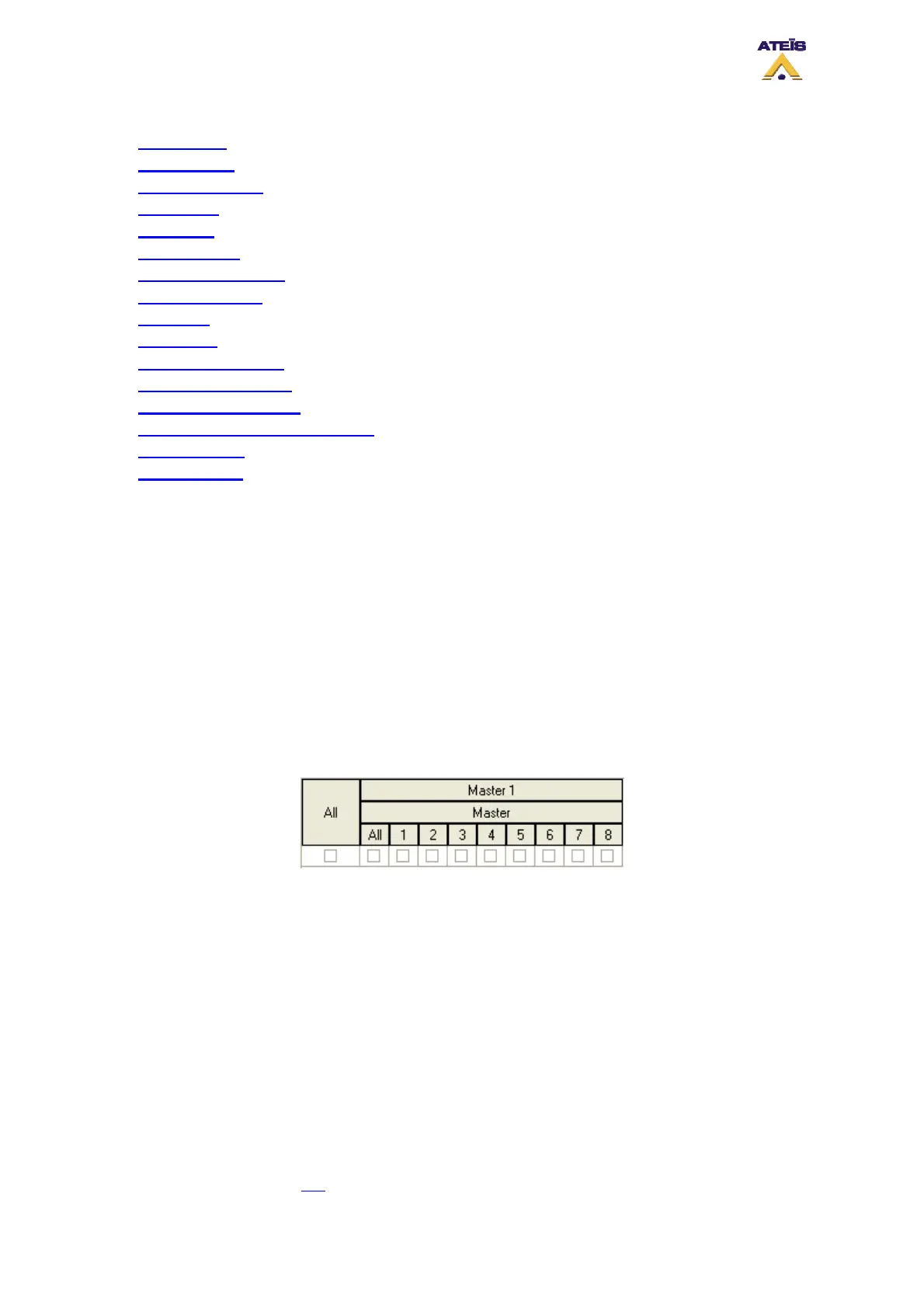
In many event you will be able to choose some pre-defined zones. Here is the zone selector display
and explanation.
From Left to right and up to down
Master 1: correspond to your project name (master unit plus slave ones)
o All: selects all zones of master and slave(s) units
Master: means master unit
o All: selects all zone of the master unit
o 1-8: allows to select independently zone 1 to 8 from a master and/or slave unit
Cancel All and Coexist options
The Cancel All and Coexist options have been created to manage conflict when two events use a
common zone.
The higher priority event always overwrite the lowest priority event in the common zone. But regarding
to the option chosen, the behaviour is different.
To learn more, please read this
.
Ateïs International
Ch. du Dévent, 1024 Ecublens, Switzerland.
Phone : +41 21 881 25 10
61



 To Next Page