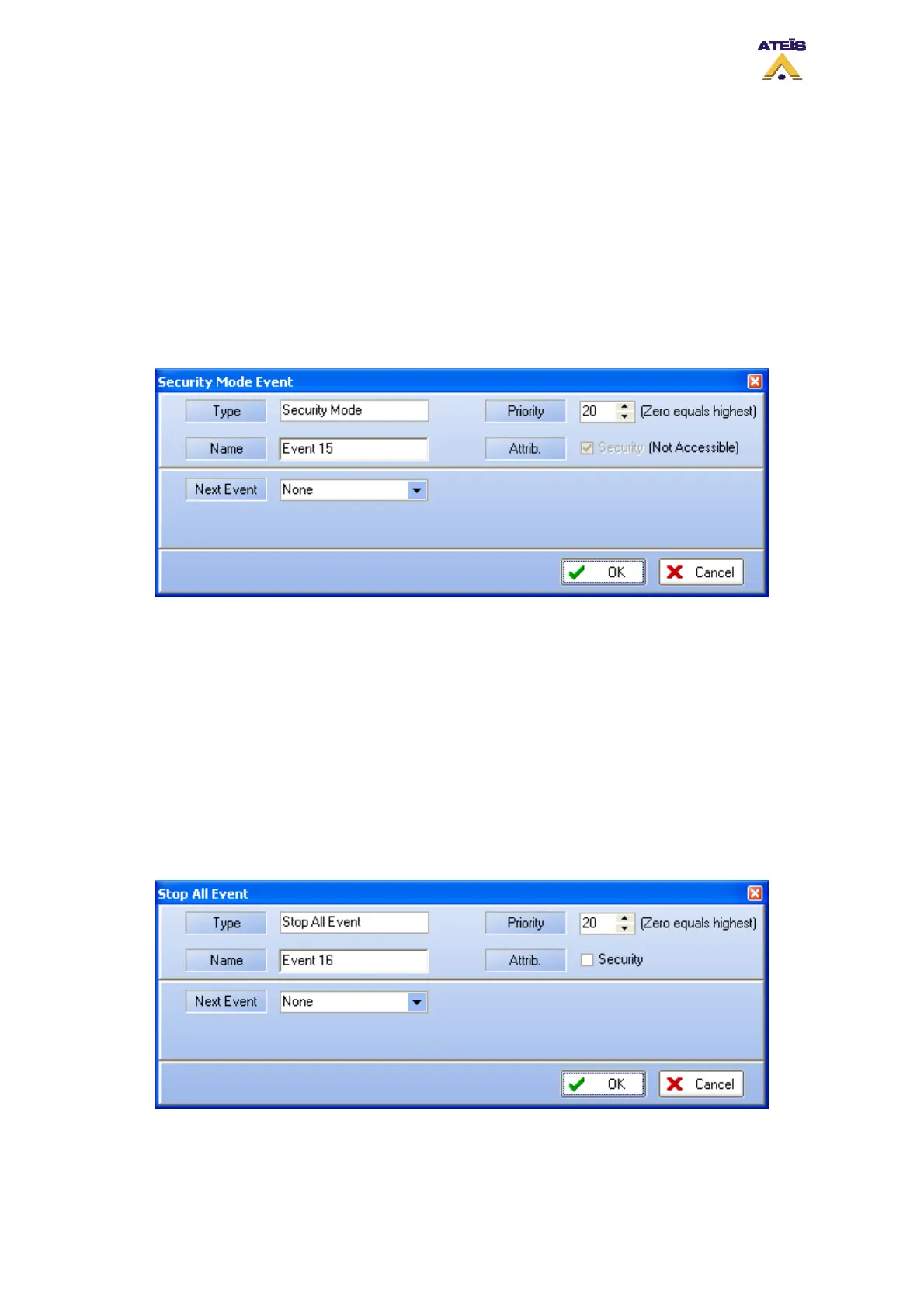
8.18.3.15 Security Mode
In order to be compliant to standard and to save energy, DIVA has to working mode: Normal and
Security.
Normal: normal mode is when DIVA is supplied by the electricity network. In normal mode, any type
of event could be started
Security: security mode is when DIVA is supplied by backup batteries after a power supply failure. In
security mode, only security event could be started, Music is automatically desactivated. This have
been made to save energy and to increase DIVA working state under batteries.
In order to fit the event philosophy, you can force DIVA to enter the security mode with the Security
Mode event. Be carefull when using such an event, all non security event will be unavailable.
• Type: display the type of event you are creating or modifying
• Name: here you can specify a name for the event created. Default is Event X
• Priority: here you can adjust the priority of the event. 20 is the lowest, 0 is the highest
• Attrib: not accessible
______________________________________
• Next Event: here you can select the event to start after the current on is finished
8.18.3.16 Stop All Events
This event has been design in order to stop event that are currently running in the system with one
trigger action.
• Type: display the type of event you are creating or modifying
• Name: here you can specify a name for the event created. Default is Event X
• Priority: here you can adjust the priority of the event. 20 is the lowest, 0 is the highest
Ateïs International
Ch. du Dévent, 1024 Ecublens, Switzerland.
Phone : +41 21 881 25 10
80



 To Next Page