• Preset: here you can specify the preset to be loaded
8.18.3.2 Logic Output
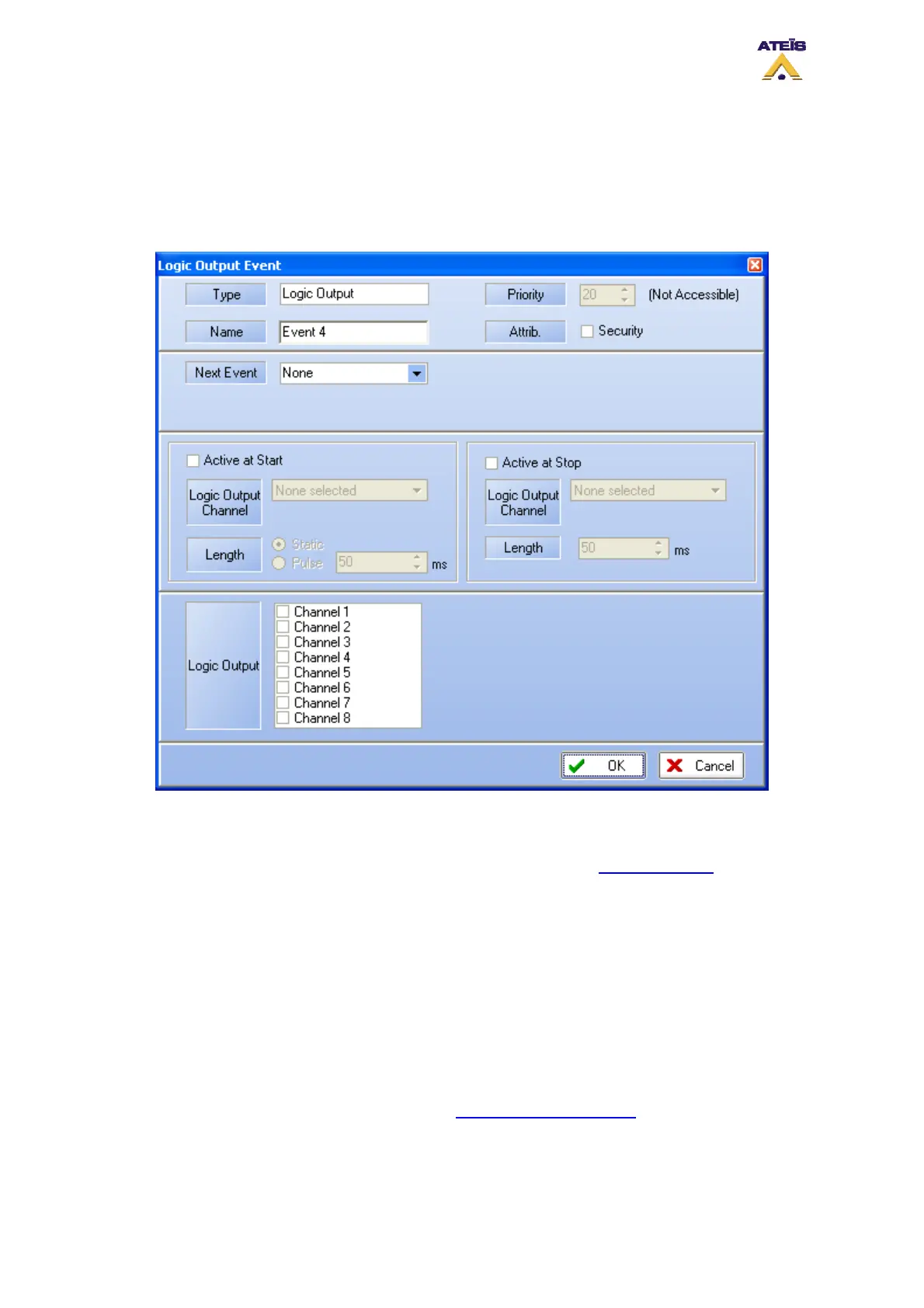
As described before, DIVA has 8 output channels that can be commanded by several trigger type.
When using the Logic Output Event, you can associate to a trigger the closing of an output.
• Type: displays the type of event that is created, in this case Load Preset
• Name: here you can specify a name for the event created
• Attrib: here you can choose between security event or not. See Common Option to learn more
about the security option
_________________________________________
• Next Event: you can specify an event that will be started as soon as this event has finished
_________________________________________
• Active at Start: Ticking this option allows user to close an output contact (Logic Output channel)
in two different manner. Static will close it until the event stop and Pulse will generate a closing
pulse whose length can be defined from 50 to 60000 ms.
• Active at Stop: This option is used to create a closing contact pulse when the event is finished.
The length of the pulse can be defined from 50 to 60000 ms.
To learn more about output relay, please read the How To Use Output Relay
.
_________________________________________
• Logic Output: here you can specify which output(s) you want to close when a trigger has been
detected.
Ateïs International
Ch. du Dévent, 1024 Ecublens, Switzerland.
Phone : +41 21 881 25 10
66



 To Next Page