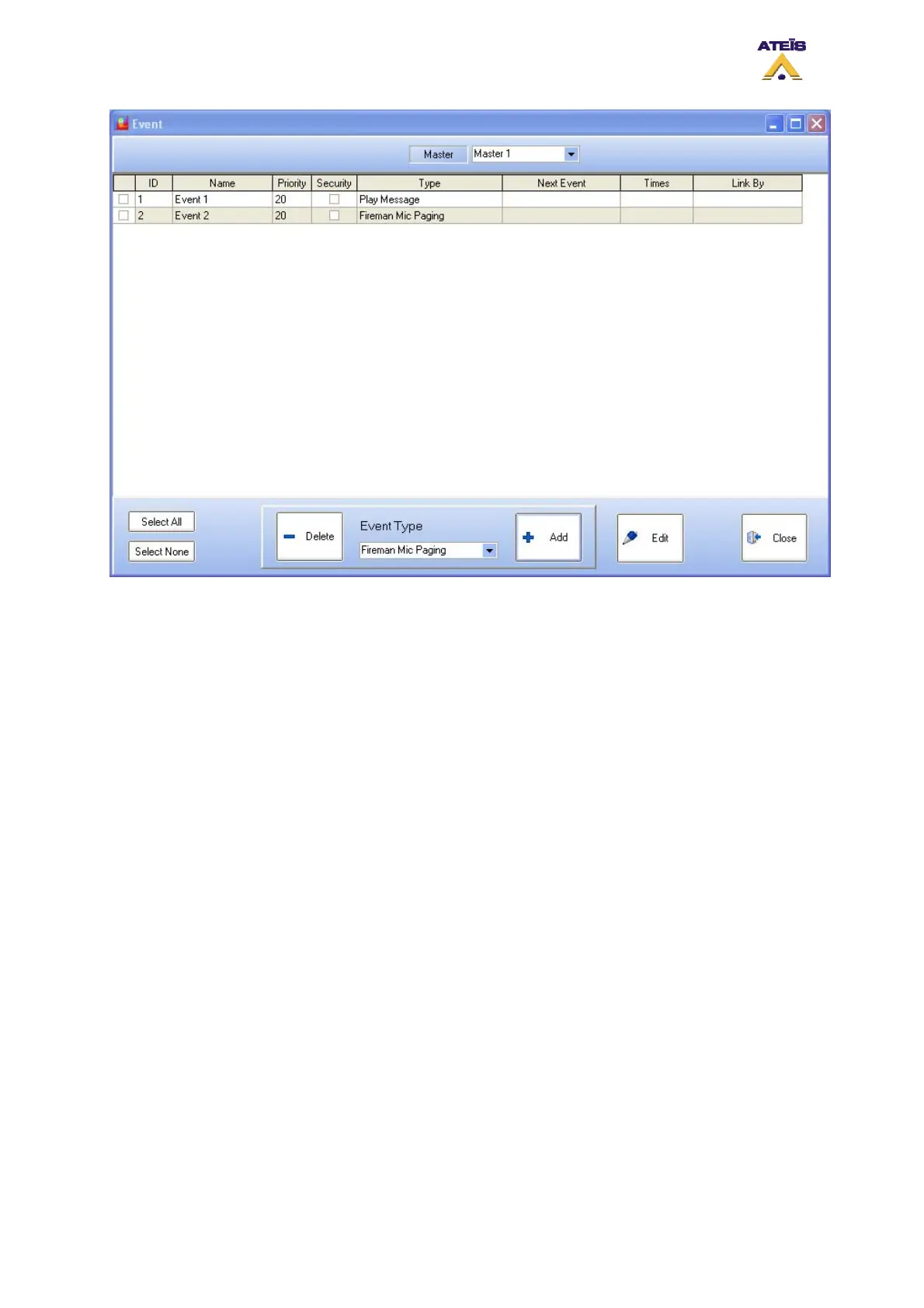
• Master: here you can select which master events' list you wan to work on
_____________________________________
• Square Selector: you can select event(s) by ticking the square selector at their right
• ID:
• Name: displays the event's name. You can specify a name for an event when editing the event.
By default the name is set to Event X
• Priority: displays the priority level of an event
• Security: displays if the event is a security one or not
• Type: displays the type of the event
• Next Event: displays which event is called after this event
• Time: if an event loop have been created, displays the number of time the loop is made
• Link By: displays the previous event in the sequence or loop
_____________________________________
• Select All: select instantaneously all events in the list
• Select None: deselect instantaneously all selected events
• Delete: delete selected event from the list
• Event Type: here you can select the event type that you want to create. This have to be made
before press the Add button
• Add: after the event type selection, pressing the Add button will create the new event in the list
• Edit: after creating an event, you will have to edit all its parameters. By clicking the edit button,
you will enter the different event setting windows
• Close: closes the Event window
There are different type of event and here is a list of all event that can be created. Note: some event
created by accessing the music, fireman microphone and MIC/LINE windows are automatically named
and offer settings that could differ from those described in this chapter.
Ateïs International
Ch. du Dévent, 1024 Ecublens, Switzerland.
Phone : +41 21 881 25 10
60



 To Next Page