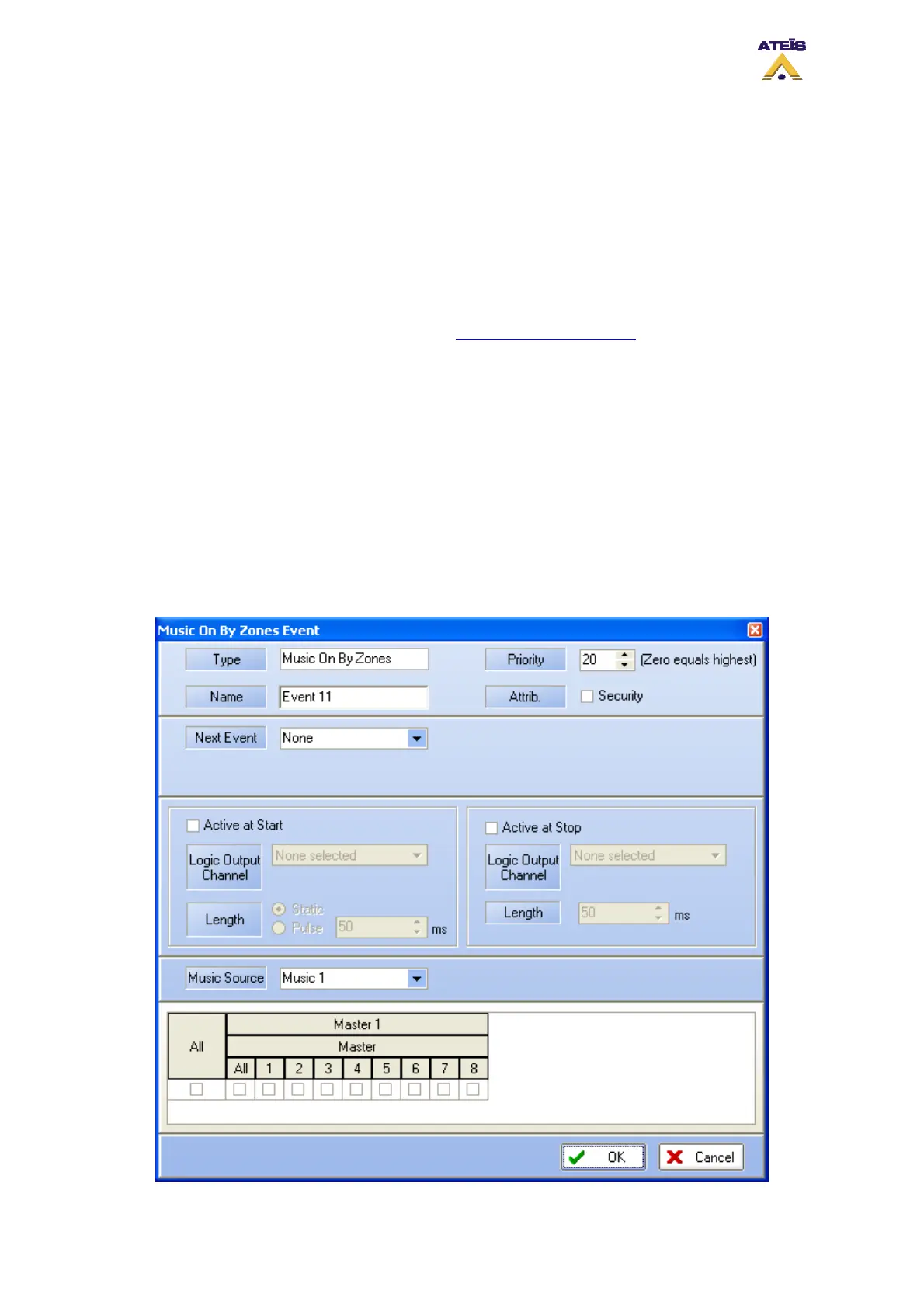
• Active at Start: Ticking this option allows user to close an output contact (Logic Output channel)
in two different manner. Static will close it until the event stop and Pulse will generate a closing
pulse whose length can be defined from 50 to 60000 ms.
• Active at Stop: This option is used to create a closing contact pulse when the event is finished.
The length of the pulse can be defined from 50 to 60000 ms.
• Enable ACK Relay: here you can set the closing of a Logic Output Channel relay as soon as
zones where an event has to be played are freed from higher priority events.
• Enable Busy Relay: here you can specify an Logic Output Channel relay that will be closed as
soon as you will trying to speak in zones where a higher priority event currently playing.
To learn more about output relay, please read the How To Use Output Relay
.
______________________________________
• Conflict: you can choose between Cancel All or Coexist
• Pre Chime: Before a call you can add a chime message. Here, if Pre Chime Enable is selected,
you can select which message will be used as pre chime
• Pre-define Zone: if ticked, you can choose pre defined zone with the zone selector
______________________________________
• Zone Selection: here you can specify the zone(s) where the call will be played
8.18.3.11 Music On By Zone
The Music On By Zones event allows to start music source 1 or 2 with any type of trigger in pre-
defined zone(s).
Ateïs International
Ch. du Dévent, 1024 Ecublens, Switzerland.
Phone : +41 21 881 25 10
75



 To Next Page