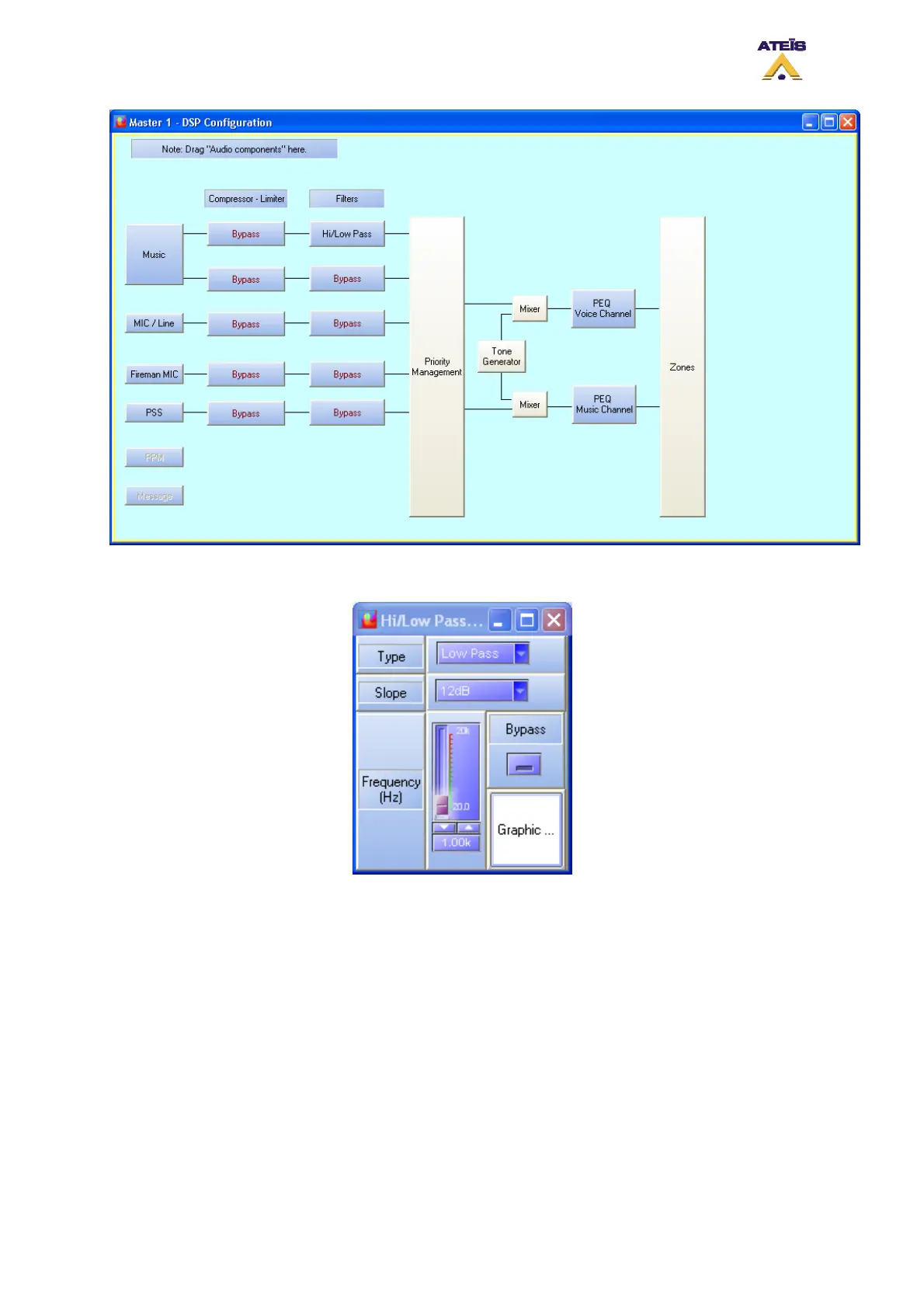
• Double click on the Hi/Low Pass icon, the Hi/Low pass window pops up (see below).
o Type: here you can choose the filter type, high pass or low pass.
o Slope: here you can specify the slope of the filter (12dB, 24dB or 36dB).
o Frequency: here you can specify the filter cutoff frequency by adjusting the slide bar,
using arrow keys or writing it directly in the cell.
o Bypass: by clicking on the Bypass button, you instantaneously bypass the filter.
o Graphic: by clicking on the Graphic button, you will enter the filter graphic edition window,
see below. By moving the blue point, you can adjust the cutoff frequency.
Ateïs International
Ch. du Dévent, 1024 Ecublens, Switzerland.
Phone : +41 21 881 25 10
118



 To Next Page