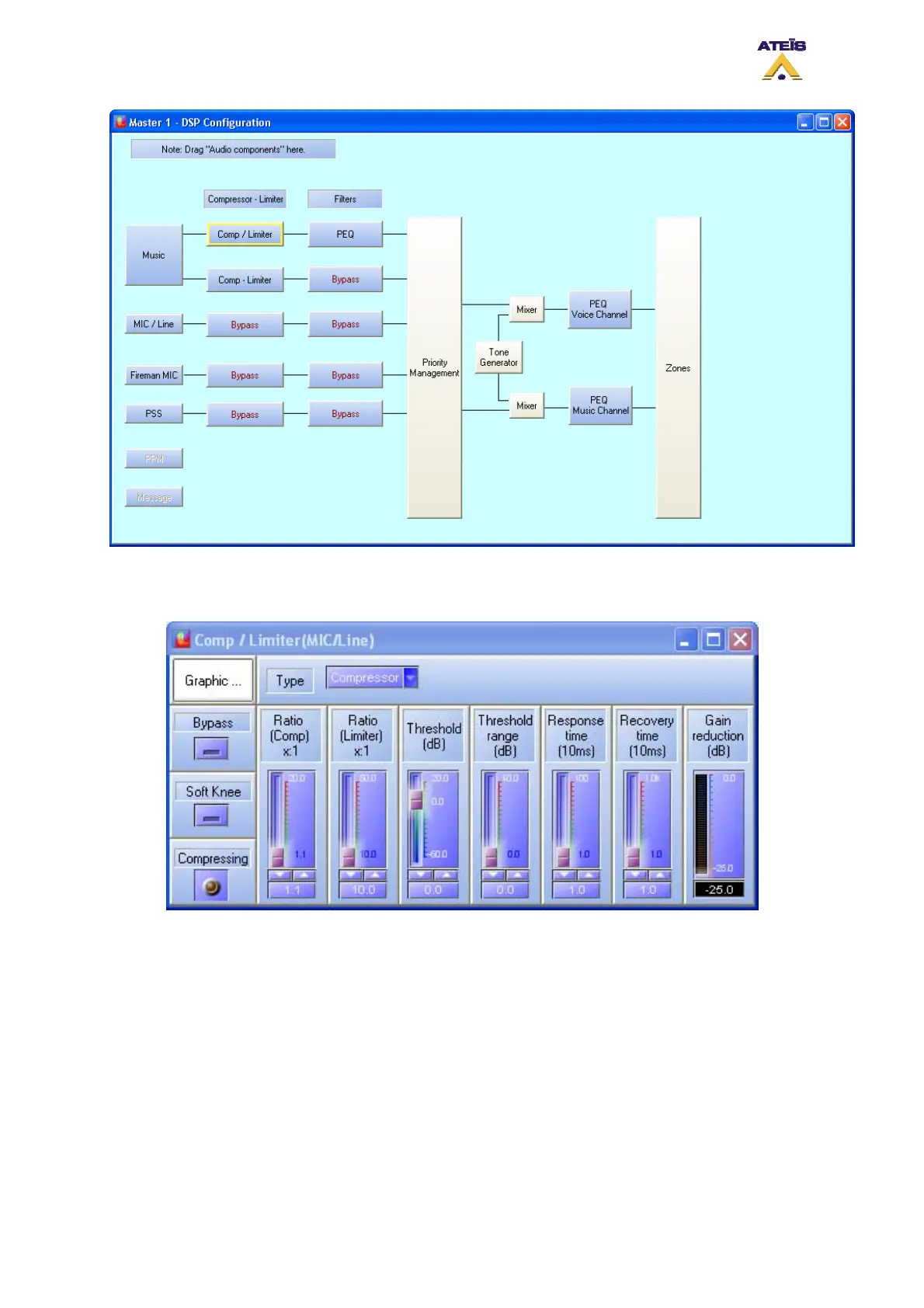
• Double click on the compressor/limiter icon, the compressor/limiter window pops up, see below.
Adjust the Compressor/Limiter parameters to suit your needs.
o Type: here you can choose between the compressor component or the limiter.
o Bypass: clicking on the bypass button will instantaneously bypass the compressor/limiter.
o Soft Knee: if the soft knee button is pressed, the a soft knee will be applied to the
compressor/limiter instead of a hard knee.
o Compressing: in case of compressor, this will indicates if the compression is acting or
not.
o Limiting: in case of limiter, this will indicates if the limiter is acting or not.
o Ratio(Comp)x:1: here you can specify the compression ratio either by using the slide bar,
arrow key or by entering directly the value in the dedicated cell. Note: this parameter will
have no action if the filter type is set as limiter.
o Ratio(Limiter)x:1: here you can specify the limiter ratio either by using the slide bar,
arrow key or by entering directly the value in the dedicated cell. Note: this parameter will
have no action if the filter type is set as compressor.
Ateïs International
Ch. du Dévent, 1024 Ecublens, Switzerland.
Phone : +41 21 881 25 10
126



 To Next Page