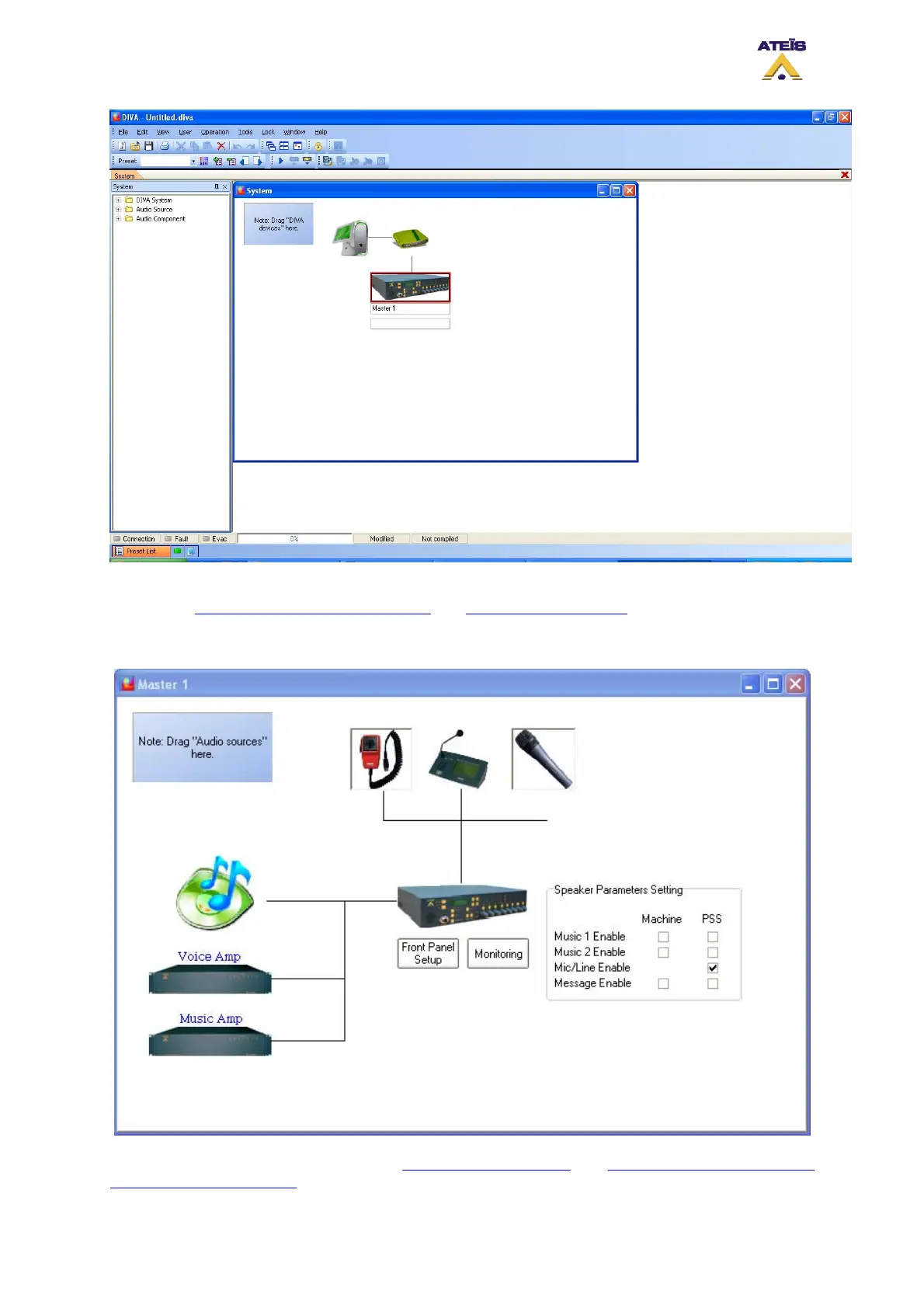
Once the new project is started, you will need to set up the network otpion as well as the correct IP
adress, see How To Configure Network Option
and How To Set IP Address.
By double-clicking the DIVA icon, you will enter the master window page, see below.
In the Master window you will be able to add design components
and set settings for the integrated
speakers of DIVA and PSS.
Ateïs International
Ch. du Dévent, 1024 Ecublens, Switzerland.
Phone : +41 21 881 25 10
45



 To Next Page