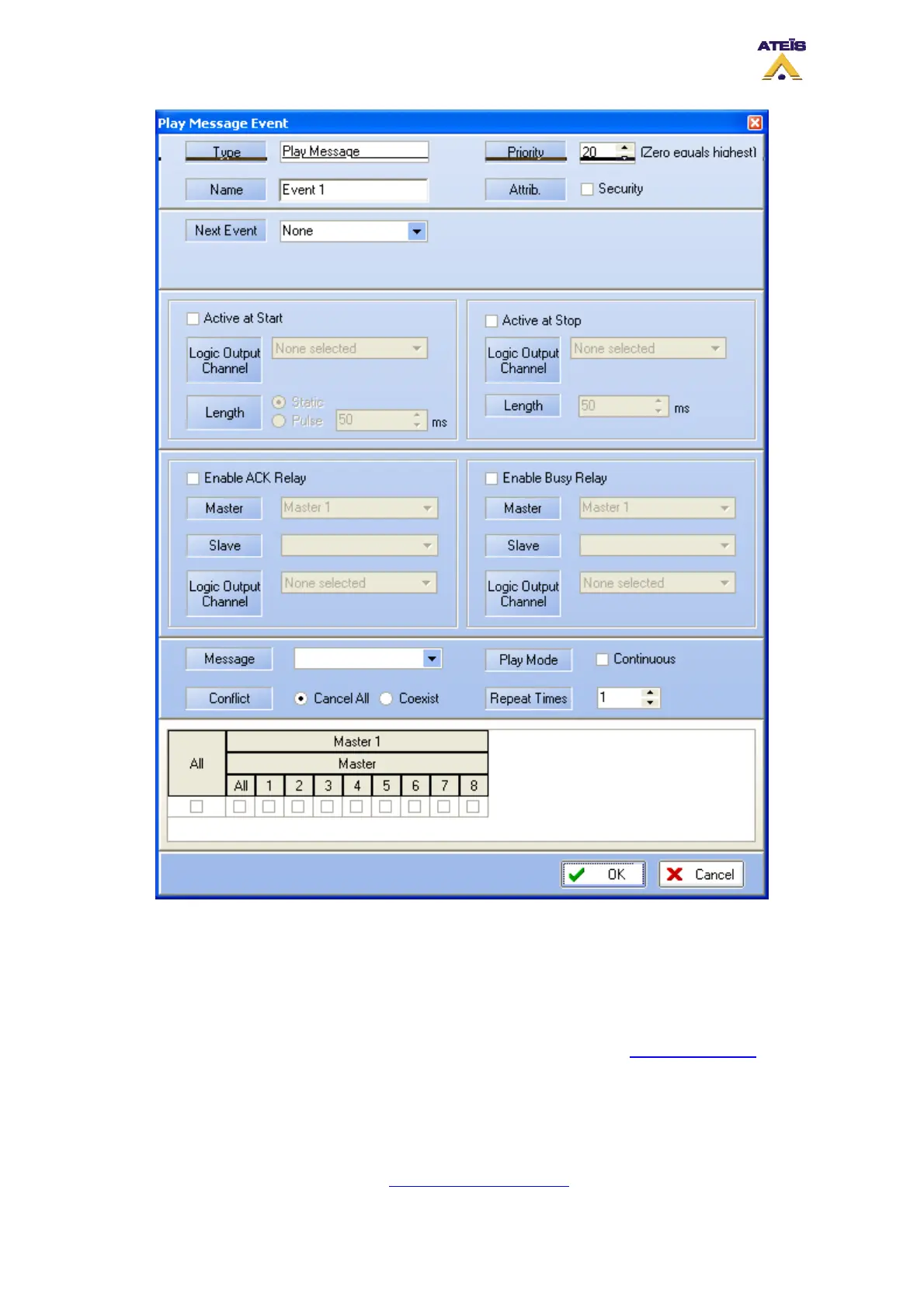
In the Play Message Event window, you will find controls and indicators, please refer to the following
list:
• Type: display the type of event you are creating or modifying
• Name: here you can specify a name for the event created. Default is Event X.
• Priority: here you can adjust the priority of the event. 20 is the lowest, 0 is the highest.
• Attrib: here you can specify if this event is a security one or not. See How to Use Event to learn
more about the security option.
______________________________________
• Next Event: here you can select the event to start after the current on is finished
______________________________________
The output relay part is discussed in the How To Use Output Relay
, please read it.
Ateïs International
Ch. du Dévent, 1024 Ecublens, Switzerland.
Phone : +41 21 881 25 10
82



 To Next Page