• Use Music Source From Front Panel
• Use Music Source From PSS
• Use Music Source From Logic Input
• Software Control
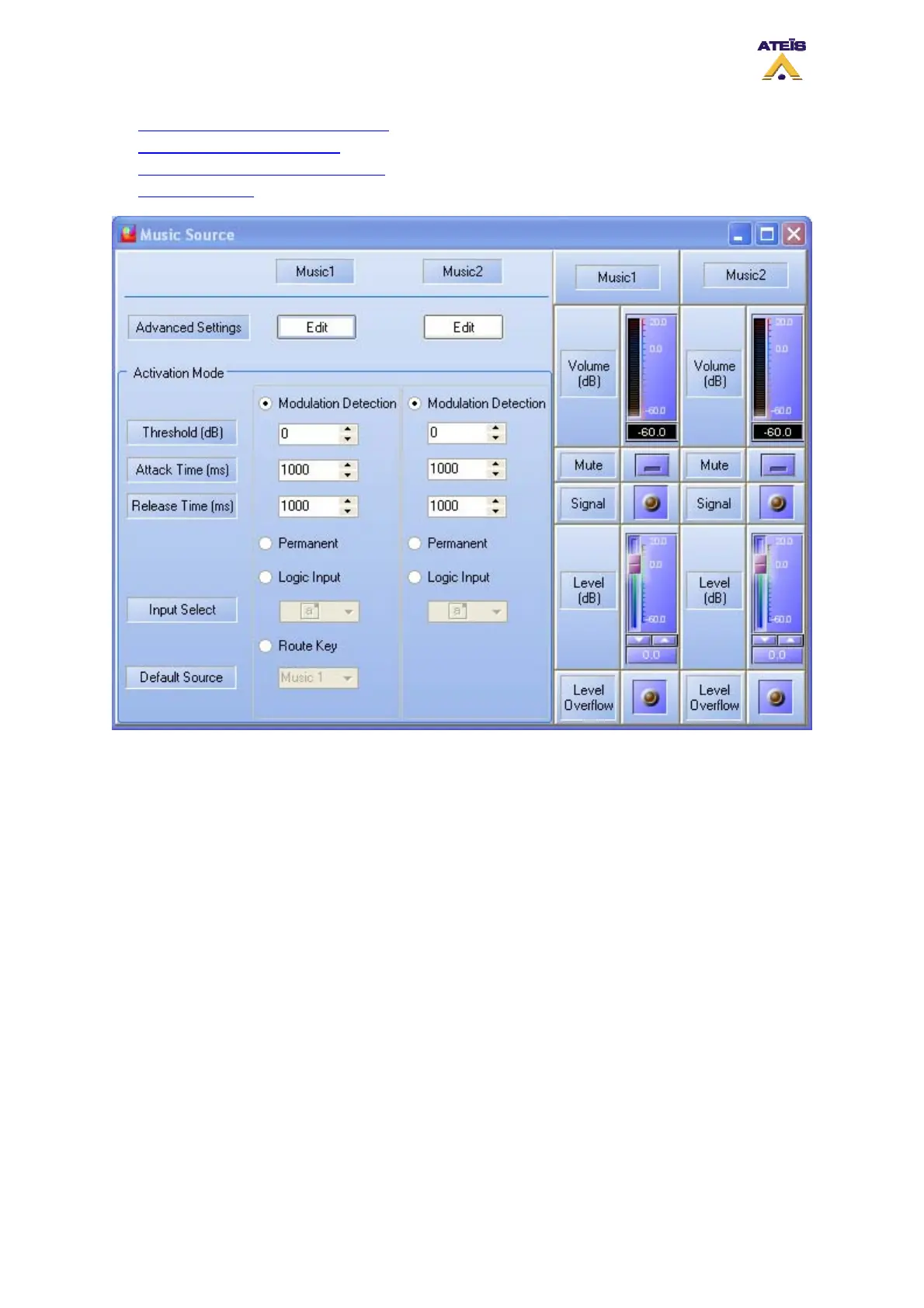
The Music Source main window allows user to select in which mode the music sources are used. You
can find:
• Modulation Detection
The modulation detection mode is like the VOX mode. It allows you to activate a source as
soon as a certain amount of signal is detected.
• Permanent
Permanent mode allows to set up both music sources' routing. It will deactivate all the front
panel music controls
• Logic Input
Using music from logic input allows user to manage external trigger to control the routing of
music sources.
• Route Key
The route key mode will activate all the music button on the front panel. It has to be used
when music should be controlled directly from the machine.
Ateïs International
Ch. du Dévent, 1024 Ecublens, Switzerland.
Phone : +41 21 881 25 10
86



 To Next Page