Getting Started
Learning the Basics
34
Accessing VMware View or Horizon View Services
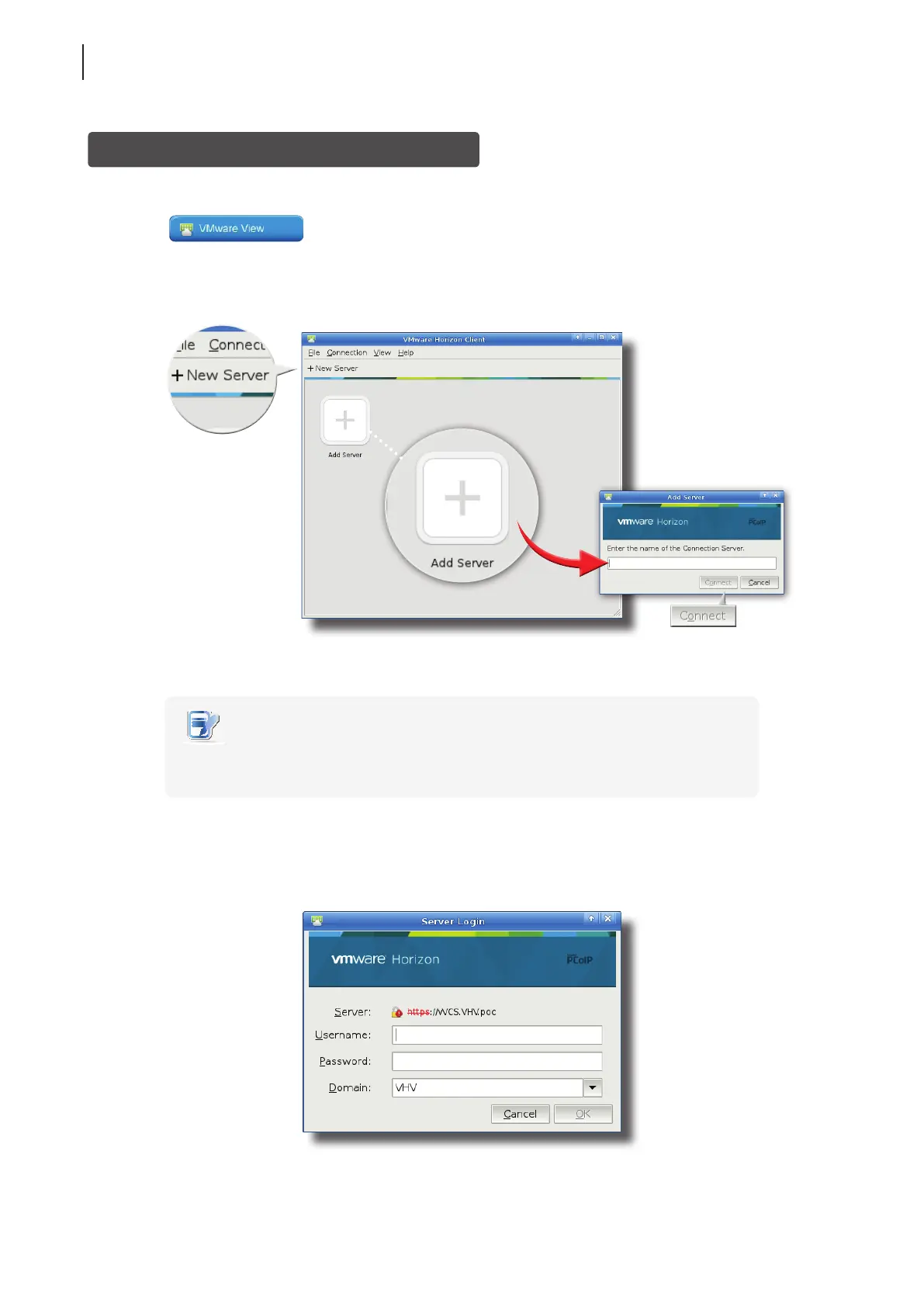
To access VMware View or Horizon View services, please do the following:
1. Click
on Atrust Quick Connection screen (see the screen in Topic 4).
2. On the opened window, double-click Add Server icon or click New Server in the top-left corner. A window
appears prompting for the name or IP address of the VMware View Connection Server.
3. Enter the required information, and then click Connect.
NOTE
• To return to Atrust Quick Connection screen (see the screen in Topic 4), close the
opened window.
4. A Welcome window might appear, click OK to continue.
5. A window appears prompting for the credentials. Enter your user name, password, click the Domain
drop-down menu to select the domain, and then click OK.



 To Next Page