Conguring Client Settings
Conguring System Settings
66
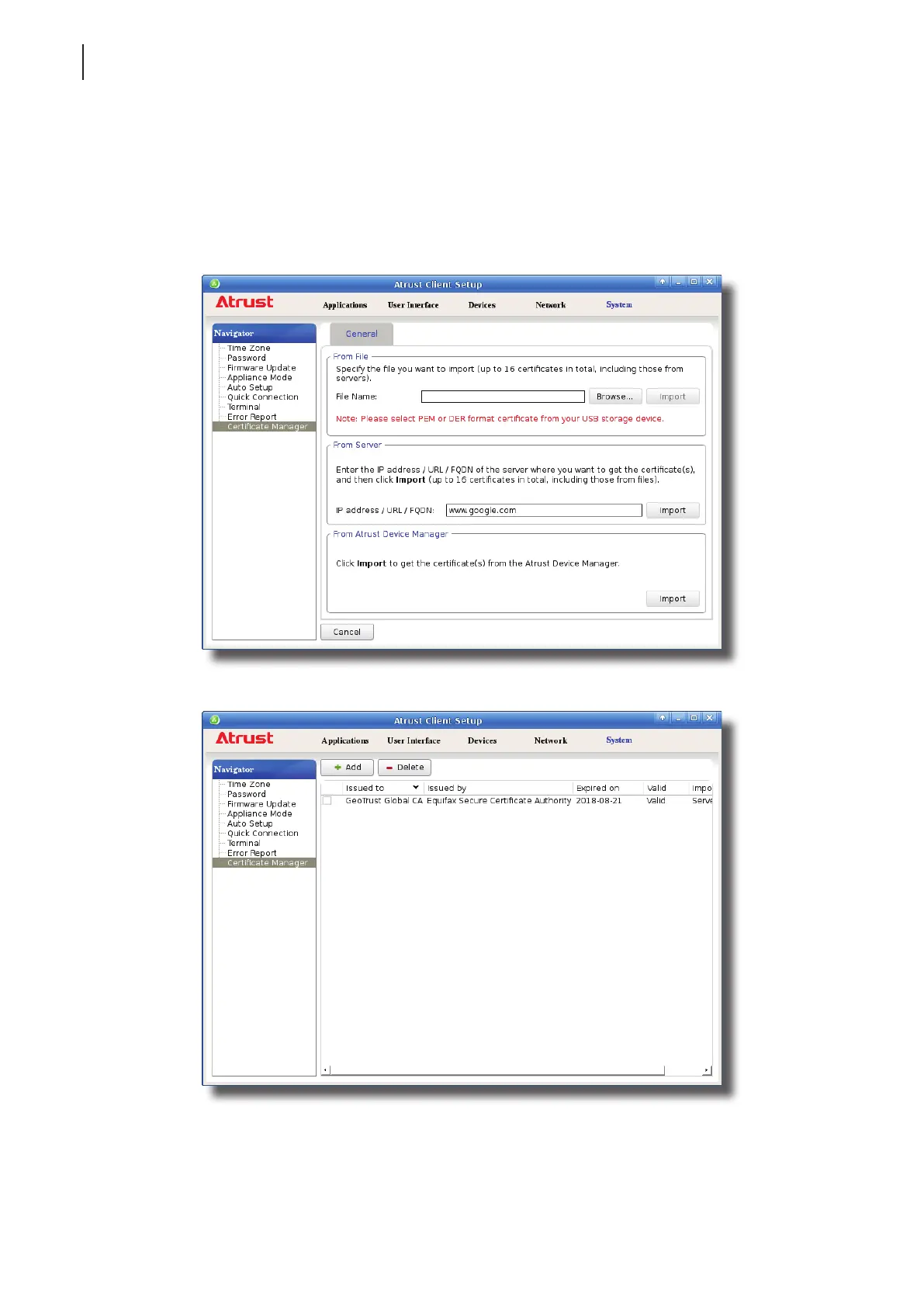
Importing certicates from remote computers through the network
To import the certicate from a remote computer through the network, please do the following:
1. On Atrust Client Setup, click System > Certicate Manager.
2. Click Add on the top of the Certicate list.
3. In the From Server section, type the IP address / URL / FQDN of the remote computer, and then click Import.
4. On completion, the certicate is shown in the Certicate list.



 To Next Page