Chapter IV Electrical Appliance
Section 1 Inspect switch
(I)Inspect switch
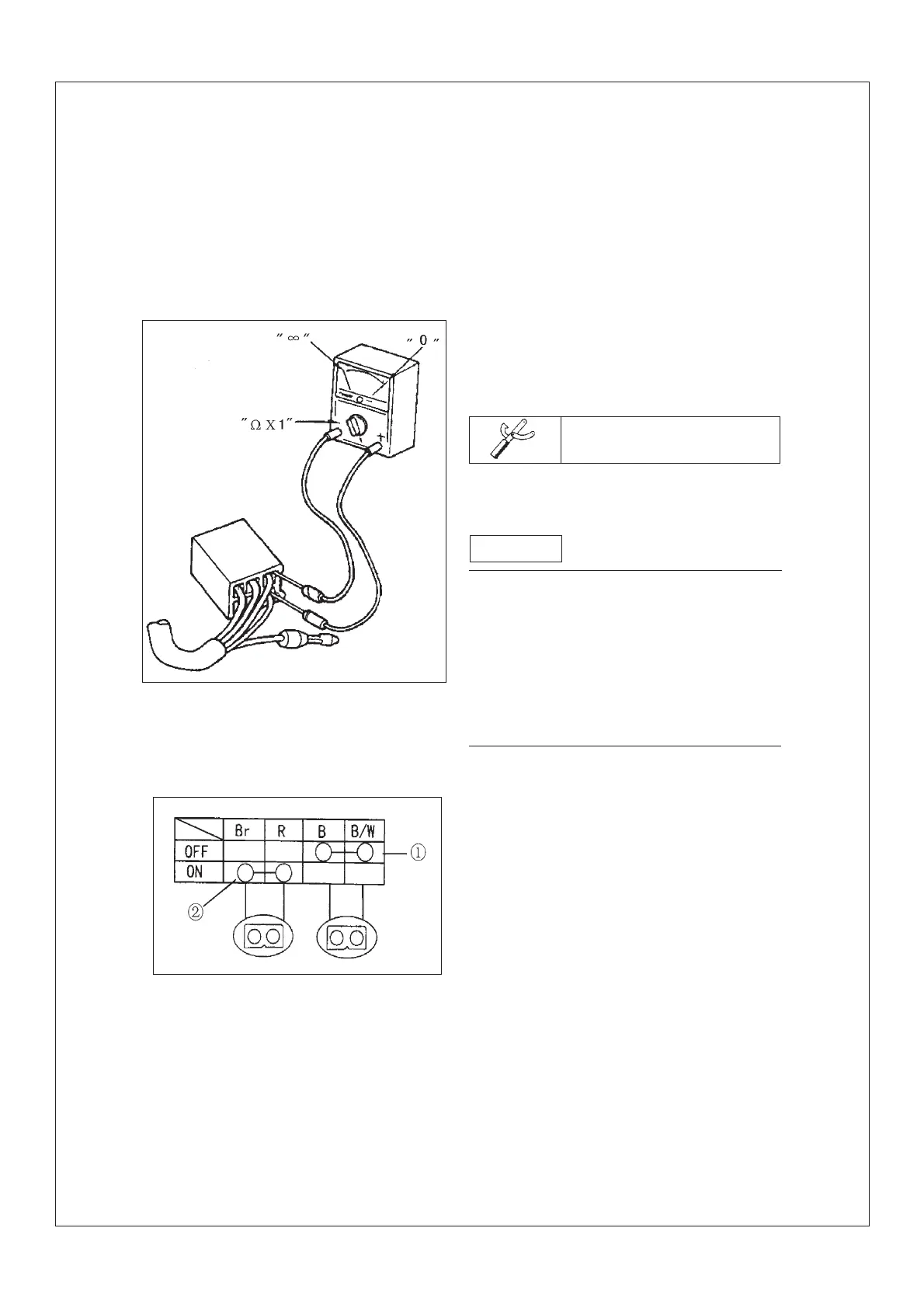
Inspect if the circuit between wire end is on
with pocket multimeter. If there is any failure
,replace the switch.
Pocket multimeter
.Adjust the multimeter to “O”before inspect-
ing
.Adjust the multimeter to “ ¦¸¡Á 1”when in-
specting the circuit.
.Should turn on and off the switch many times
when inspecting.
Remark
The manual explains how to inspect the switch
The left figure indicate the wire end position
of switch. The vertical line indicates switch
position.
The first row indicates color of switch wire.
To every switch.“O-O”indicates the circuit be-
tween the wire ends is on.
¢ÙWhen the switch is adjusted to “OFF”.the
“black”and “black/white”wire are on.
¢ÚWhen the switch is adjusted to “ON”,the
“red”and “brown”wire are on.
- 114 -



 To Next Page