Page | 15 of 105
AVR8414 Operation Manual – Rev O
Basic Functions - Front Panel
Recording
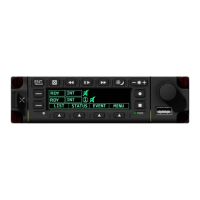
1. Press the desired Line Select Key. A green focus block will appear on the mode field of
the corresponding line select. Press the encoder knob to edit the field.
2. Turn the encoder knob to change the mode to a desired record-armed state; press the
encoder knob again to confirm the selection.
3. Turn the encoder knob to move the focus box over to the target memory field; press the
encoder knob to edit the field.
4. Turn the encoder knob to scroll to the preferred target storage device and press the
encoder knob again to confirm the selection.
5. Turn the encoder knob to scroll to the preferred HD or SD video port.
6. Press the encoder knob to select the video source, changing its state to a selected
green-filled icon. Multiple SD video sources can be selected.
7. Press Softkey 3 to toggle the global mute settings.
8. Press the button to begin recording.
9. Press the button to stop recording.
Playback
The user can play back saved videos by using Softkey1 LIST. During playback mode, the
Pause, Play, Rewind and Fast Forward buttons are activated. To play back recordings:
1. Press the Line Select Key to choose a line to set up a playback. The focus block should
appear over the mode field.
2. Press the encoder knob to edit/change the Line Select Key mode.
3. Turn the encoder knob to PLAY.
4. Press the encoder knob to select.
5. Press Softkey1.
6. Turn the encoder knob to highlight LIST.
7. Press the encoder knob to select.
8. The selected video will play.
Exit playback mode at any time by pressing the Stop recording or button. Once playback is
complete, the Line Select Key will automatically return to RDY mode.


 To Next Page
 Loading...