Page | 45 of 105
AVR8414 Operation Manual – Rev O
Front Display Menus
Line Select Controls
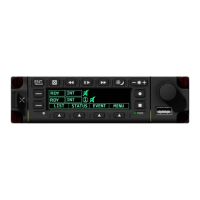
Once the recorder has fully powered on, an initial home screen will appear containing two
record lines or one record and one playback line. Each line can be selected to edit record
options or start a recording or playback. A third record/playback line becomes available if the
other two lines have been set to an armed or active state. This third line is accessible through
Softkey 1's Page menu.
To edit a line:
1. Press the corresponding line select key and turn the encoder knob to move the cursor
over to the field to be changed.
2. Press the encoder knob in to enter edit mode.
3. Turn the encoder knob to change the field.
4. Press the encoder knob in again to confirm the change.
A combination of sources can be selected; for example, an HD source can be selected on the
first line and multiple SD sources on the second line. HD sources are represented by a square
icon and SD sources are represented by a circle icon.
For more record options, see the section "Managing Recordings via OSD.”


 To Next Page
 Loading...