Commissioning
AVENTICS | Marex 3D | R417003094–BDL–001–AA 63
English
3. Release the button and turn it until the cursor flashes in the
line "System parameter". Confirm by pressing the SELECT
button.
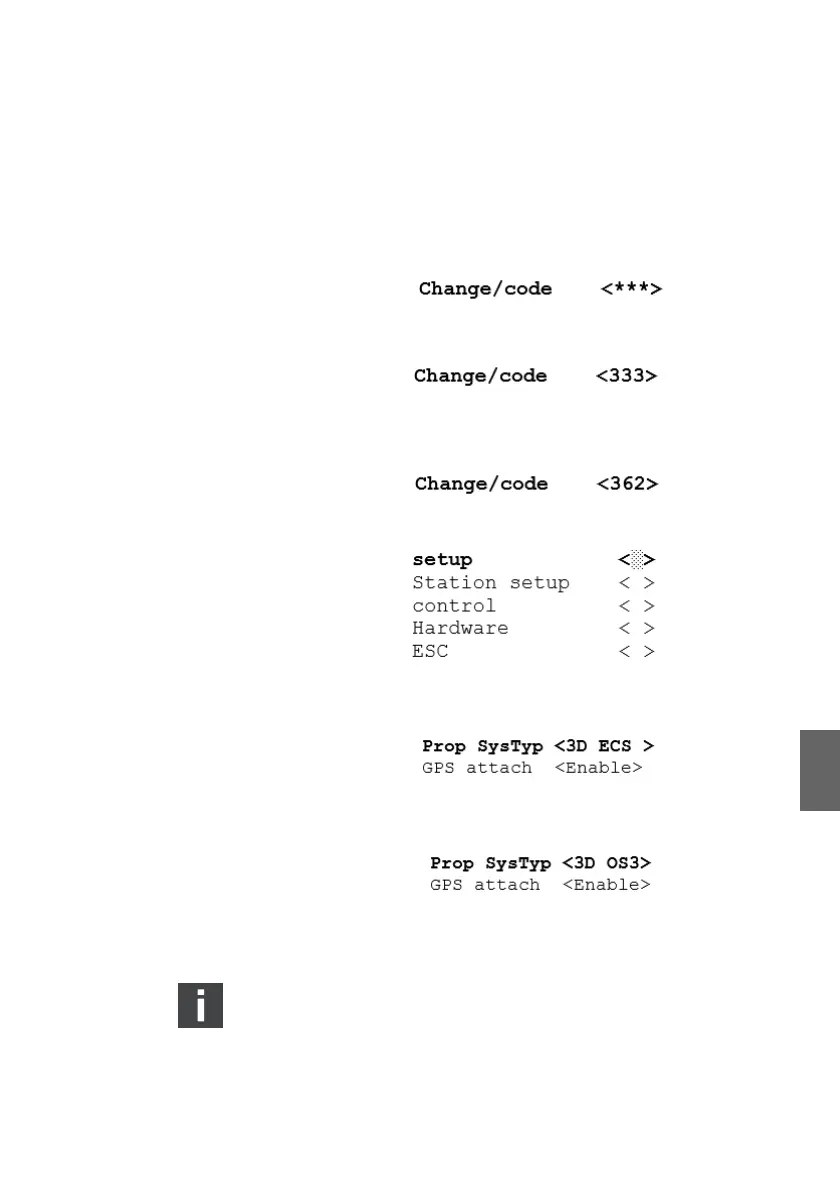
4. Place the cursor on the option "Change/code". Confirm by
pressing the SELECT button.
The display in the angle brackets changes to <333>
5. Turn the SELECT button until the code "362" shows in the
display and confirm.
6. In the next menu, select "setup" and confirm.
7. The following display is called up. It shows the options for
the parameter Prop SysTyp.
8. By default, the parameter "Prop SysTyp" is set to "3D ECS".
Place the cursor on "PropSysTyp", and select "3D OS3".
9. Confirm the setting by pushing the SELECT button.
10. Switch off the power supply for at least 10 secs.
Changes will become effective only after a power reset.
3D_manual_R417003094_DE_EN.book Seite 63 Freitag, 30. November 2018 11:36 11



 To Next Page