Commissioning
AVENTICS | Marex 3D | R417003094–BDL–001–AA 65
English
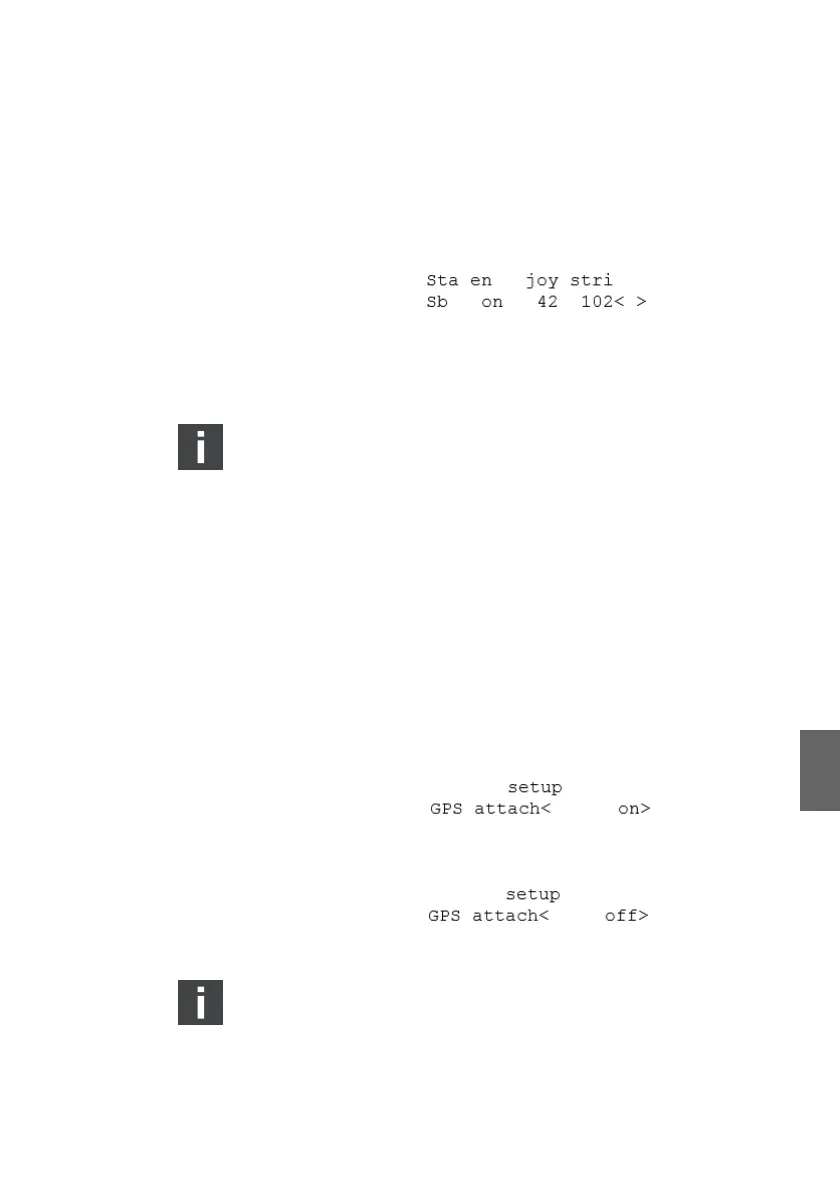
The acoustic signal stops. A letter "S" shows in the top right
corner of the display of the 3D Controller to indicate that the
adjustment is being saved. The display changes again. The
line for the corresponding control station in the column "en"
= enable will change from "off" to "on":
6. Switch off the power supply for at least 10 s.
7. Repeat steps 4. to 6. to include assign further joysticks if
applicable.
A power reset is necessary after each joystick
assignment.
6.2.4 Deactiving the heading sensor
On delivery, Marex 3D is preadjusted for systems including a
heading sensor. For systems without heading sensor, the
corresponding parameter in the 3D Controller must be switched
off. Carry out the following steps, if your application does not
include a heading sensor.
1. Open the submenu "Setup" in the System parameter menu
as explained in chapter 6.2.2, Adjusting the 3D Controller for
the operation with Marex OS, on page 62.
2. In the "Setup" menu, turn the SELECT-button until the
display shows the item "GPS attach":
3. Push the SELECT-button. The cursor flashes in the brackets.
4. Turn the SELECT-button to the entry "off".
5. Push the SELECT-button again.
The change will become effective only after a power reset.
3D_manual_R417003094_DE_EN.book Seite 65 Freitag, 30. November 2018 11:36 11



 To Next Page