Operation
82 AVENTICS | Marex 3D | R417003094–BDL–001–AA
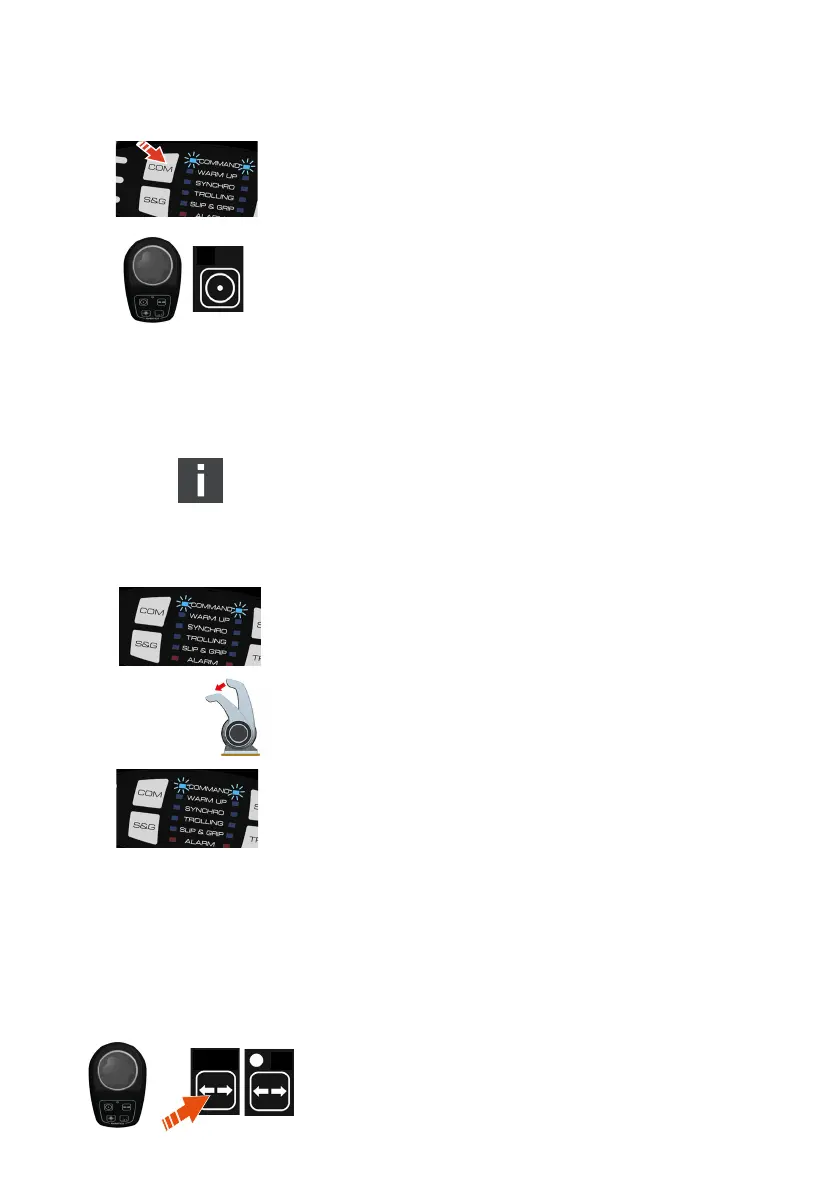
O Push the COM-key at the control head.
The COM-LED flashes at short intervals accompanied by
buzzer sounds.
O Push the COM-key a second time.
The buzzer stops.
The COM-LED at the control head turns on.
The COM-LED at the joystick turns off.
The control head is active and can be used to operate the main
propulsions.
7.3.2 By movement of control head lever
(direct command transfer)
This feature is available for systems with Marex OS III from
software version 1.5.20 in the 3D Controller. It is active by
default. The function can be disabled by changing the
parameter settings, see also chapter 6.2.6, Disabling the
direct command transfer, on page 67.
The joystick is active in the 3D-mode. Its command status
indicator is lit. The COM-LED at the control head is lit, its levers
are in the neutral position.
O Move the control head levers out of the neutral range.
The command status indicator at the joystick turns off.
The COM-LED at the control head remains lit.
The control head is active and can be used to operate the main
propulsions. Trolling will be deactivated automatically if
applicable.
7.4 Activating the thruster mode
NOTICE! In the thruster mode, the control of the main
propulsions and the thruster control are completely separate.
The thrusters can be activated at any control station
independent of the control for the main propulsions.
O Release the joystick.
O Push the thruster key. If another joystick is in the 3D mode,
push the thruster key a second time.
3D_manual_R417003094_DE_EN.book Seite 82 Freitag, 30. November 2018 11:36 11



 To Next Page