Commissioning
68 AVENTICS | Marex 3D | R417003094–BDL–001–AA
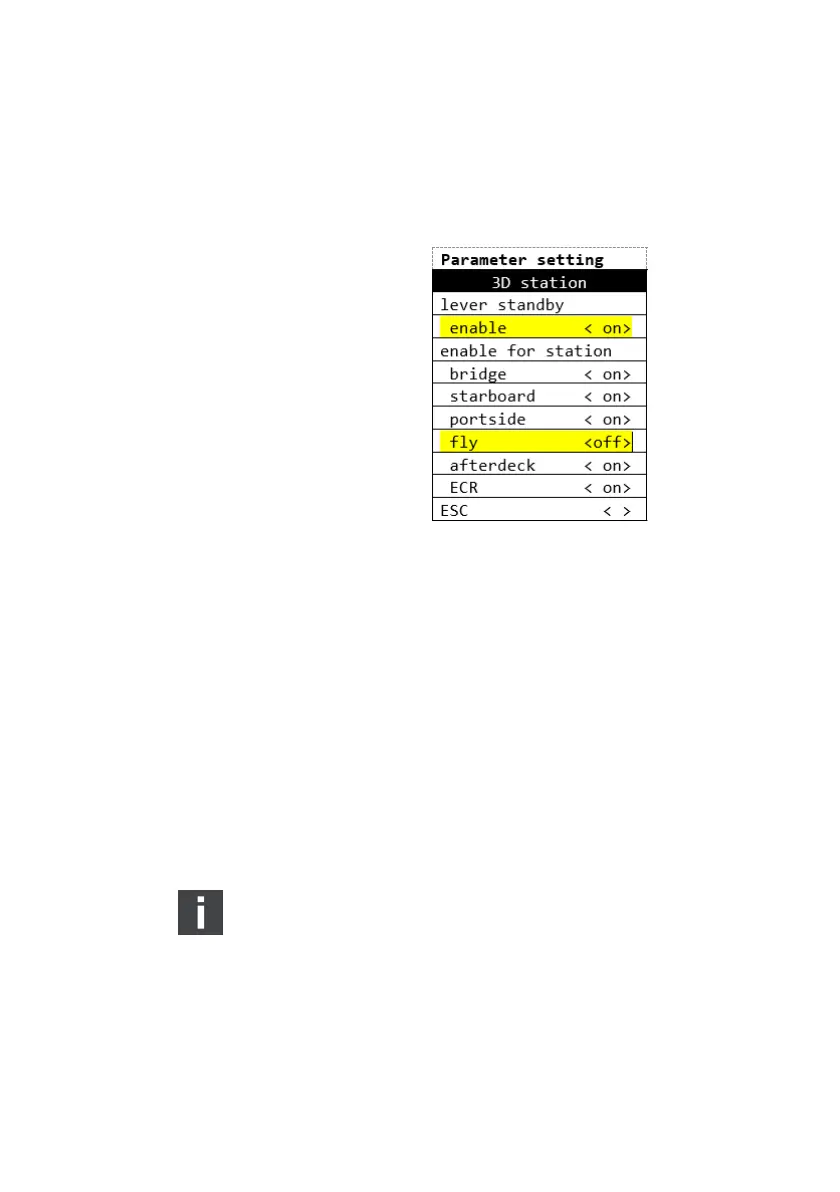
4. Select the menu item "enable for station".
5. Select the station at which you wish to disable the direct
command transfer.
6. Set the parameter of the corresponding station to "off".
7. Switch off the power supply for at least 10 s.
8. Proceed accordingly with the other Marex OS MPC.
6.2.7 Marex ECS in combination with Marex 3D
On delivery, Marex ECS is ready for the operation with Marex 3D.
There is no need for adjustments.
6.2.8 Thruster parameter settings
On delivery, the 3D Controller is equipped with a standard set of
parameters for the operation of on/off-thrusters. By default,
Marex 3D is ready for the operation of on/off-thrusters.
Parameters for other thruster types must be selected and
adjusted only by authorized personnel using the ParaEdit
software.
O Contact marineservice@aventics.com for further
information and parameter sets.
3D_manual_R417003094_DE_EN.book Seite 68 Freitag, 30. November 2018 11:36 11



 To Next Page