Troubleshooting
AVENTICS | Marex 3D | R417003094–BDL–001–AA 99
English
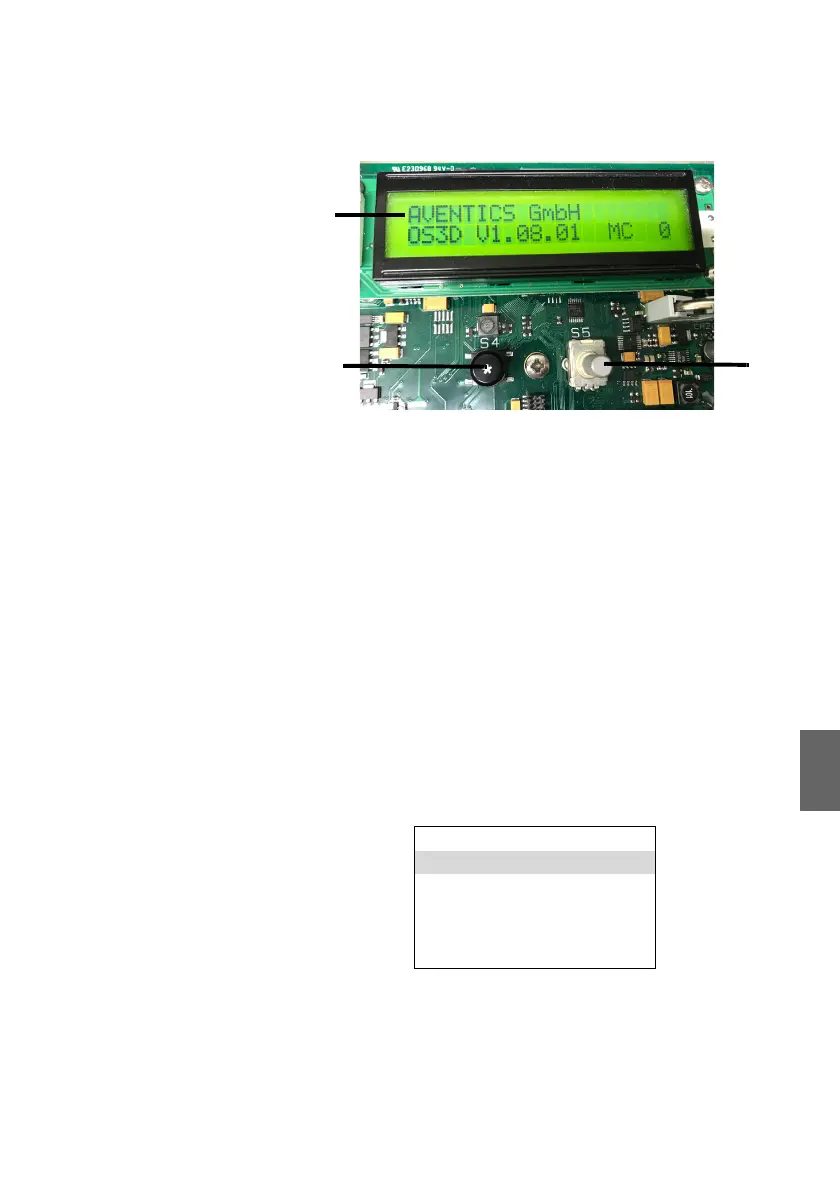
Fig. 51: 3D Controller, normal display
Errors are indicated by a flashing E in the top right corner of the
display. Proceed as follows:
1. Call up the error list.
2. Acknowledge the error message.
3. Eliminate the error.
10.5.1 Error display
Calling up the error
display
O In the main menu (fig. 51) press the SELECT button and hold
it down for 3 s. The display changes and shows the main
menu.
Fig. 52: 3D Controller, main menu
O Turn the Select button to the right and scroll through the list
until the cursor starts to flash in the “error display” menu
item.
O Select the item by pushing the SELECT button once.
1 Display with 2 x 20 characters
2 Escape button (S4)
3 SELECT button (S5)
normal display < >
error display <
>
clock < >
info software < >
parameter < >
ESC < >
3D_manual_R417003094_DE_EN.book Seite 99 Freitag, 30. November 2018 11:36 11



 To Next Page