Troubleshooting
AVENTICS | Marex 3D | R417003094–BDL–001–AA 95
English
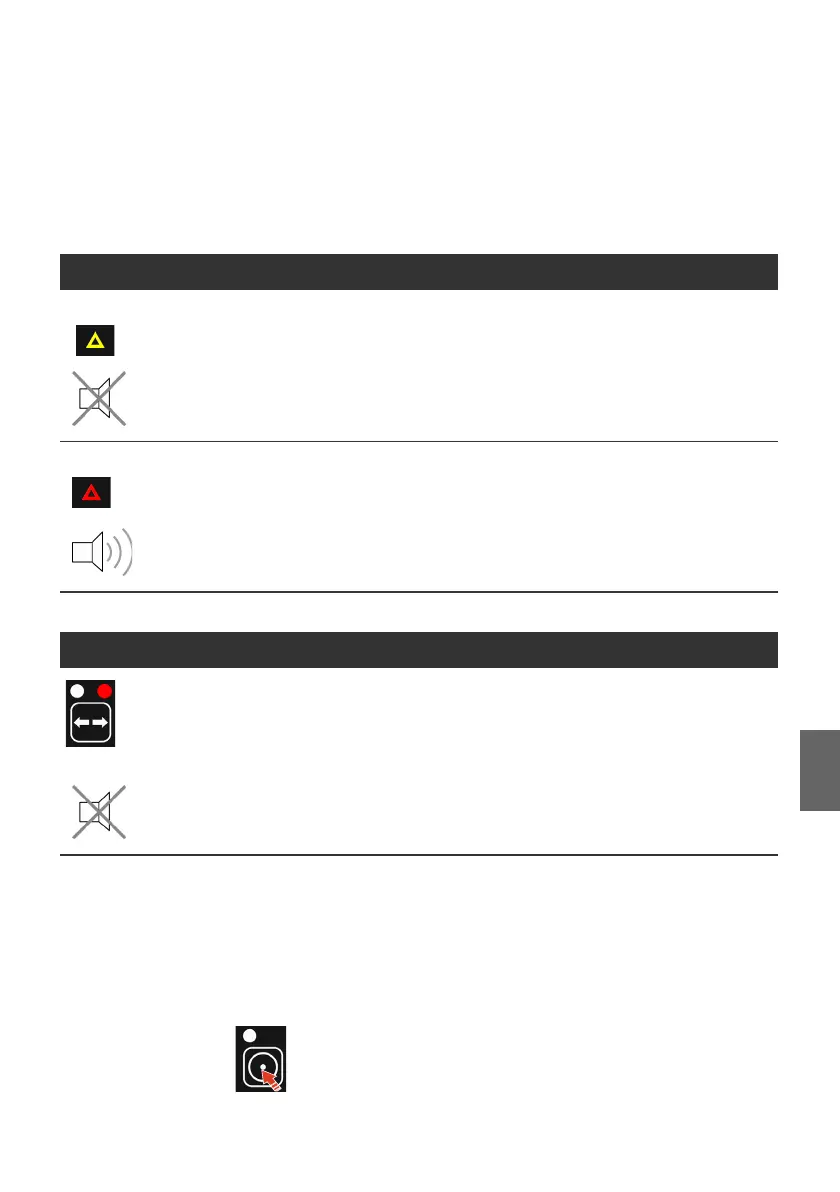
10.3 Alarm signals
Depending on the type and potential impact of the error, two
alarm signals must be distinguished:
Errors will be signaled via the system error indicator at the
joystick. The indicator is visible only when lit. An error can be
originated in the Marex 3D-system, but it can also be relayed
from the MarexOSor ECS system. This ensures that the
operator is informed on the condition of the overall system at all
times. Proceed as follows in case of an alarm:
O Acknowledge the alarm by pushing the COMMAND key at the
joystick.
O Check if the THRUSTER LED is flashing. If yes, at least one
thruster has overheated and was switched off.
Table 8: Alarm signals at the joystick
Type Description Impact
Warning Yellow (Warning)
There is an error in the Marex
3D system, but the operation of
the joystick can be continued
without restriction.
The operation of the drives can be continued from that
station with minor restrictions.
An example for a warning is an error on a passive
control station. The error cause can be identified via the
error display on the 3D Controller.
Alarm Red (Alarm)
There is an alarm in the Marex
3D system. The operation of this
joystick is no longer possible or
possible with restrictions only.
The operability of the drives is impaired, but not
impossible.
For example, if a thruster is defective, the engine speed
can still be changed. The operator must acknowledge
the alarm by pushing the COMMAND key. The buzzer will
switch off. The error cause can be identified via the
error display on the 3D Controller.
Type Description Impact
Red (Alarm)
A thruster was switched off due
to overheating or malfunction.
The thruster is not operational.
3D_manual_R417003094_DE_EN.book Seite 95 Freitag, 30. November 2018 11:36 11



 To Next Page