Commissioning
AVENTICS | Marex 3D | R417003094–BDL–001–AA 67
English
6.2.6 Disabling the direct command transfer
By default, the direct command transfer is enabled in the Marex
OS MPC. The following steps must be carried out only if this
feature shall be disabled.
Proceed as follows to deactivate the direct command transfer.
For more information on the direct command transfer, see
chapter 7.3.2 on page 82.
1. Call up the System Parameter menu as explained in 6.2.2,
Adjusting the 3D Controller for the operation with Marex OS,
on page 62.
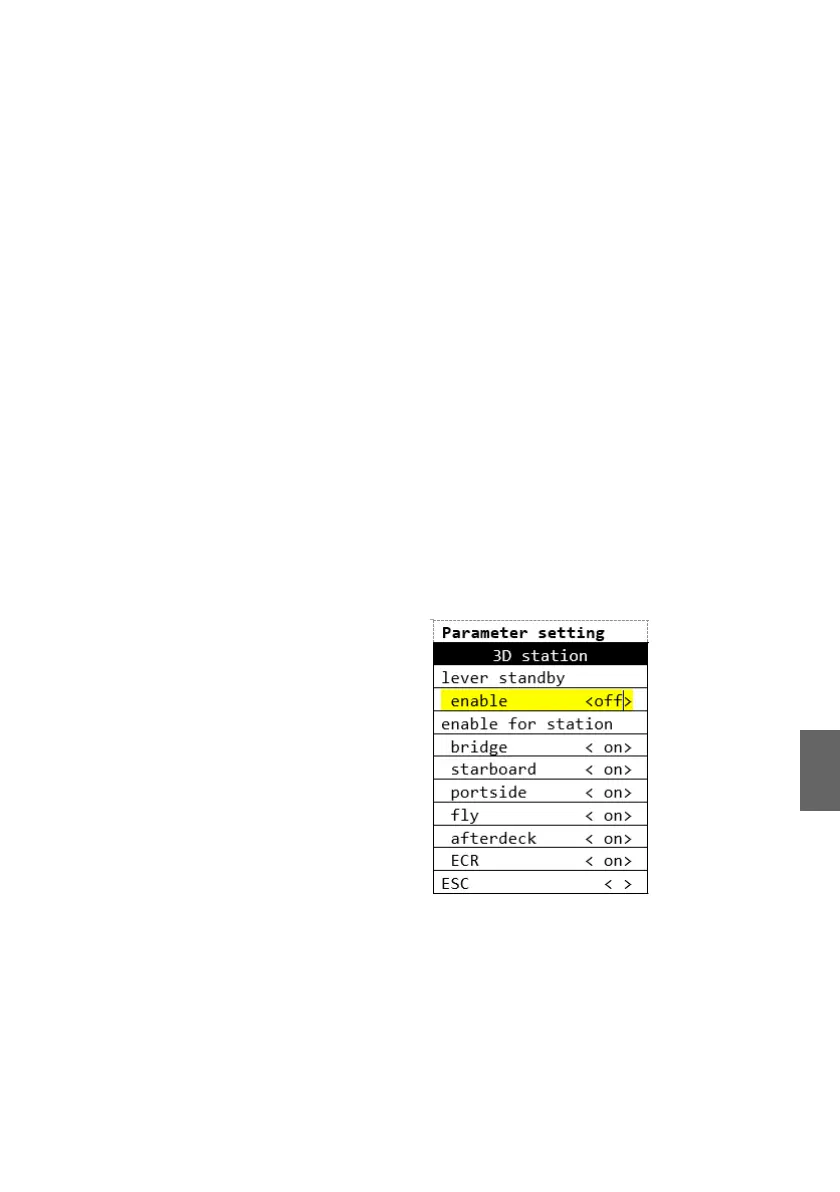
2. In the System Parameter menu, call up the menu item
"Station setup".
3. Select "3D station".
4. Select "lever standby/enable.
5. Select "off" and confirm by pushing the Select-button.
6. Switch off the power supply for at least 10 s.
7. Proceed accordingly with the other Marex OS MPC.
Proceed as follows to disable the direct command transfer for
individual control stations:
1. Call up the System Parameter menu as explained in 6.2.2,
Adjusting the 3D Controller for the operation with Marex OS,
on page 62.
2. In the System Parameter menu, call up the menu item
"Station setup".
3. Select "3D station".
3D_manual_R417003094_DE_EN.book Seite 67 Freitag, 30. November 2018 11:36 11



 To Next Page