89
Bezel Gap
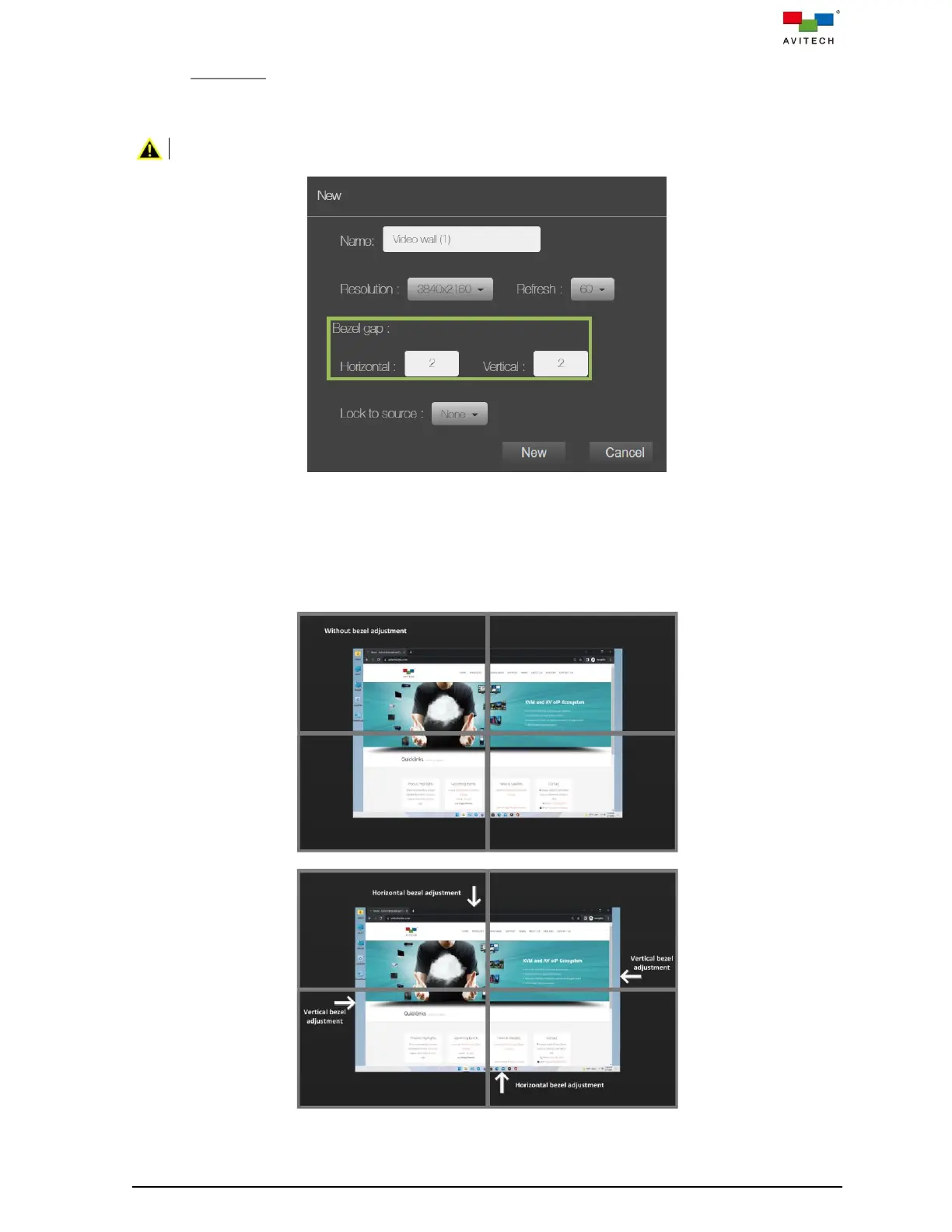
Carefully measure the Horizontal (width) and Vertical (height) bezel gap between displays,
and then enter the values to compensate for the width/height of the display bezels.
Both of the Horizontal (width) and Vertical (height) values of bezel gap compensation must be even.
Figure 5.2.22 Bezel Defined
See the effect of the source display on the wall screen. If misalignment is seen, the Bezel
section allows you to adjust the pixel (offset) needed to align the image seamlessly; more
specifically the middle horizontal and vertical bezels of the wall display so that your image/video
spread on the monitors will appear more natural. The next two illustrations show a sample 2×2
wall display before and after bezel adjustment.
Figure 5.2.23 Sample 2×2 Wall Display Before and After Bezel Adjustment



 To Next Page