90
1. It is highly recommended to use identical model and size of monitors when outputting a signal
source simultaneously to any wall display configuration.
2. The Bezel setting need be performed only once unless the monitors have been replaced.
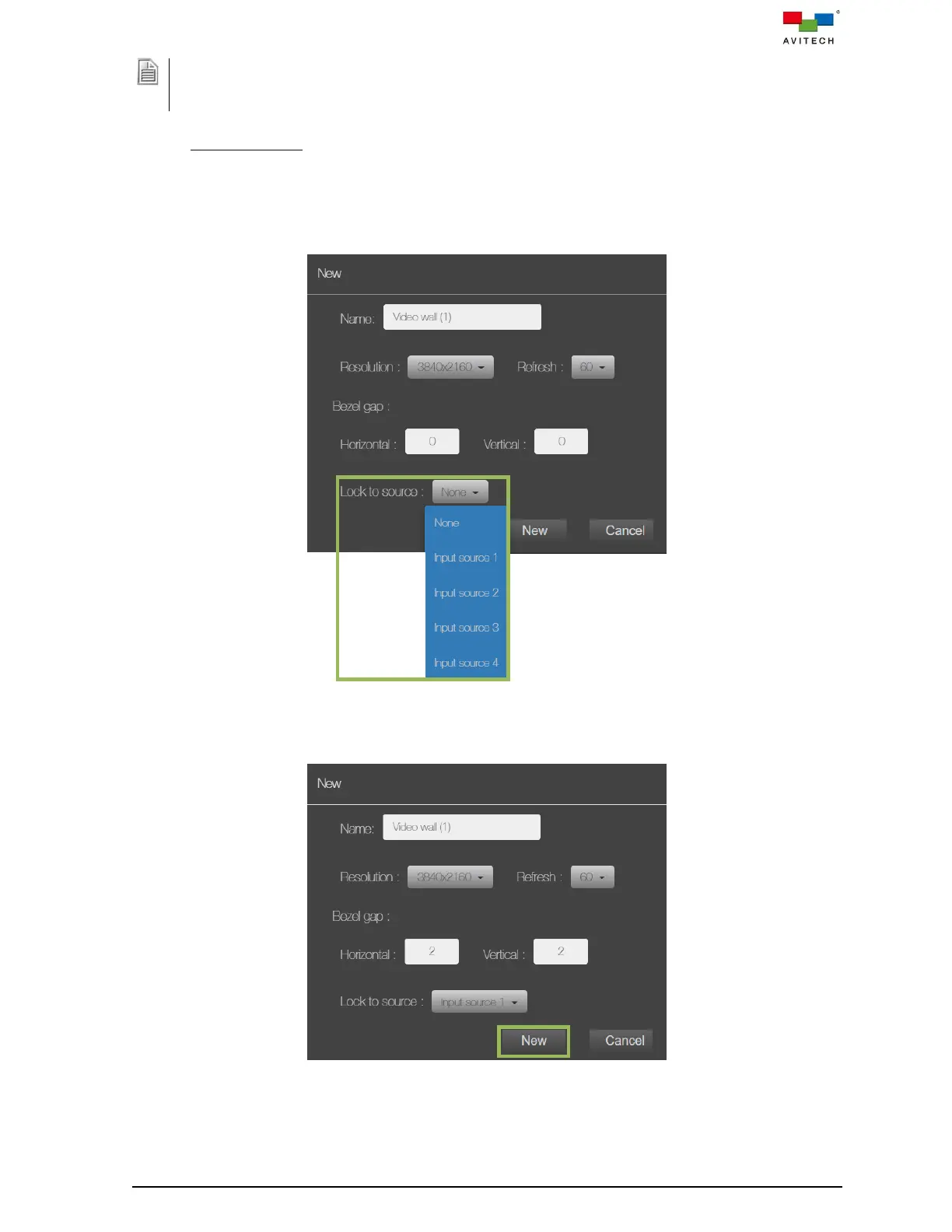
Lock to Source
Allows the video input of one source (coming from the INPUT ports of Sequoia 4K60) to be used
to synchronize another source(s) together, or None (free-running) to be used to synchronize
another source(s) together. The aim in video applications is to ensure the coincidence of signals
in time at a combining or switching point. When video sources are synchronized in this way, they
are said to be generator-locked, or genlocked.
Figure 5.2.24 New Video Wall Property Setting Window
Step 13. Click New to apply the video wall property setting.
Figure 5.2.25 New Video Wall Property Setting Window



 To Next Page