6: Virtual Mixer • 98
©2008 Axia Audio — Rev. 3.0
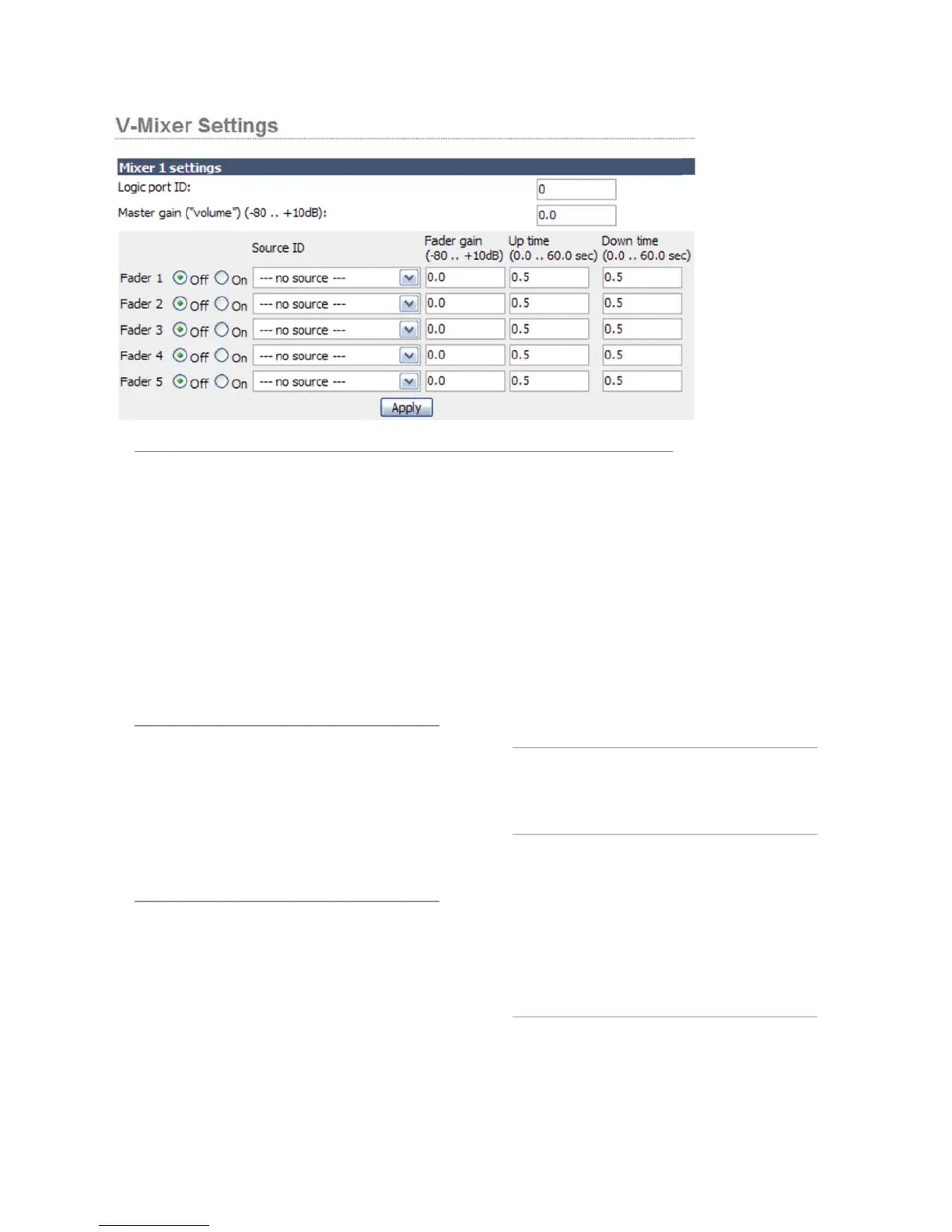
Element, these StudioEngine indicators show what is as-
signed in the Element web page shown above:
Engine’s Source Name and Channel Num-
ber fields will display the Source ID you select
here.
Engine’s Enable field will be on or off depending
on whether you selected OFF or ON for any of the
VMIX faders here.
Engine’s Gain field will display the number en-
tered into the Fader Gain fields here.
About the Source Name drop down menu:
How does a source show up in this drop down
menu? It has to do with an option that appears
whenever you create a Source Prole. Remember
that there’s a section of the Source Prole that
lets you choose what fader channels the source
may be assigned to, and whether it should be
available to the CR monitors, Studio Monitor, or
the … here’s the kicker… V-mixer input! Gosh!
Someone’s been laying awake at night thinking
of all this stuff.
The Up Time and Down Time fields contain values
of time that control the rate at which the fader’s audio
goes from OFF to ON and visa versa. If the source is
OFF, gain is negative infinity (not adjustable, just a law
of nature).
When the source turns ON, the time in which the
audio adjusts from OFF to ON (the gain value set in the
earlier field) is the Up Time. It the field is set to 1 sec-
»
»
»
ond, the audio will
“fade up” to the gain
value in 1 second.
If the field is set to
0, the audio will not
fade, but simply
turn ON at the gain
value specified. The
second field controls
the ON to OFF fade
time.
This function
can be used to create
crossfades between
sources when Path-
finderPC is dynamically making changes to the VMIX
based on conditions met.
Other parameters in the Mixer setting are the Master
Gain of the mix and the Logic Port ID.
The Master Gain field is a parameter that can
be applied to the final mix of the five Submixer
faders. Recall the indicator in the Engine HTTP
screen for the Gain of VMIX SUB? That corre-
sponds to this field. In most cases a gain of 0 is
appropriate.
Note: When controlling VMIX through Element,
you can set the gain of the eight Submixers, but
you cannot set the gain of the VMIX Main out-
put — that must be done from the StudioEngine
VMIX page.
The Logic Port ID for a particular VMIX Sub-
mixer must have a unique channel number, like
any other system GPIO channel; this will provide
GPIO functionality to the Submixer. We suggest
you enter the same Channel number that you gave
to the Submix itself.
“Why would a VMIX Submixer need a GPIO func-
tion?” Remember, the GPIO of your Element is
grouped in ves: ve INPUTS and ve OUT-
PUTS. With this eld assigned, a GPIO port or
GPIO device can be used to receive status, or
to command ON/OFF states of the ve inputs in
»
»
Figure 6-3: Element VMix settings page



 To Next Page